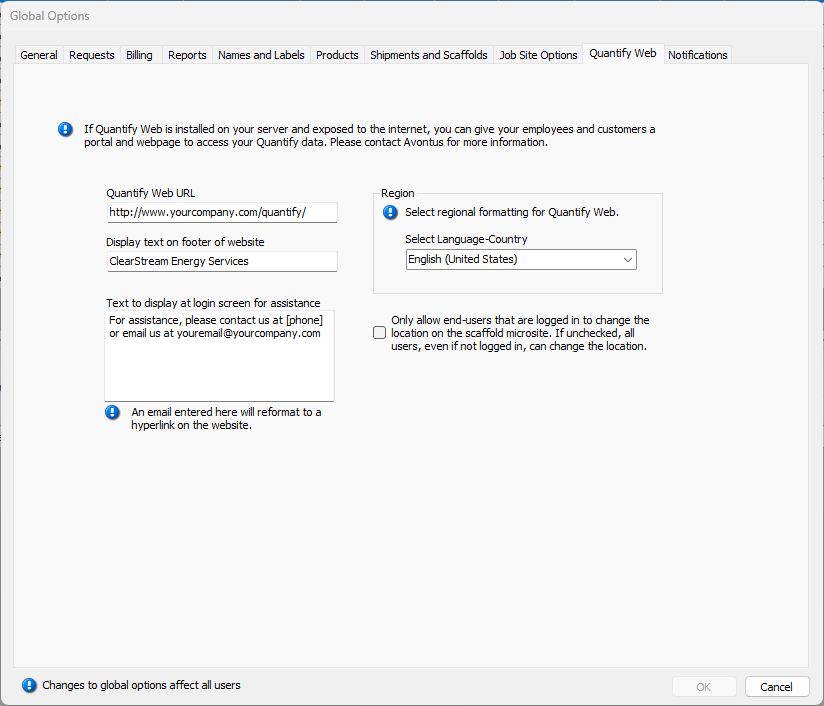
The Quantify Web tab enables you to enter the settings that enable you users to access your Quantify Web installation.
| Quantify Web URL | Use this text field to configure the URL for your Quantify Web website. |
| Display text on footer of website | Use this text field to define the text that will appear in the footer of your Quantify Web website. |
| Text to display at login screen for assistance | Use this text field to define the text that will appear when users log in to your Quantify Web website. |
| Region | Use this dropdown to determine the language (based world regions) that Quantify Web will use to display information to your users. |
| Only allow users that are logged in to change the location on the scaffold microsite. | The Scaffold microsite is the web page for an individual Scaffold that users can access by scanning the QR code for that Scaffold. This web page enables the user to see the Scaffold details, enter an Inspection and change the geolocation of the Scaffold. The microsite is available to anyone who scans the QR code, but Quantify restricts who is allowed to change the Scaffold’s map location. When this checkbox is checked, only users who are logged into Quantify Web are allowed to change the location of a Scaffold. If this is left unchecked, anyone can change the location regardless of their credentials. |