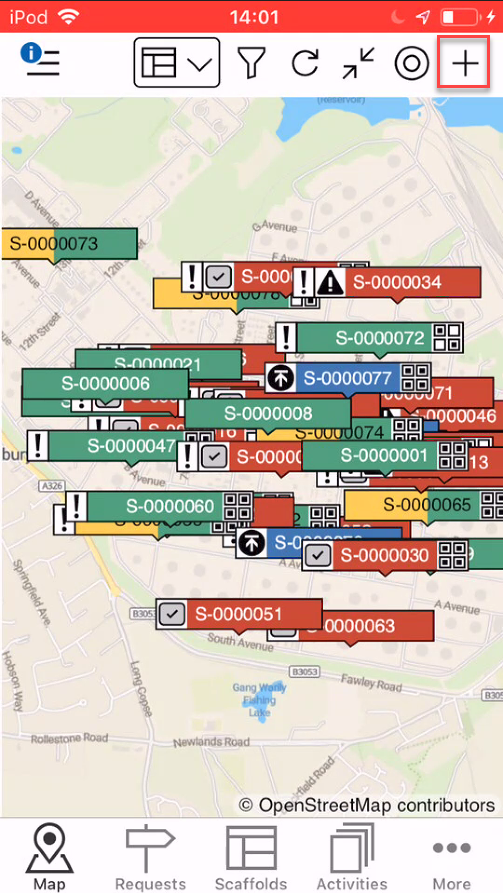
Tapping the + button (shown below) will create a new scaffold or request (depending on whether you are viewing requests or scaffolds - Please see the Scaffold/Requests section for more information). A request will need to be approved before it becomes a Scaffold, however, you can add a Scaffold without creating a Request. Adding a scaffold, without going through the approval process, is useful for when a scaffold has already been erected on a site but not logged on the ScaffoldIQ application because, for example, the scaffolds were erected before the software was purchased.
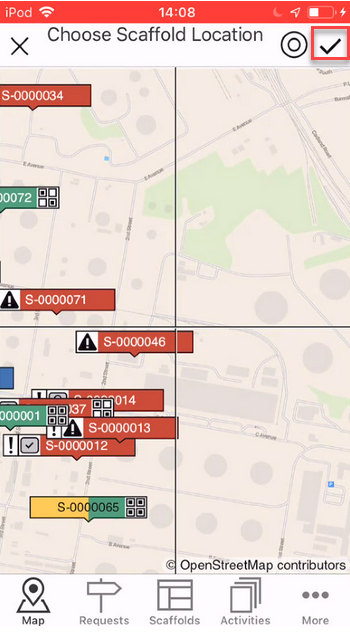
When Add is selected, a crosshair will appear on the map allowing the requestor to pinpoint exactly where they wish to create the request or erect the scaffold.
Note: You can tap the
icon to jump to your current location.
Once you have found the correct location, tap the tick icon.