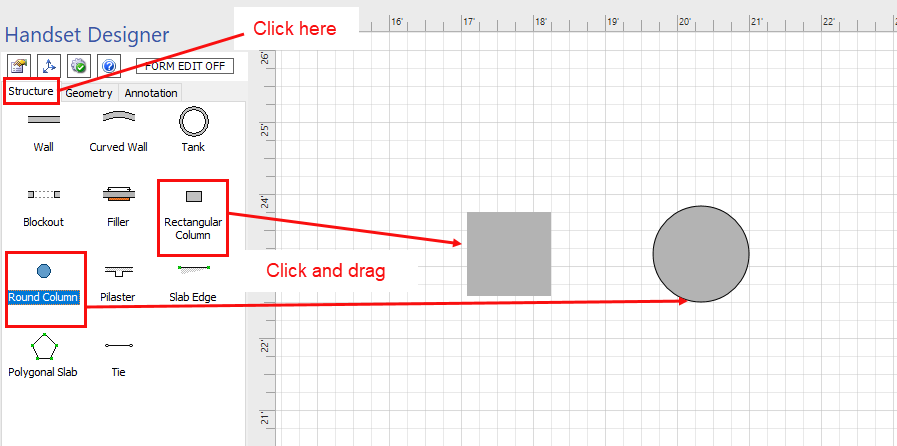
Adding a rectangular Column or a round Column to a drawing is as simple as dragging and dropping the shape.
To add a Column to a drawing:
- Click the Structure tab in the Handset Designer pane.
- Click and drag a Column shape (Rectangular Column or Round Column) and drop it onto your drawing page.