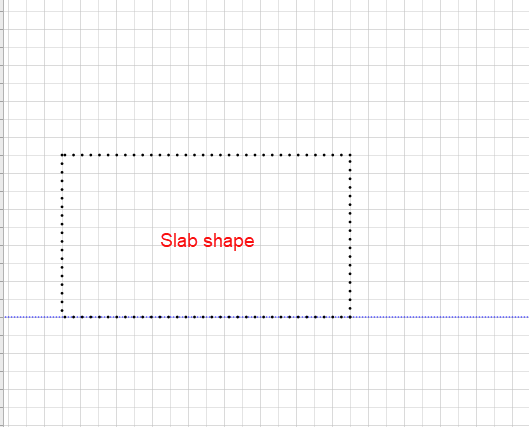
You can use the Slab Edge shape to create structures that have multiple sides, each side being the boundary for the Slab.
To create a Slab Edge:
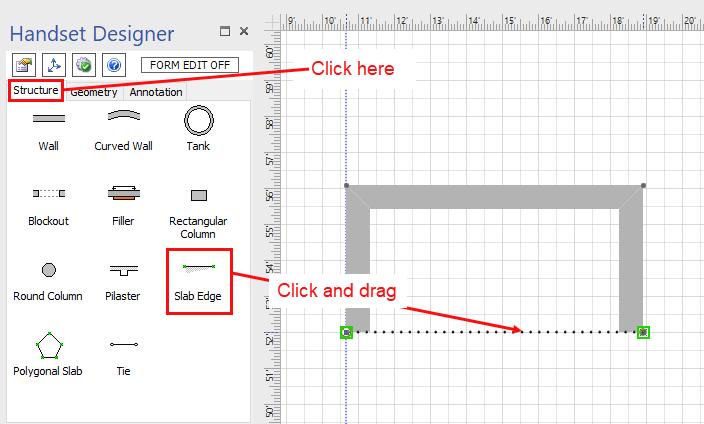
- Click the Structure tab in the Handset Designer pane.
- Click the Slab Edge shape and drag and drop onto your drawing.
You can add multiple Slab Edges to the Drawing page and connect them together to form a complete Slab. To do so:
- Click and drag a Slab Edge shape and connect to another Slab Edge shape at the green connection point.
- Click and drag the handle of the Slab Edge shape to adjust it to the desired length and position. (Refer to Adding a Dimension to a Slab Edge and Adding a Guide to a Slab Edge to use these tools to help you form your Slab shape.)
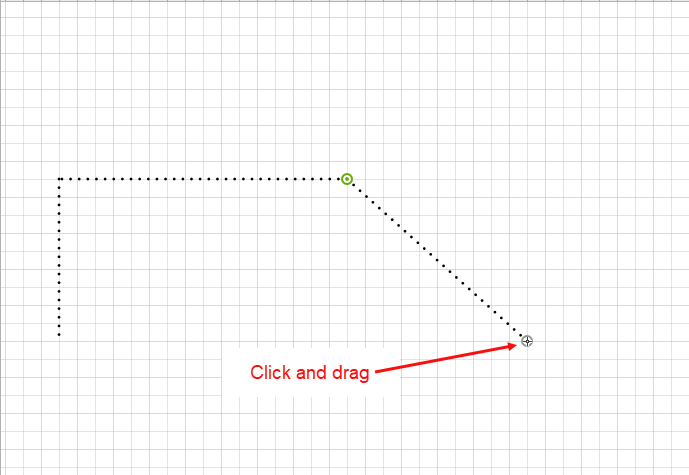
- Connect more Slab Edges to form a complete Slab shape.