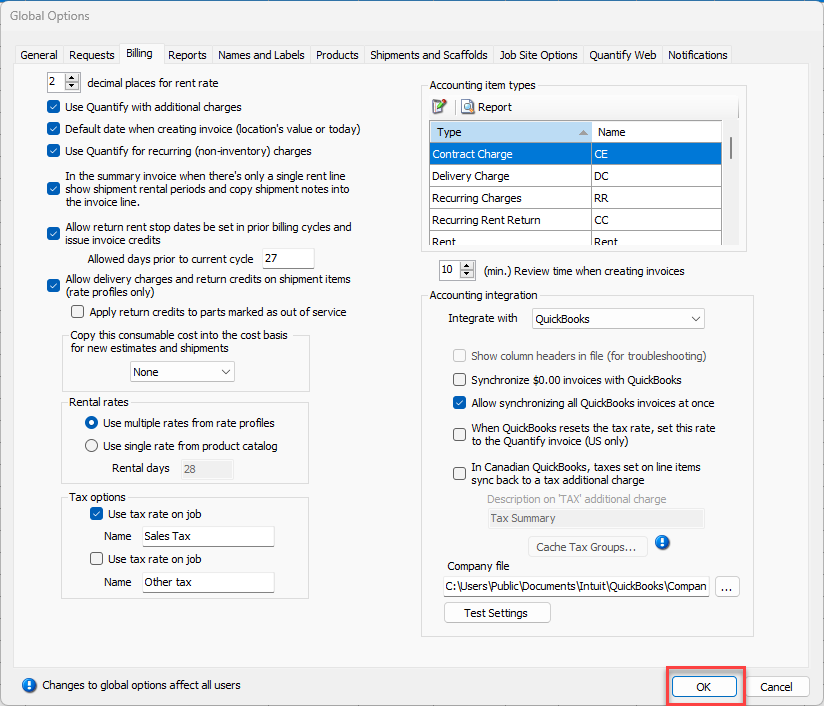
Quantify enables you to customize the labels used when selecting tax options. You configure these labels in the Billing tab of the Global Options dialog.
To configure tax option labels:
- Click the Tools menu and select Global Options.
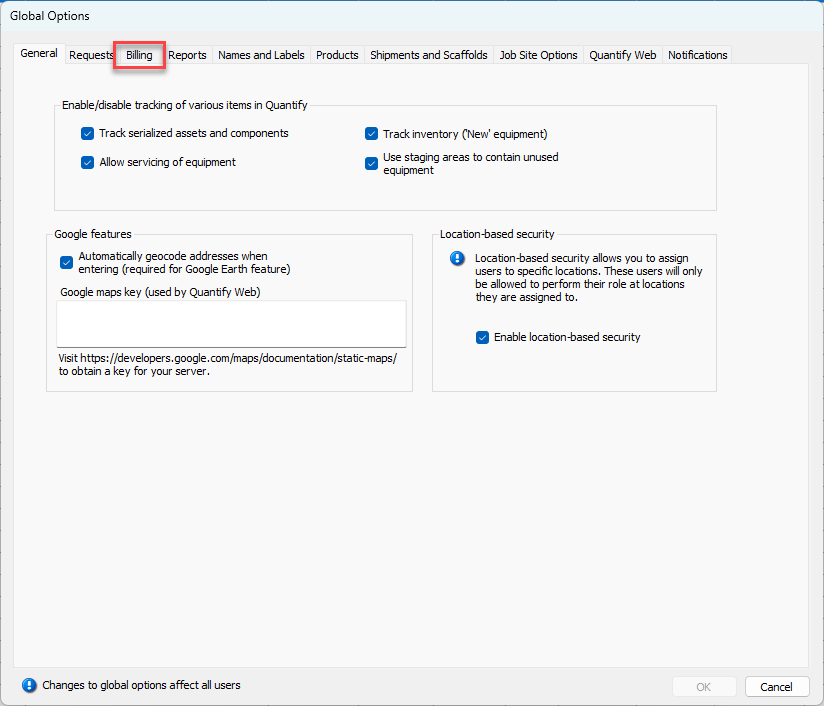
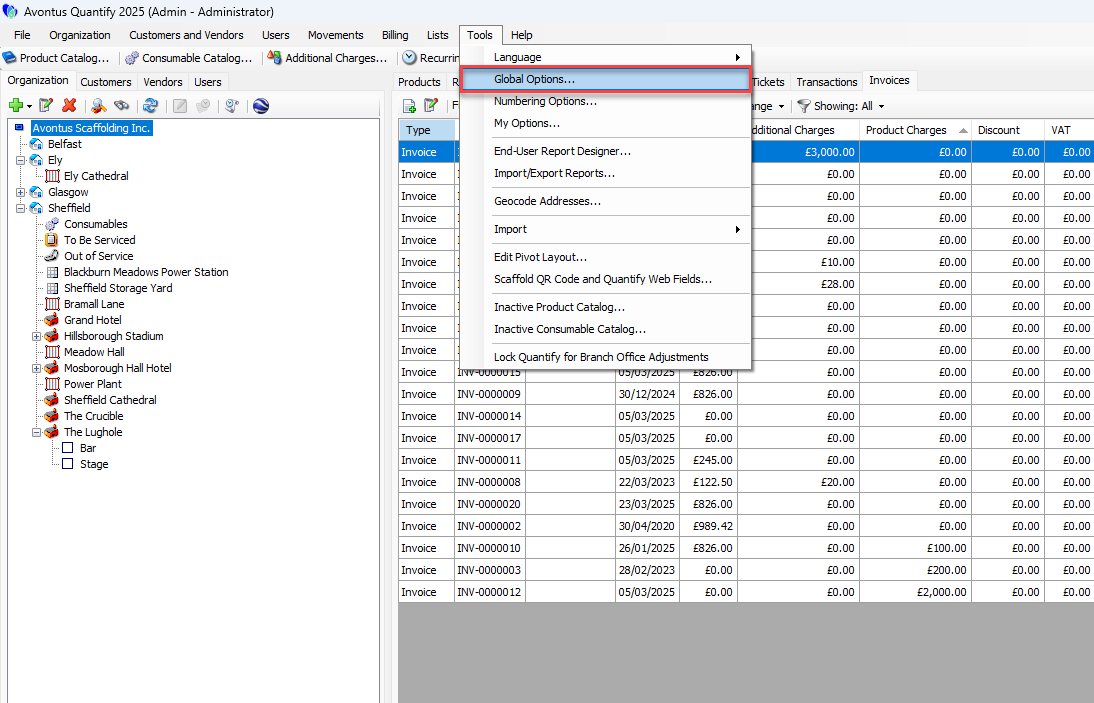 The Global Options dialog appears.
 - Click the Billing tab.
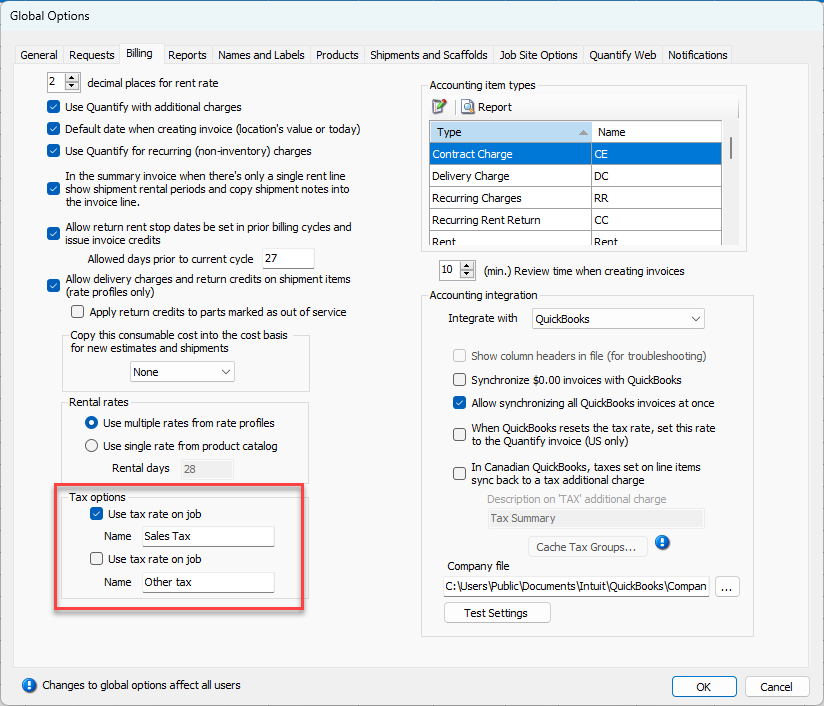
As necessary: - Click the top Use Tax Rate on Job checkbox.
- Click in the Name text field and enter a name for the tax rate.
- Click the bottom Use Tax Rate on Job checkbox.
- Click in the Name text field and enter a name for the tax rate.
- Click OK.