Introduction
You can connect Claude to Avontus Quantify. Here, you can then ask Claude questions about your Shipments, create new Estimates, and create new invoices.
Before you start, you will need:
An Avontus Quantify account - the same email and password you use to sign in to Avontus Quantify. You do not need a new account.
An active subscription.
A Claude account on Claude.ai, Claude desktop or the Claude mobile app.
Connect from the Claude directory (recommended)
Avontus Quantify has been added to the Claude connector directory. This means it can easily be added to your Claude AI.
To do this:
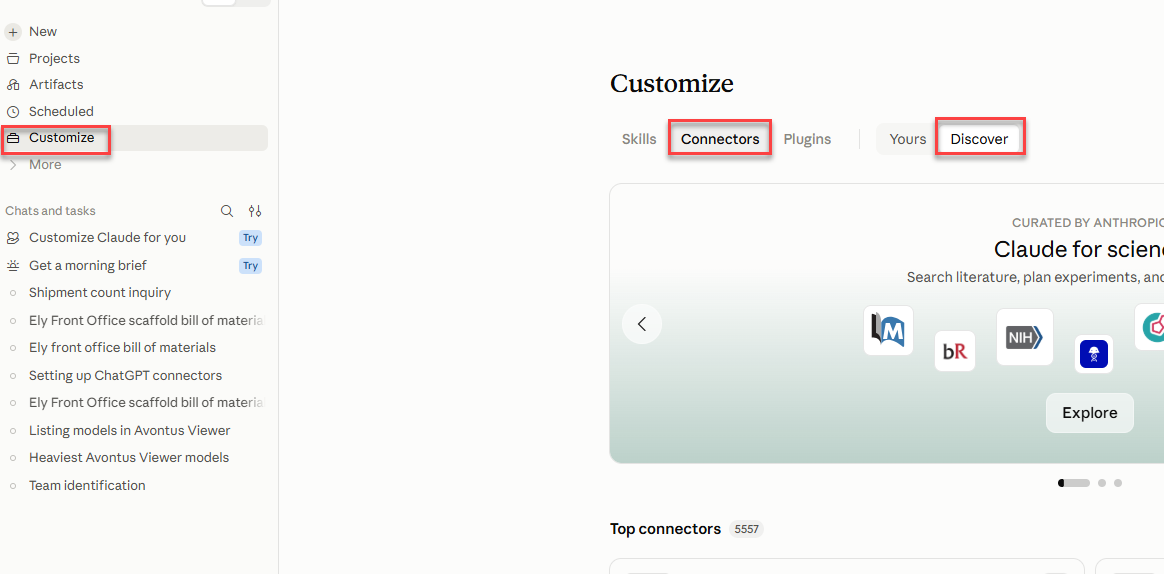
Select Customize
Select Connectors
Click Discover
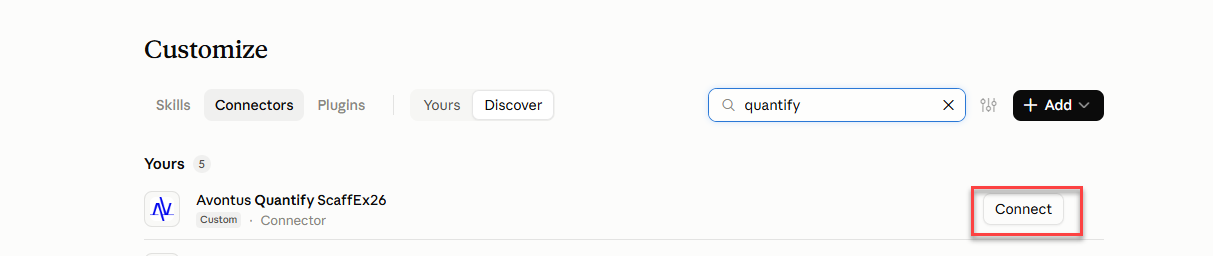
In the Search bar, Search for Quantify
Select Connect
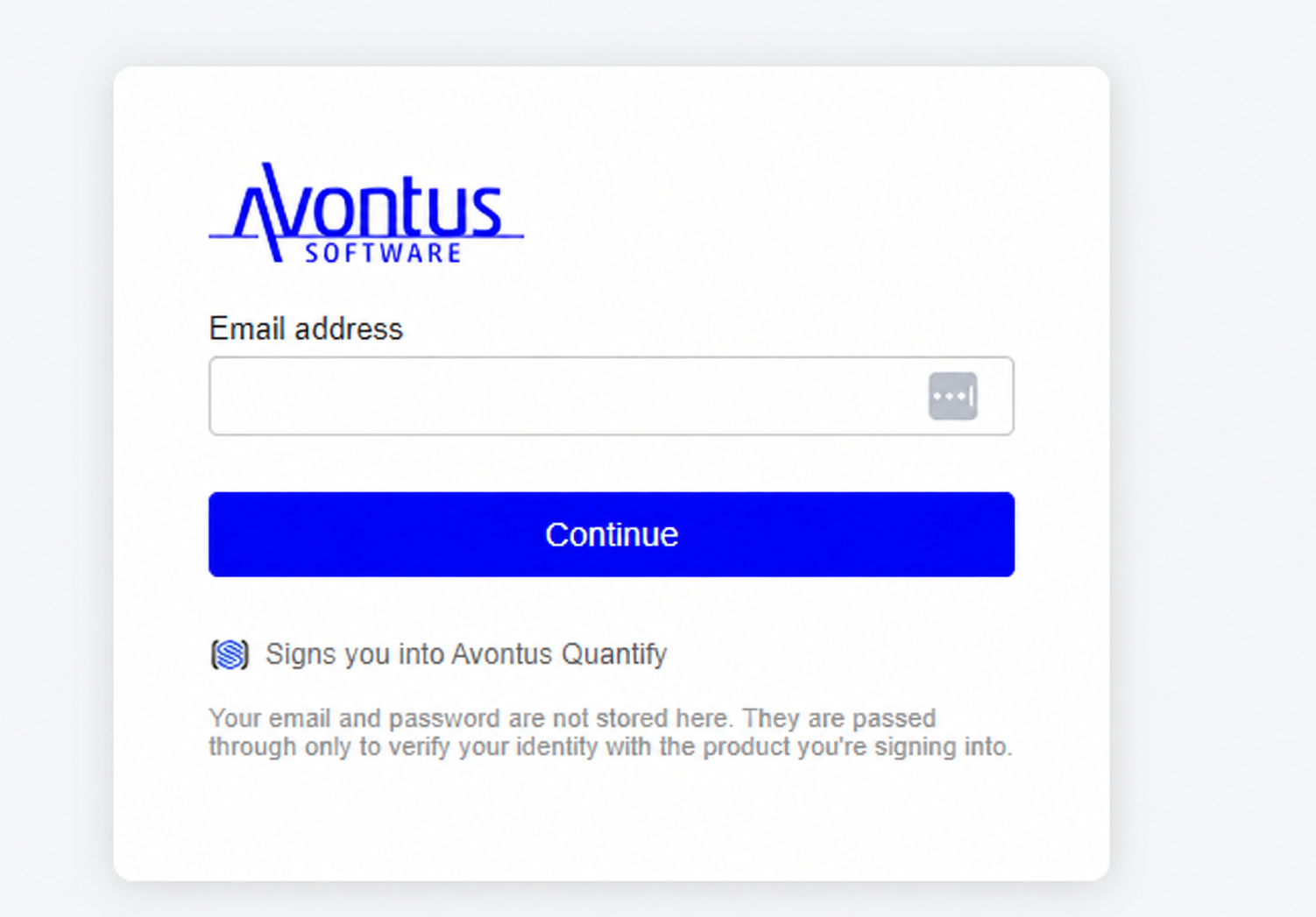
Sign in with your Avontus Quantify account
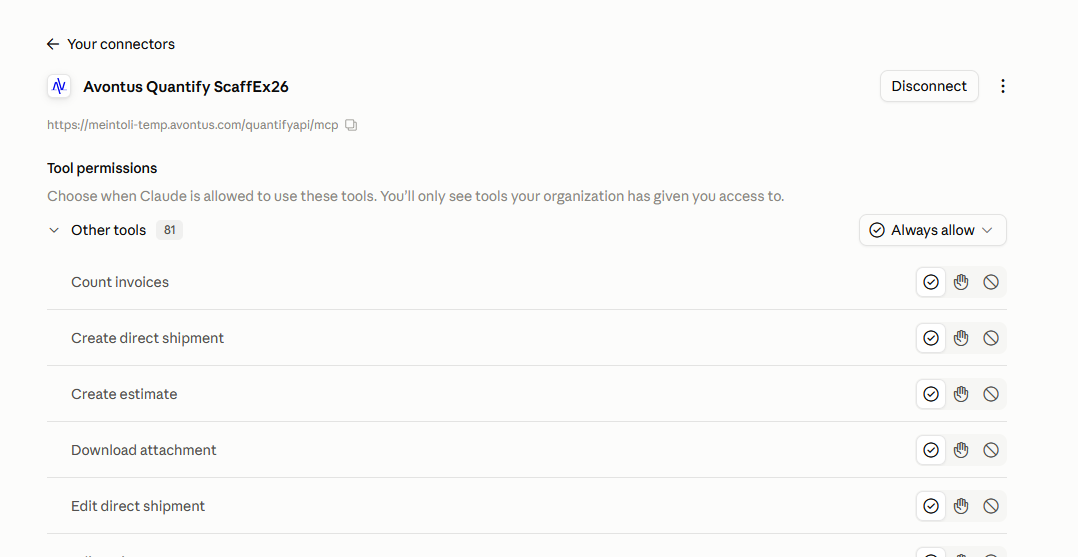
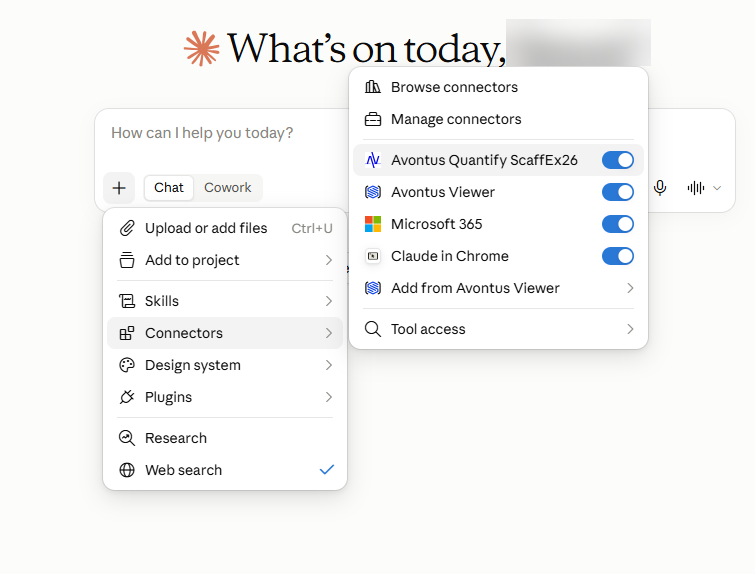
You will be connected to Avontus Quantify.To use Claude in a conversation, click the + button, choose Connectors, and switch on Avontus Quantify.
You will also need to ensure Always Allow is set for Quantify.