You can add a copy of the Bill of Materials to any page of a drawing.
To add the Bill of Materials to a drawing:
Click the Handset Designer tab and then click Bill of Materials.
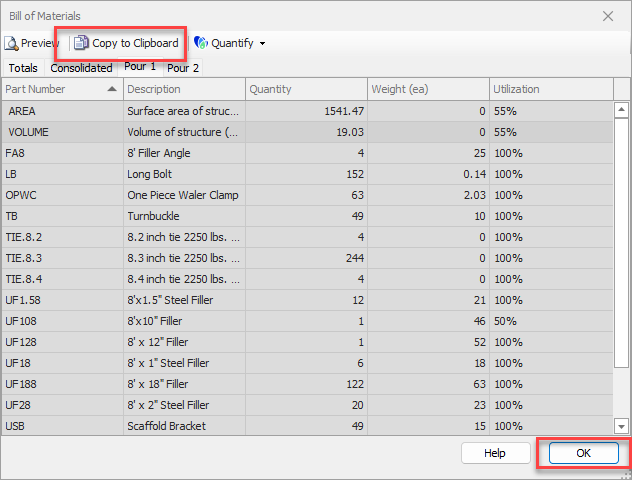
The Bill of Materials dialog appears.
Click Copy to Clipboard.
Click OK.
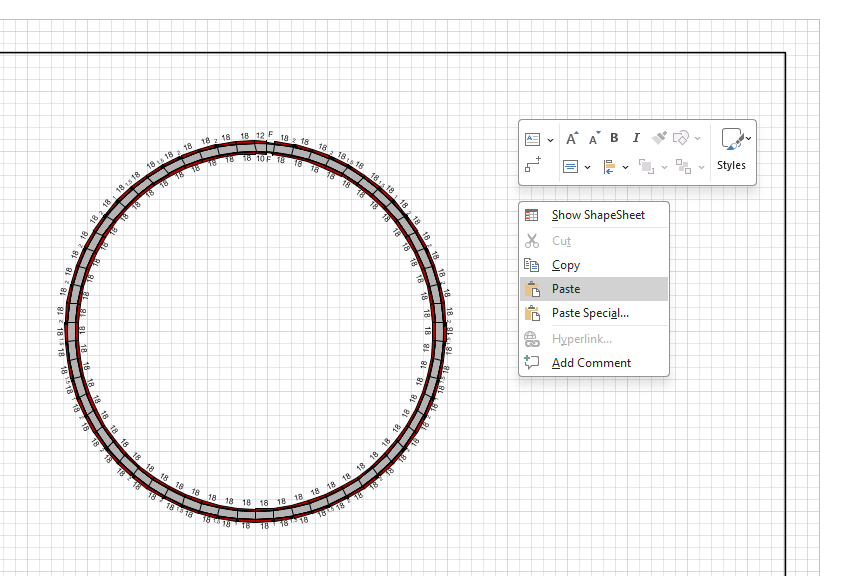
The Drawing Page returns.Right-click anywhere in the Drawing Page and select Paste from the menu that appears.
Handset Designer pastes an image of the Bill of Materials onto the page.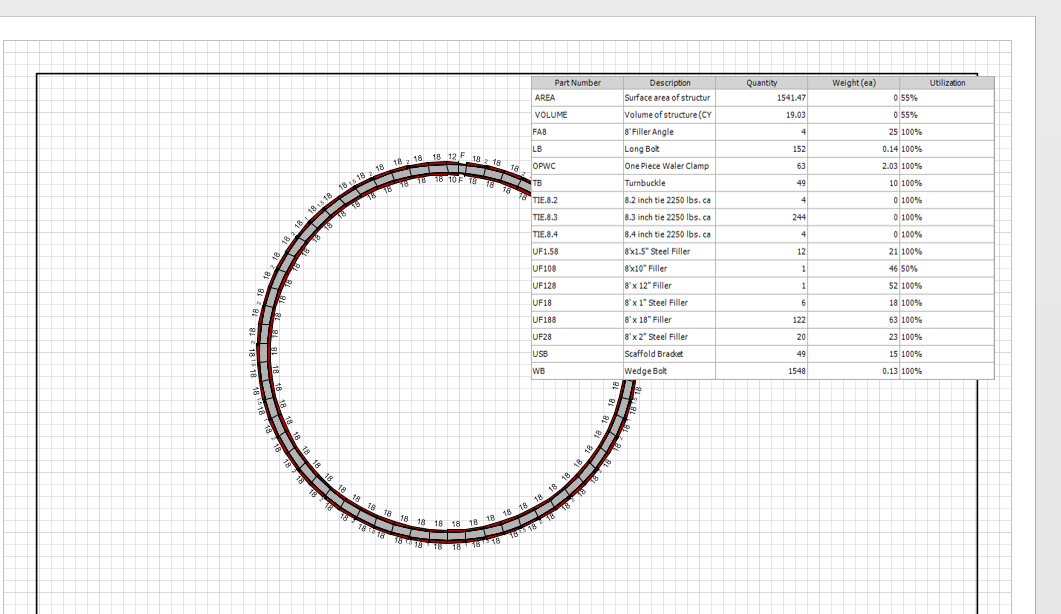
You can resize the image and move it anywhere on the page.
WARNING: Once you paste the Bill of Materials image into the drawing, Avontus Designer will not change the materials in the image as you make changes to the drawing itself. To include these changes, delete the Bill of Materials image and use the procedures above to copy the updated Bill of Materials to the drawing.