To establish the communication link between Quantify and Xero, first select the Xero Accounting Integration option in Quantify.
To integrate Quantify with Xero:
- Click the Tools menu and select Global Options.
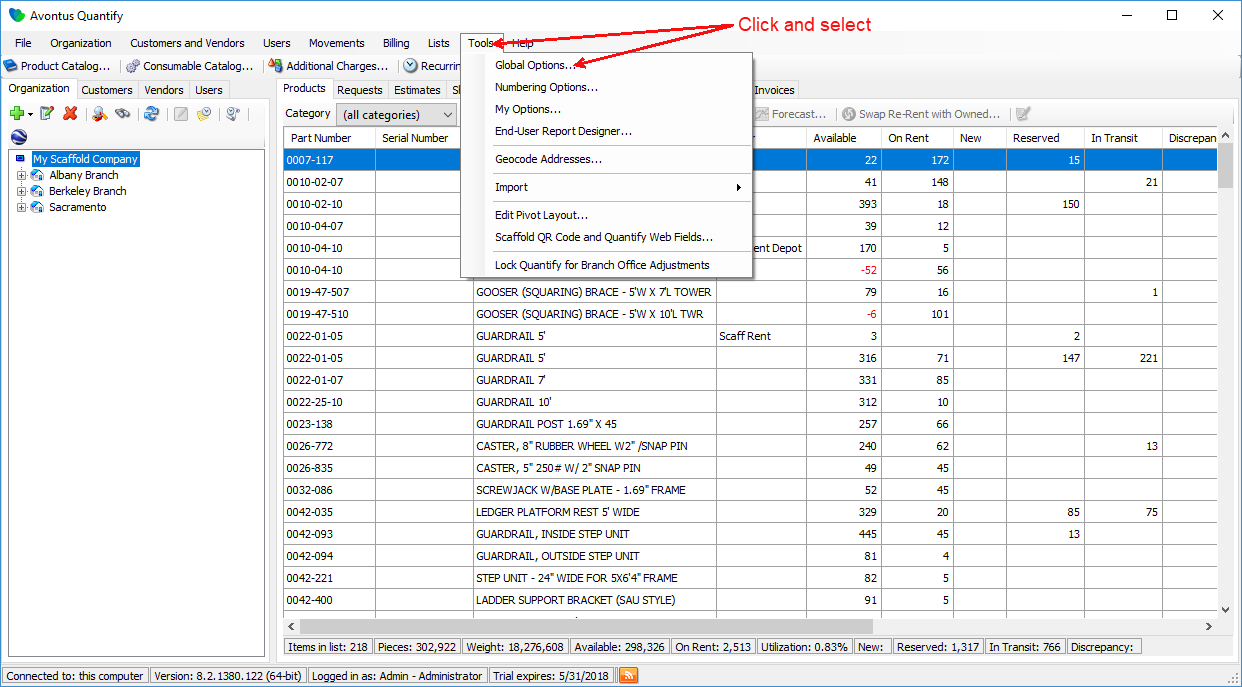
The Global Options dialog appears. - Click the Billing tab.
- Click the Integrate With dropdown and select Xero.
- Ensure that all tax options are unchecked, as Xero takes care of taxes internally.
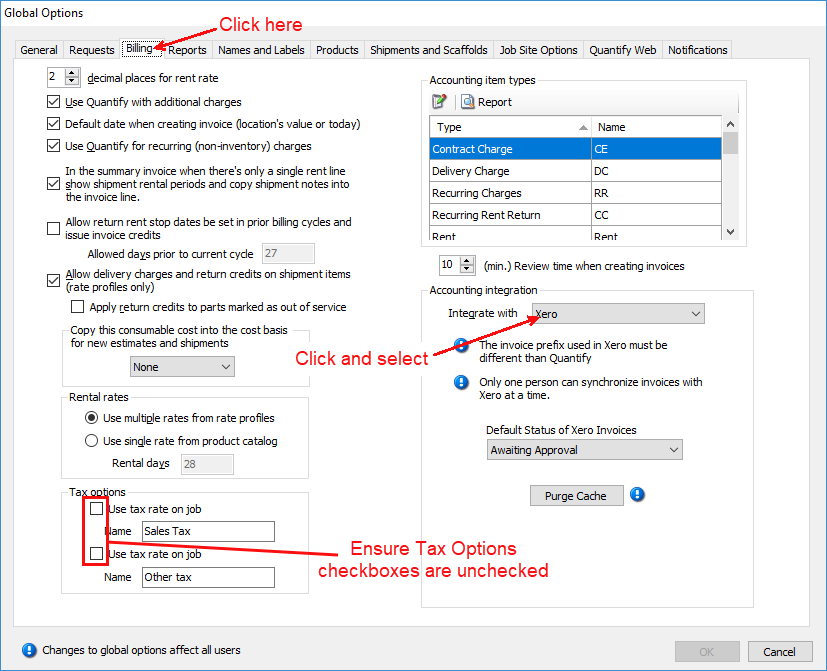
- Click the Default Status of Xero Invoicesdropdown and select the appropriate status for Invoices synchronized with Xero. Your options are:
- Draft
- Awaiting Approval
- Awaiting Payment
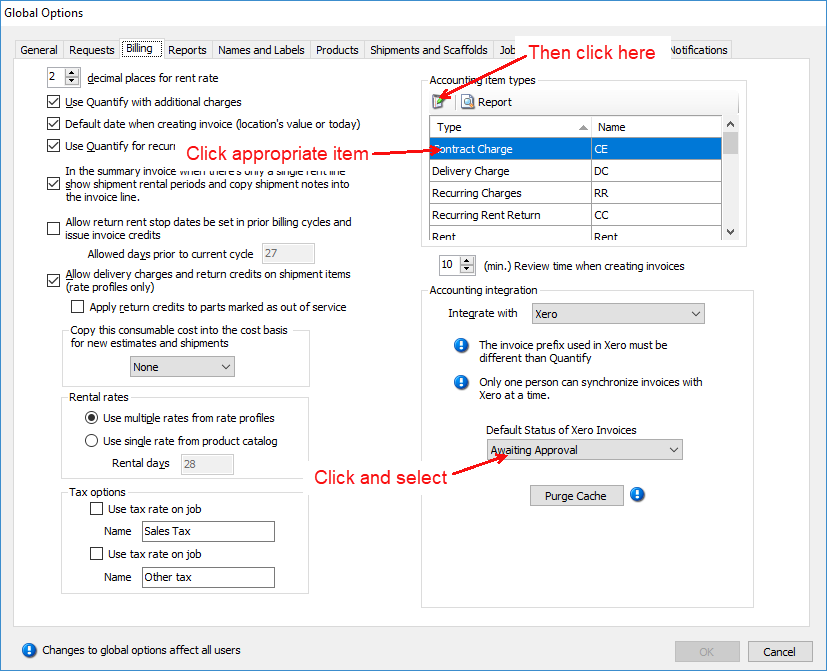
All accounting item types must have their Name text fields match those in Xero.
- Click the first Accounting Item Type, then click the Edit button (
 ).
).
The Accounting Type dialog appears. - Click in the Name text field and enter the name that matches the item type in Xero.
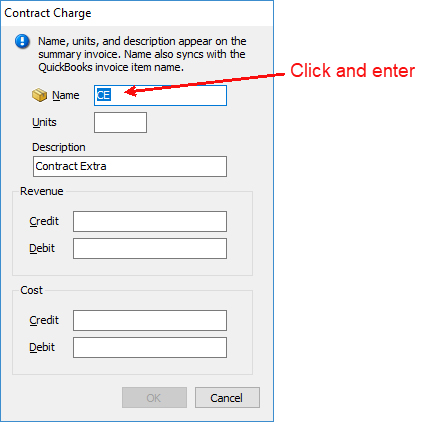
Note: Xero synchronization name matching is case sensitive. - Click OK.
The Global Options dialog returns. - Repeat steps 5, 6 and 7 for each accounting item type.
- When you are done, click OK in the Global Options dialog.