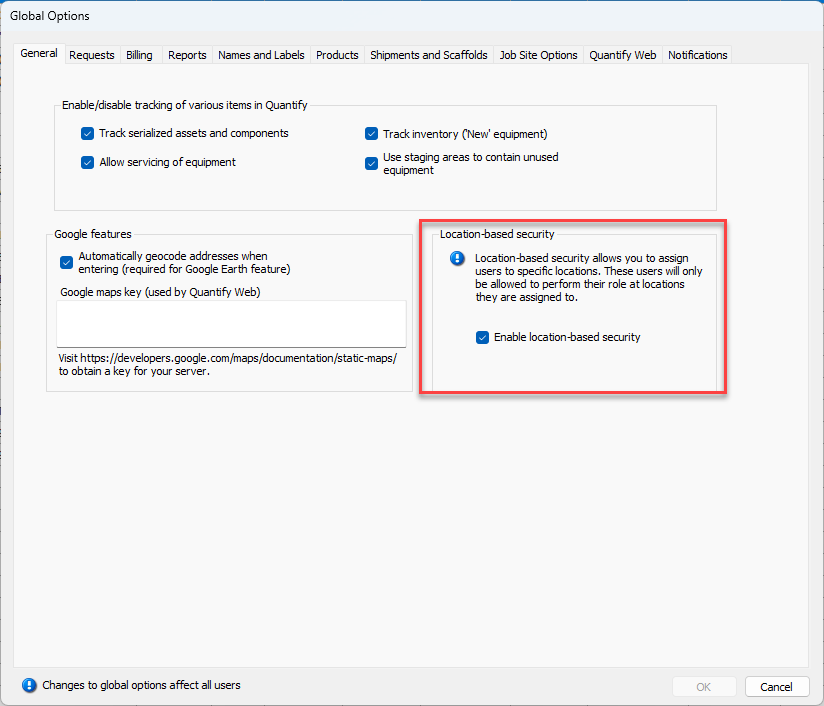
Location-Based Security enables you to assign individual users to specific locations. Once assigned, these users can only perform their role at the specific locations to which they are assigned. For example, you may have billing personnel at two different Branch Offices who can create invoices for their own locations, but not each other’s location.
You enable Location-Based Security in the General tab of the Global Options dialog. Once enabled, you can assign user accounts to their appropriate locations.
Roles and Location-Based Security
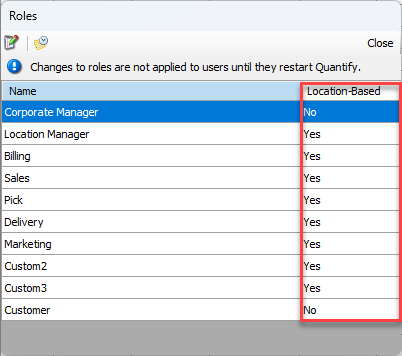
By default, not all roles are location-based. The Administrator role has all rights and permissions for all locations and is not location-based. The Corporate Manager role is bound by permissions but not by location. All other standard roles are location-based. You can view the location-based status of a role in the Roles dialog and enable/disable Location-Based Security for a Role in the Permissions for Role dialog.
Permissions and Location-Based Security
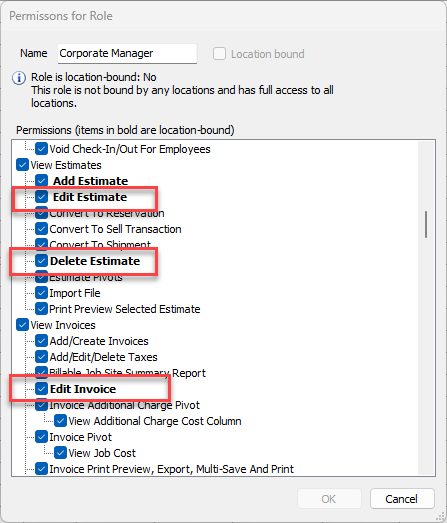
Location-Based Security does not affect all permissions. Quantify displays those that are affected in bold text in the Permissions for Role dialog. Location-Based Security only affects these permissions when it is turned on.
Branch Office Location-Based Security
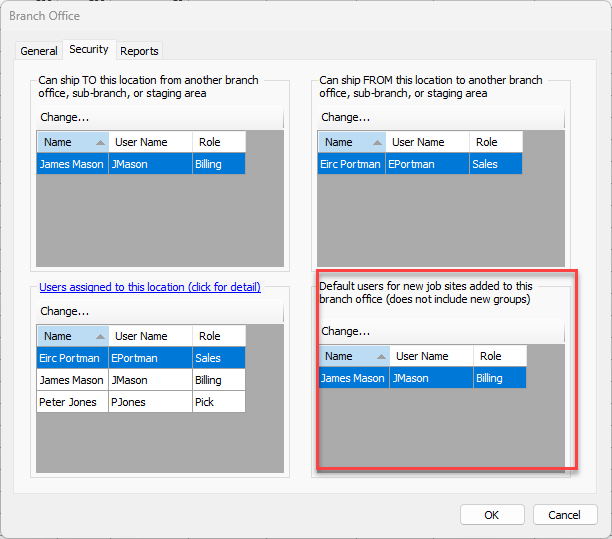
Branch Offices and Sub-Branches have four security settings for each location. You must assign users to each separate setting, to allow them to perform the tasks or functions within that security setting for their Branch Office or Sub-Branch.
Note: Branch Office and Sub-Branch Security is only enabled when Location-Based Security is enabled. (Refer to Location-Based Security.)
The four security areas and their associated tasks and/or features are:
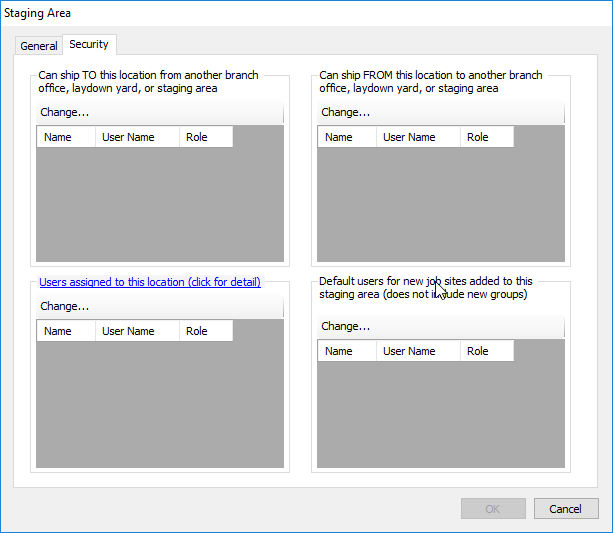
Can ship TO this location from another branch office, Sub-Branch, or staging area
This security section displays the users that have the ability to ship deliveries to this branch from another branch office, Sub-Branch, or staging area.
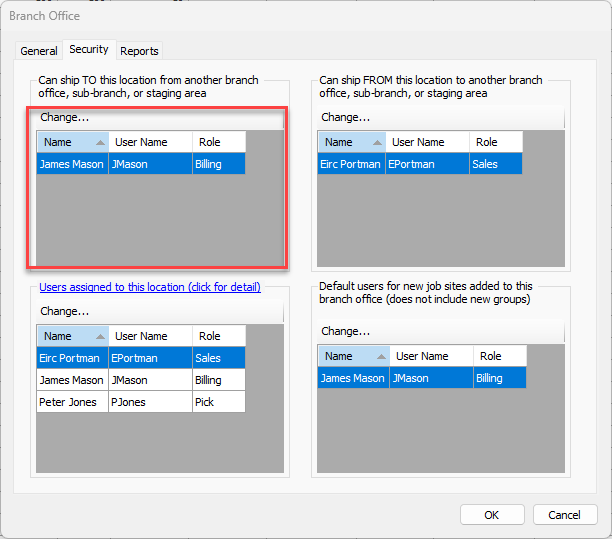
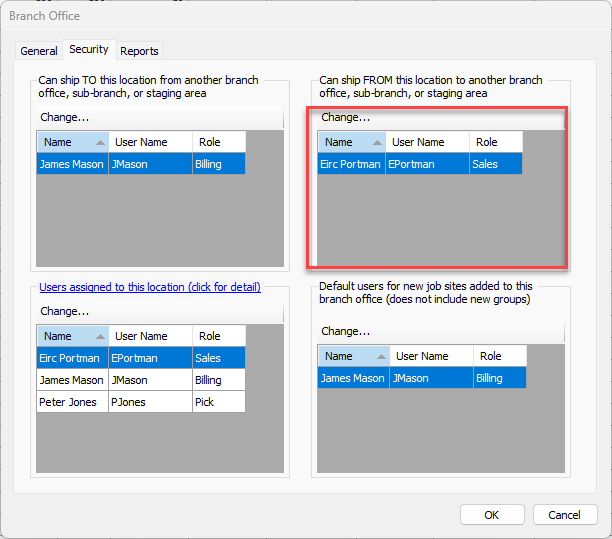
Can ship FROM this location to another branch office, Sub-Branch, or staging area
This security section displays the users that have the ability to ship deliveries from this Branch Office to another branch office, Sub-Branch, or staging area.
Users assigned to this location (click for detail) hyperlink
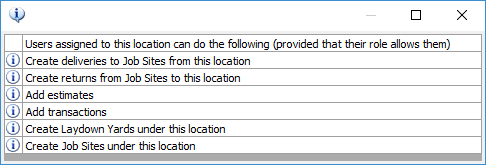
Users assigned to this security section can perform specific tasks (identified in the hyperlink) for this Branch Office or Sub-Branch, limited by the permissions assigned to their role.
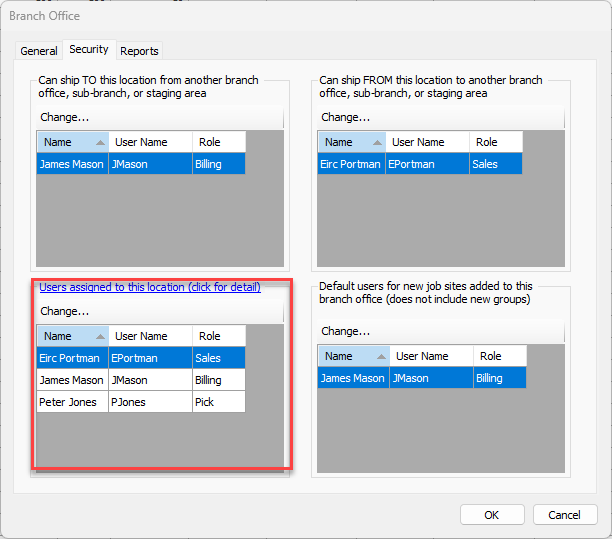
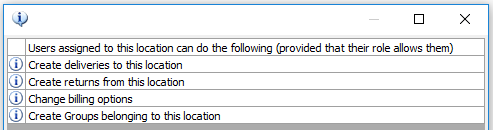
Click the hyperlink to view a list of task areas controlled by this security section for each user.
Default users for new job sites added to this branch office (does not include new groups)
This security section controls which users will be assigned to the job site security lists when new job sites are created.
Job Site Location-Based Security
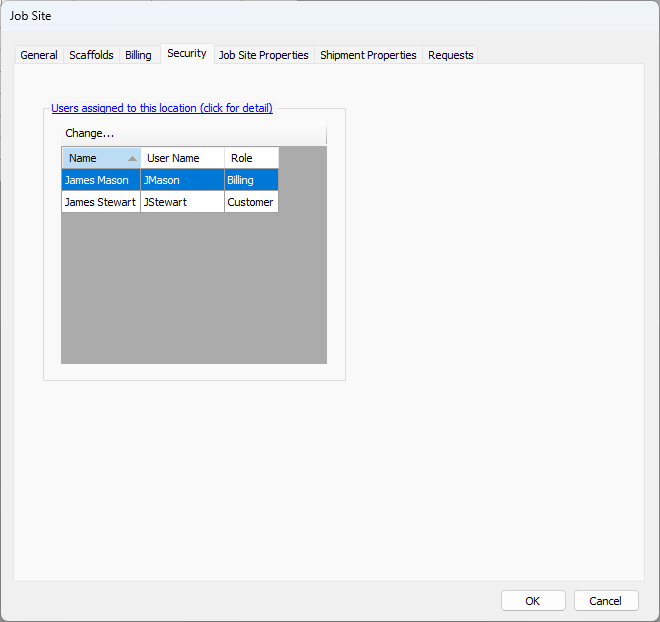
You can restrict certain Job Site tasks to end-users assigned to the Job Site through Job Site location-based security. Once restricted, only the assigned end users can perform the tasks.
The Security tab in the Job Site dialog displays the end-users that have been assigned to the Job Site and have the ability to perform these tasks, limited by the permissions assigned to their role.
Click the hyperlink to view a list of task areas controlled by this security section for each user.
Staging Area Security
When first created, Staging Area Security defaults to the settings of the parent under which it was created (Branch or Sub-Branch), with the exception of the Users assigned to this location. You can update security on the Security tab of the Staging Area dialog as needed.