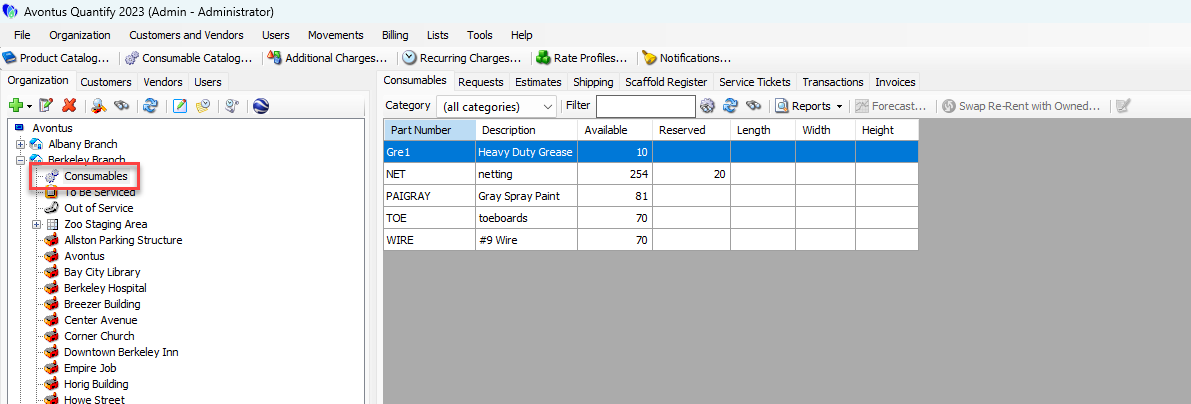
You purchase and add Consumable items to inventory by creating a Transaction. In Quantify, the functionality for creating a Transaction to purchase Consumable items is the same as a transaction to purchase Products.
To create a purchase of Consumable items:
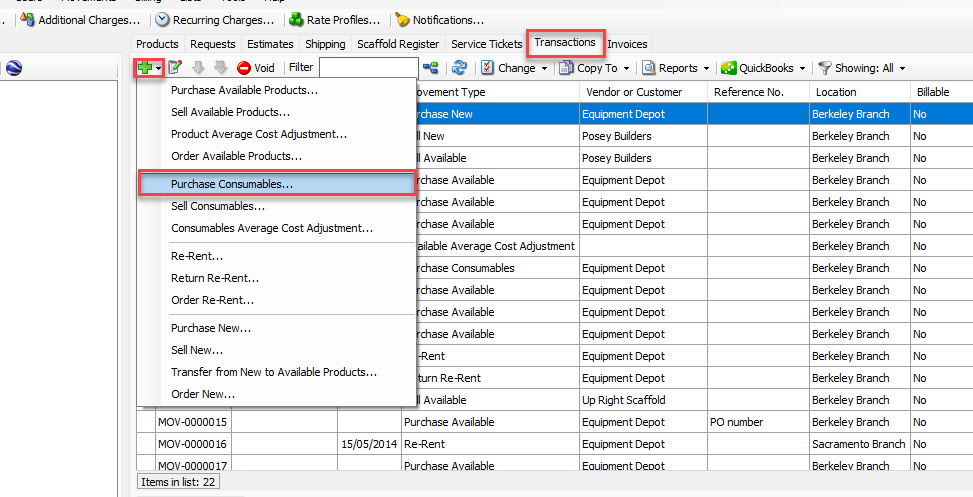
Click the Transactions tab, then click the Add button (
 ) and select Purchase Consumables from the menu that appears.
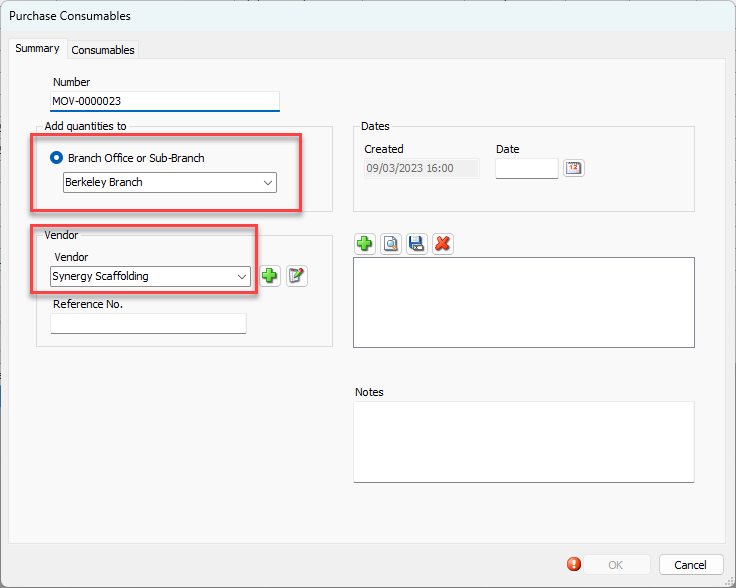
The Purchase Consumables dialog appears.Click the Branch Office or Sub Branch dropdown and select the appropriate Branch Office or Sub-Branch.
Note: Only locations with Consumable tracking enabled will appear in the dropdown.
Click the Vendor dropdown and select the vendor used for the purchase.
As necessary, click the Created Calendar icon (
 ).
).
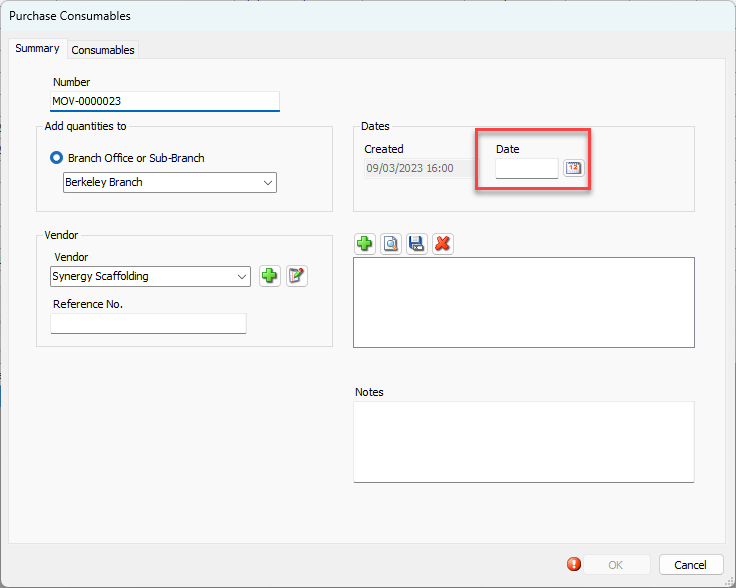
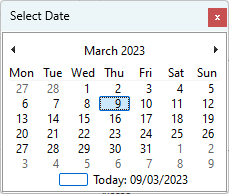
The Calendar appears.Locate and click the appropriate date.
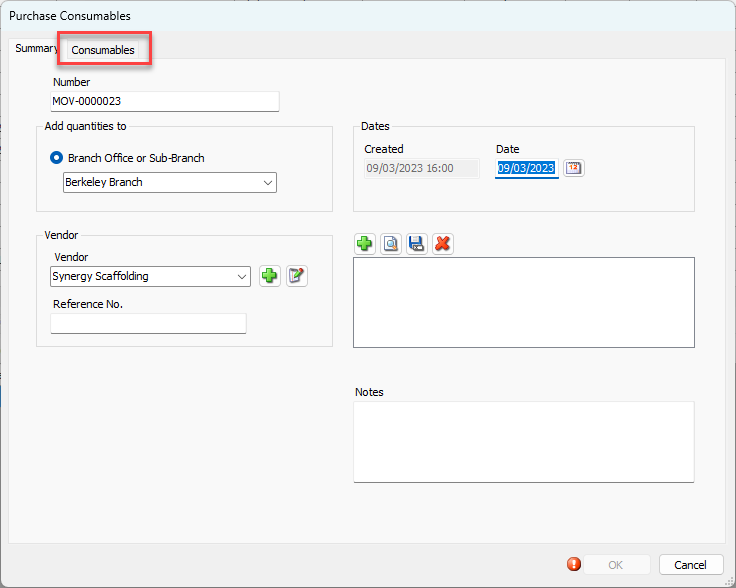
Click the Consumables tab.
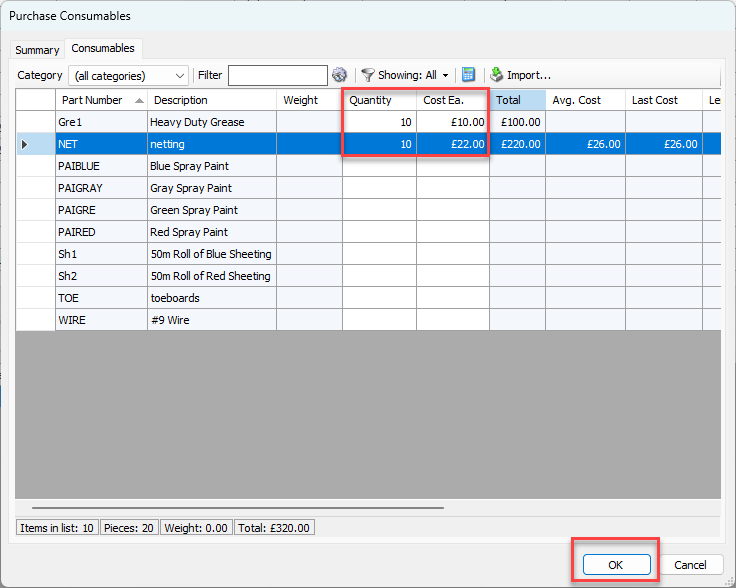
The Purchase Consumables dialog refreshes.Click in the appropriate cell in the Quantity column and enter the number of Consumables to purchase.
Click in the appropriate cell in the Cost Ea. column and enter the cost of each Consumable.
Quantify provides a total in the status bar.Click OK when you are ready.
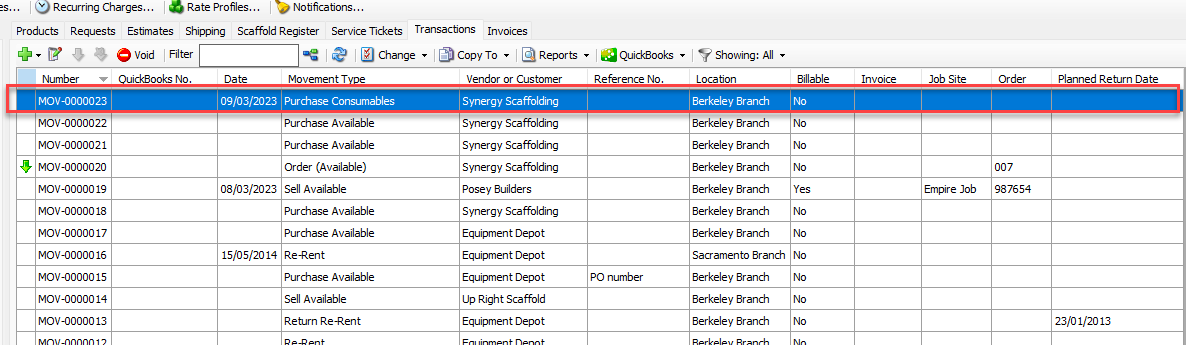
Quantify adds the completed purchase Consumable transaction to the Transactions tab.
Quantify updates the stocked Consumables inventory at the Branch Office.