After installing Quantify Web on IIS, especially on a legacy system with lots of websites, several problems can occur. This topic lists the most common problems and solutions.
Test the URL
If you are trying to connect the Quantify client to Quantify Web, copy/paste the remote server address into the Connection Settings dialog.
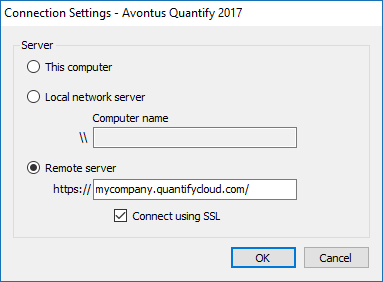
The next thing to try is to copy/paste the connection website into your browser and see if the login page appears. If does not, use the error message on the page to further troubleshoot any errors that are displayed.
Test the Site on the Hosting Server
On the server hosting Quantify Web, launch a browser and navigate to this URL: http://localhost/quantify.
If this site successfully loads, but the site is not available externally, there is an issue with your DNS.
Test the Communication Service
You can also test the communication service between Quantify and Quantify web by appending WcfPortal.svc to the URL (e.g. https://mycompany.quantifycloud.com/WcfPortal.svc). If you see a blue bar at the top of the page that says Service (similar to below), the service is successfully working. If it is not, the most common solution is to make sure that WCF activation is installed on the server.

The Remote Server Version of Quantify Web is Less than your Version of Quantify
This error indicates that Quantify Web is not the same version as Quantify. You will see this if you are attempting to log in to a remote server using Quantify and receive the version mismatch dialog box shown below.
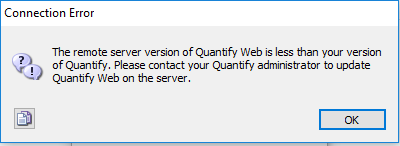
You must update Quantify or contact your Quantify Web administrator to update Quantify Web on your internet server.
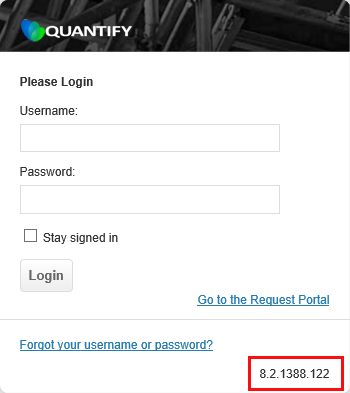
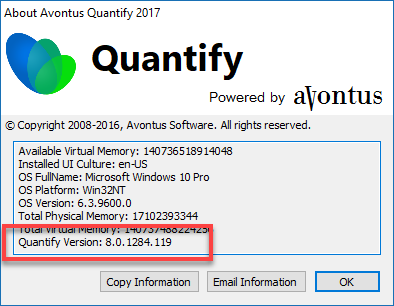
To see the Quantify Web version, go to the login page and look in the lower right of the page. If you are logged into Quantify click on the Help menu and select the About menu item, the Quantify version is at the bottom of the list.
|
|
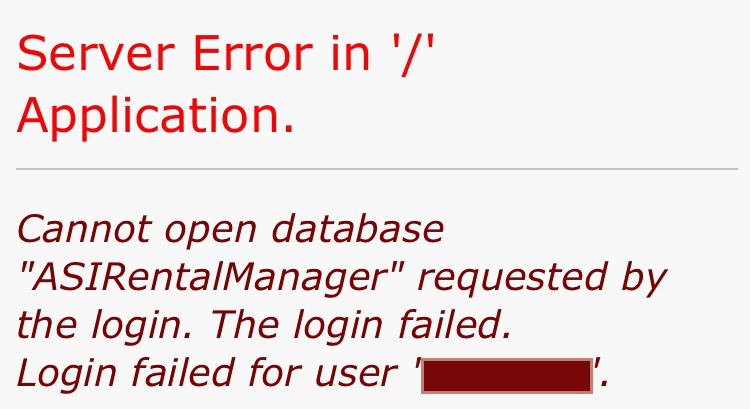
Cannot Open Database 'AsiRentalManager' requested by the login.
|
|
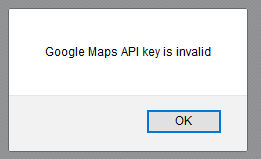
Google Maps API key is invalid
|
|
ConfigurationErrorsException

- This could be caused by many different issues. Try restarting IIS.