If you have purchased and installed Quantify, you can price materials as well as include other costs for your projects and bids. Even if you don't need to price materials, you will find that Quantify is a useful tool to track materials or simply to print a Bill of Materials in different ways.
Some parts and components may be missing prices when importing the list from Handset Designer to Quantify. This is because this part is not in your Quantify equipment master list. You will see this with Ties and some column Filler parts. To add a price for a part you can override the price in the bid's material list by double clicking on the price cell and changing the value. If you always want a price to appear for a part, you can add it to the Quantify equipment master list by clicking on the equipment button on the toolbar.
To view the Bill of Materials in Quantify:
Click the Handset Designer tab, then click Bill of Materials in the Application group.

The Bill of Materials dialog appears.Click the Quantify dropdown and select Open in Quantify.
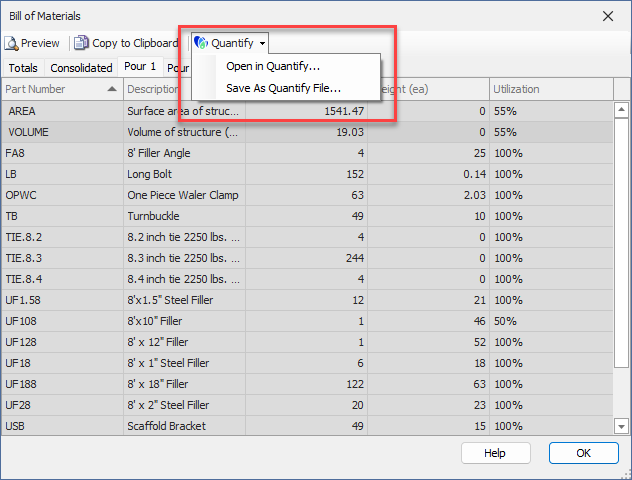
Note: Only the current tab's materials are imported into Quantify. Refer to Quantify help for more options.
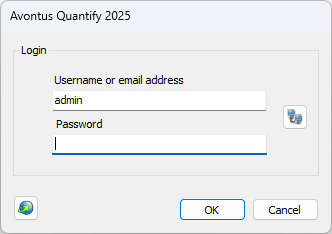
Quantify launches and the Login dialog appears.Click in the password text and enter the word password (all lower case).
Click OK.
The Estimate dialog appears.
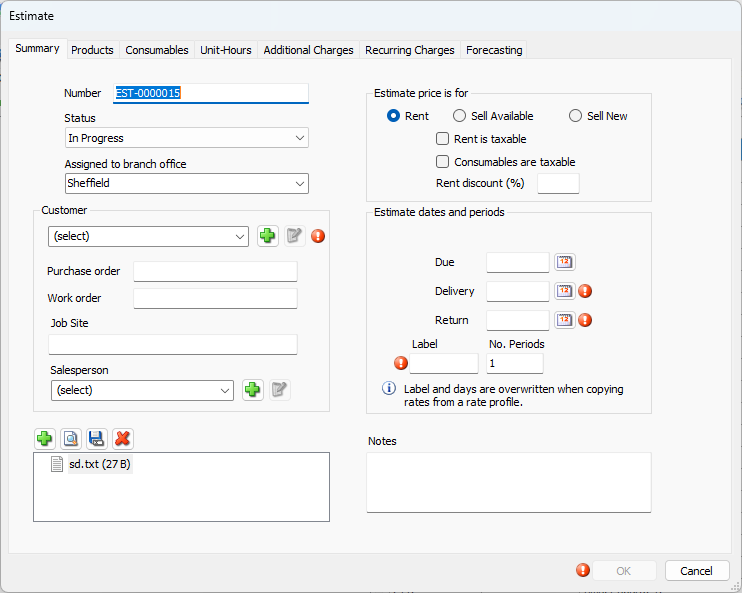
To complete these procedures, refer to Old-Importing Product Quantities from Another Avontus Program.