Introduction
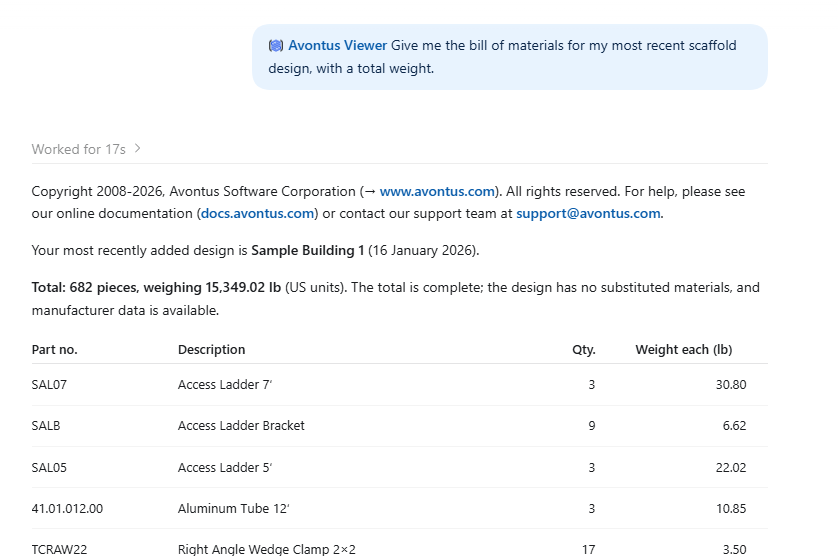
Avontus Viewer connects ChatGPT to the scaffold designs in your Avontus Viewer account, so you can get answers from the design itself before the crew starts loading: labor estimates from your own Schedule of Norms, bills of materials, weights, parts by elevation, scaffold units, and a rendered preview of any design, without opening the Viewer app.
There is nothing to download or install. All you do is connect to Avontus Viewer via the Connections tab in ChatGPT. Once signed in you can start asking ChatGPT questions about your designs.
Before you start
Before you start, you will need:
An Avontus Viewer account - the same email and password you use to sign in to Avontus Viewer. You do not need a new account.
An active subscription - Every design this connector reads is either yours or shared with you, and both require a live subscription — see Subscriptions.
A ChatGPT account.
In ChatGPT, you will enter two values. Both are the same for every customer — there is nothing account-specific here, and are not unique to the customer.
Connect from the ChatGPT plugin
To connect to Avontus Viewer using a ChatGPT plugin.
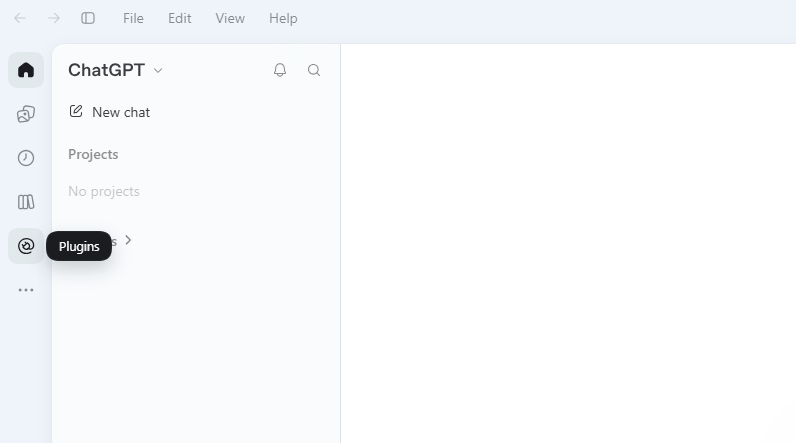
Select Plugins
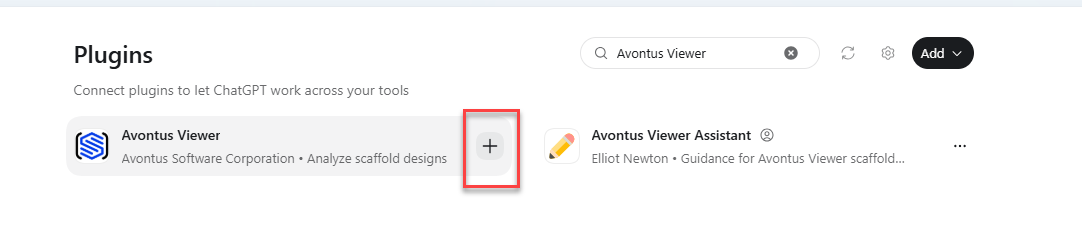
Search for Avontus Viewer in the search bar, and select the + icon
3. Select Connect Avontus Viewer
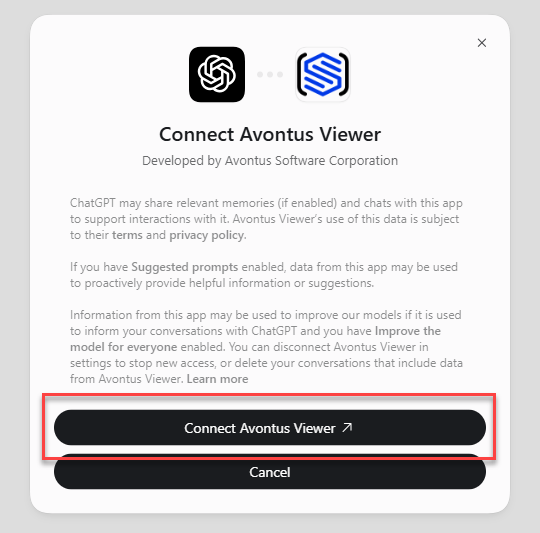
You will be taken to a web browser.
Enter your email
Click Continue
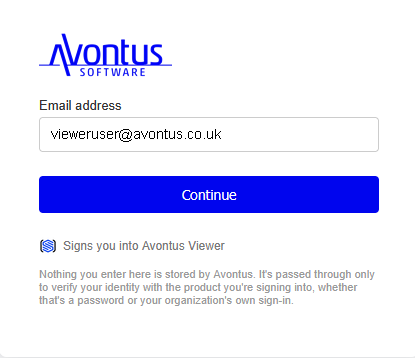
Enter your Viewer password
Click Sign in
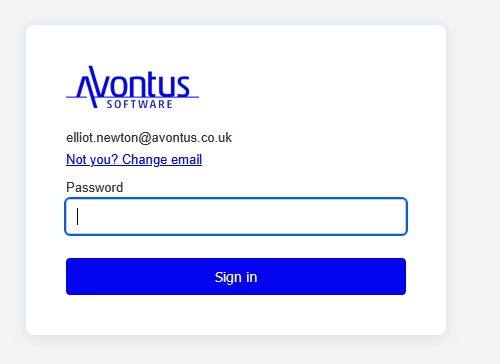
ChatGPT will sign you in, and you can now use ChatGPT to analyse your models.
Note that, you will need to type “@avontusviewer” to begin using the Viewer Plugin in a chat.
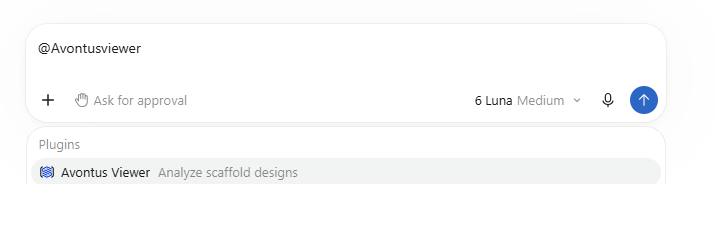
Once, you have done that you can ask your question.