You can see what parts are in a barcode group by launching the Barcode Report.
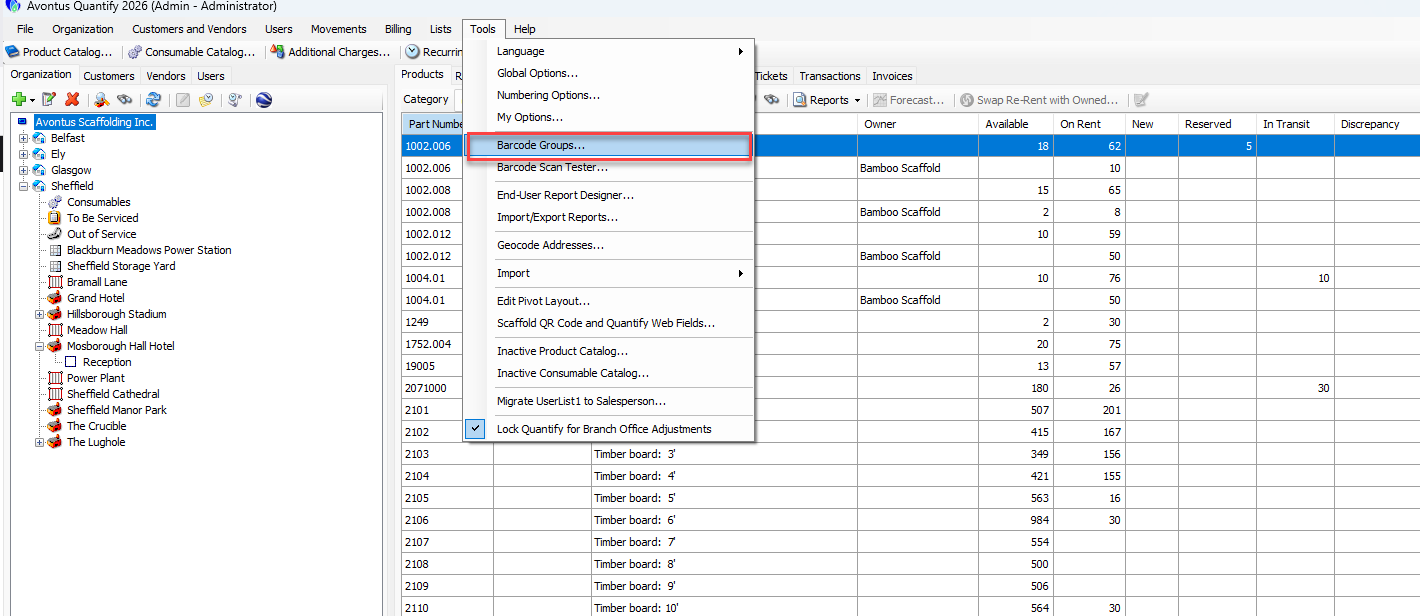
Select Tools
Select Barcode Groups
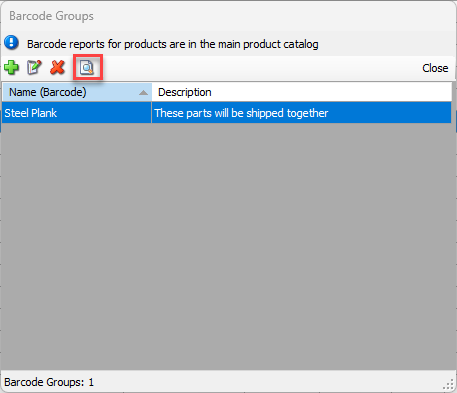
Click the Reports button
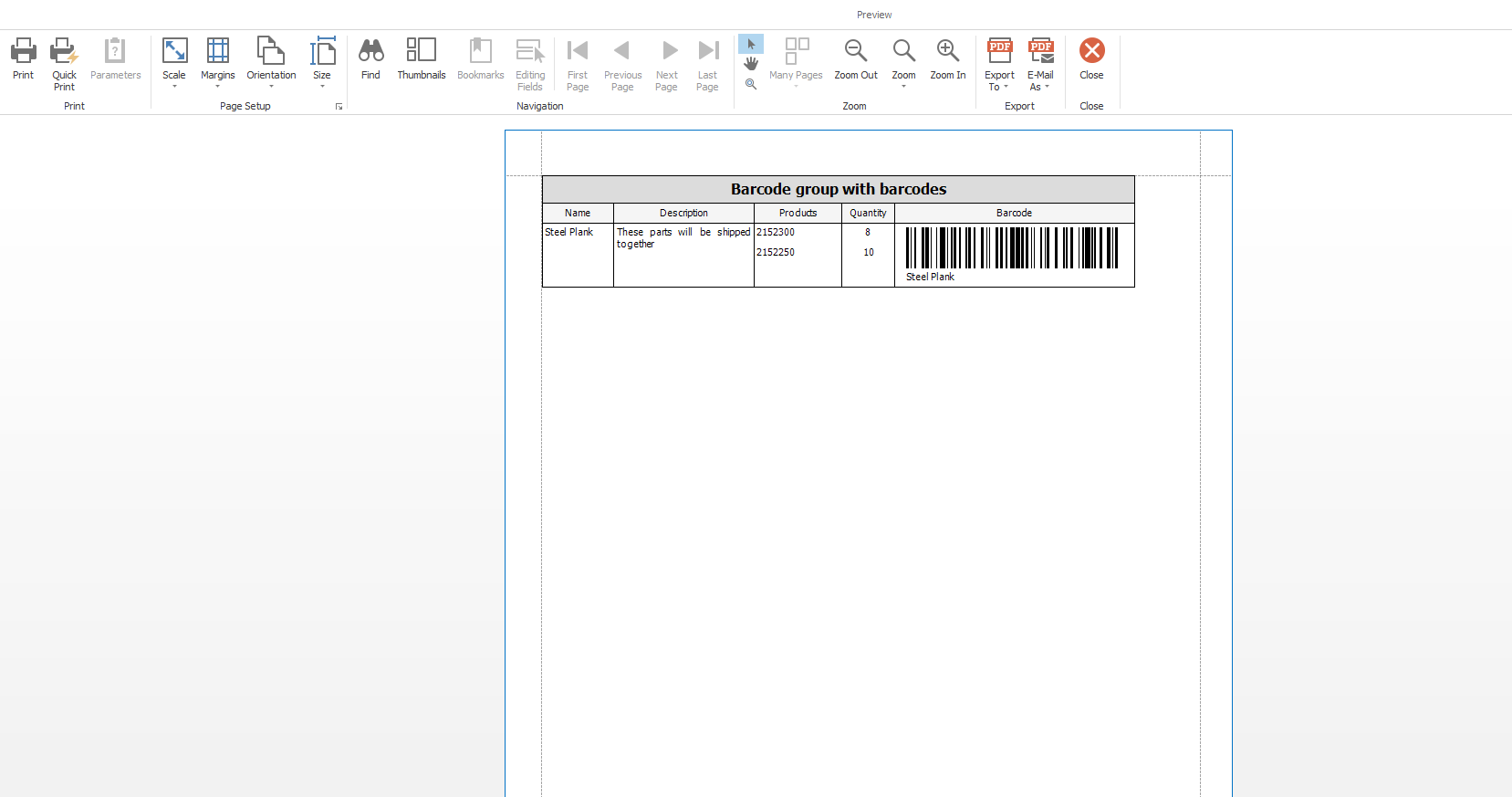
This will launch the Report with all parts assigned to a barcode group.
You can see what parts are in a barcode group by launching the Barcode Report.
Select Tools
Select Barcode Groups
Click the Reports button
This will launch the Report with all parts assigned to a barcode group.