The Utilization by Catalog Cost report displays use and utilization information for all stocked inventory for a selected location, including all child locations (Sub-Branches, Staging Areas, and Job Sites). This includes both available/on-rent inventory and out of service inventory (when the Out of Service feature is enabled). Quantify displays the results as total catalog cost of the quantities.
Note: This report requires cost information to display accurate information. Quantify uses the item's average cost in the Product Catalog as the average cost.
To view the Utilization by Catalog Cost report:
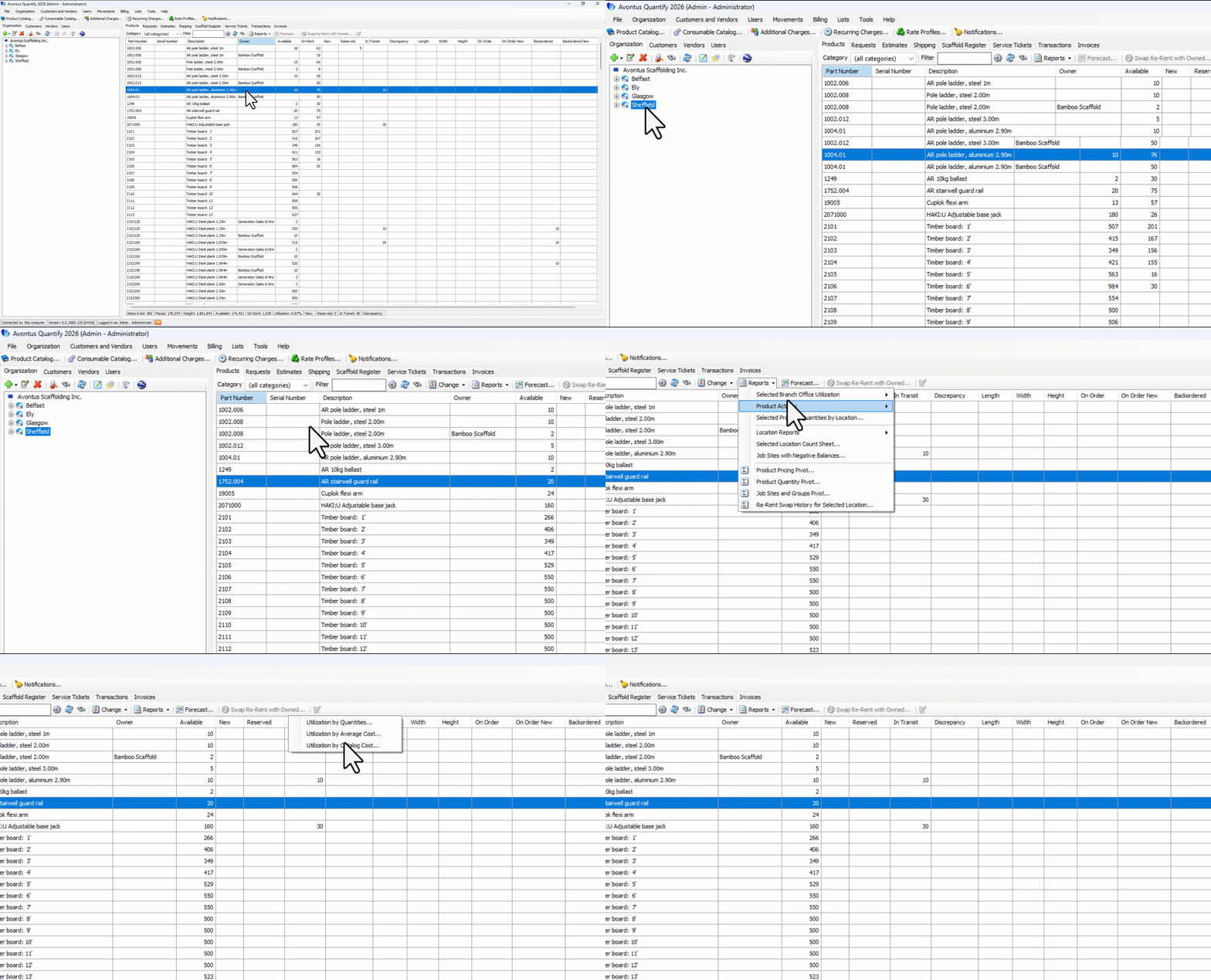
Select the desired stocking location and click the Products tab.
Click the Reports menu and select Utilization by Catalog Cost from the Selected [Location] Utilization sub-menu.
The Utilization by Catalog Cost report appears.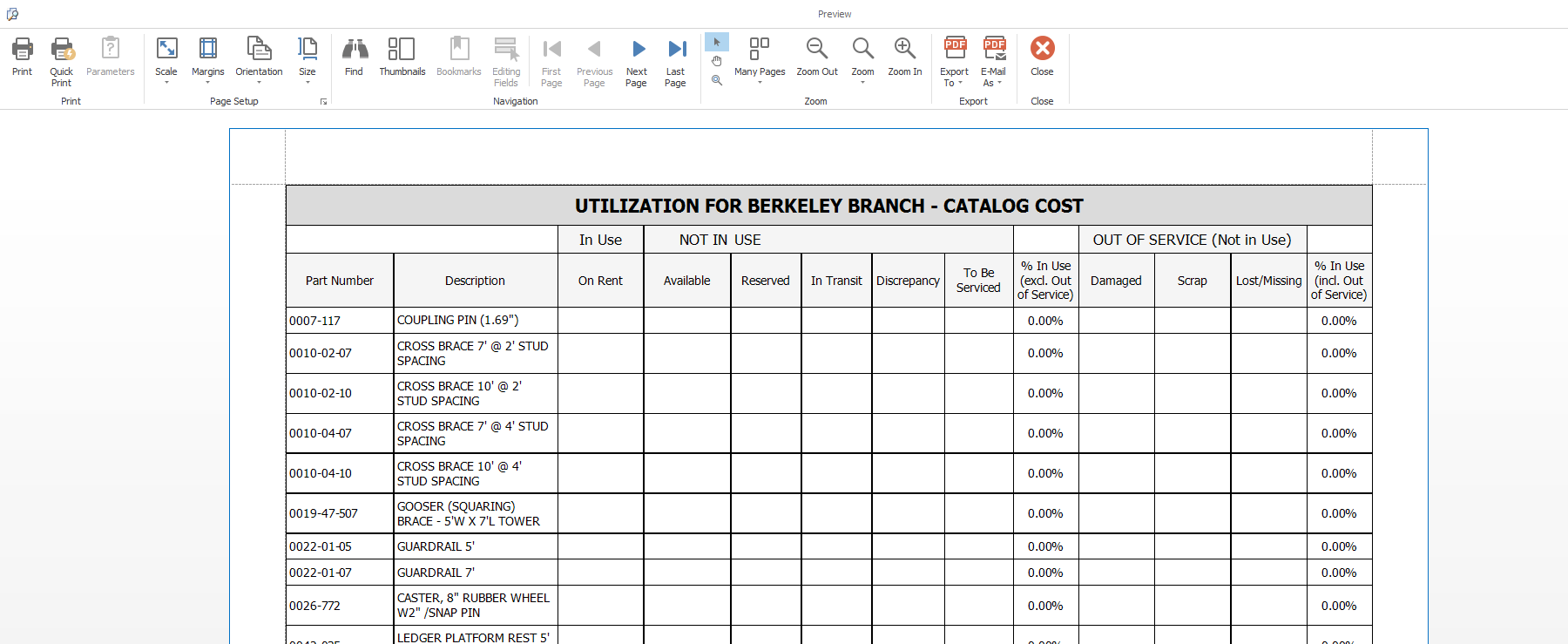
Note: Results colored red identify parts that have negative available balances.