Quantify enables you to create and/or populate customized lists from which users can select items when creating and maintaining Quantify entities. While you can use the Lists menu to add items to a list, some Quantify dialogs provide an alternate means for entering new items to a list. For example, the Summary tab in the New Reservation dialog enables you to add a driver to the list of available drivers.
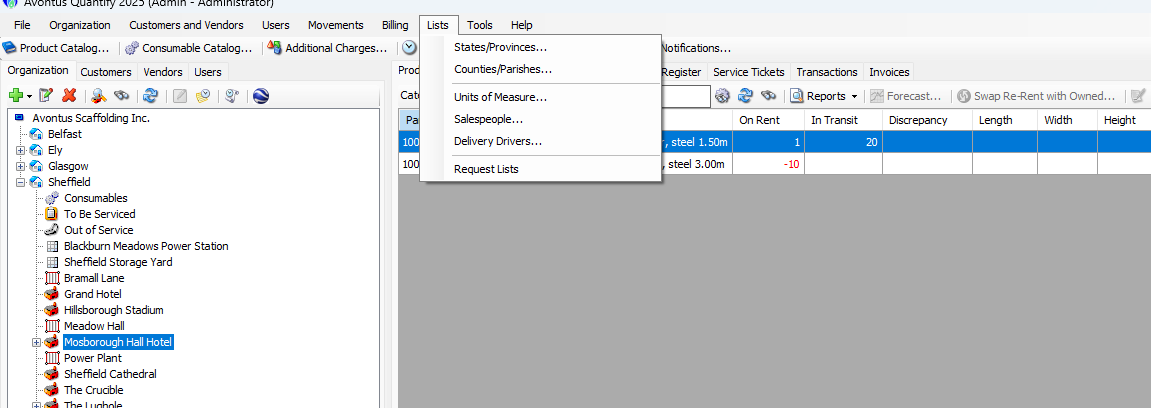
Once entered, Quantify makes the new item available to all users.
List | Used With |
|---|---|
States/Provinces (Configured in the Lists menu) | Business Addresses Shipping Addresses Billing Addresses |
Counties/Parishes (Configured in the Lists menu) | Business Addresses Shipping Addresses Billing Addresses |
Units of Measure (Configured in the Lists menu) | Additional Charges Recurring Charges |
Salespeople | Requests Shipments Estimates Transactions Invoices |
Delivery Drivers (Configured in the Lists menu) | Shipments Reservations |
Freight Options Global List Items (Configured in the Lists menu) | Shipments Reservations |
Trucking Options Global List Items (Configured in the Lists menu) | Shipments Reservations |
Request Lists (Configured in the Global Options dialog and Lists menu) | Requests |
Custom Job Site Lists (Configured in the Global Options dialog) | Job Sites |
Custom Shipment and Scaffold Lists (Configured in the Global Options dialog) | Shipments Scaffolds |
Scaffold Lists (Configured in the Scaffold tab) | Scaffolds |