Recurring Charges provide a way to regularly charge a customer a set amount for items or services. Charges will recur each billing cycle until a rent stop date is entered for the recurring item.
When a Recurring Charge is shipped to a Job Site, it is added to the inventory at the Job Site and can be viewed in the Products tab of the appropriate Job Site dialog. Recurring Charges will be available to display on many Quantify reports and pivots.
Adding Recurring Charges to Shipments
Quantify enables you to add Recurring Charges to shipments, through the Recurring Charges tab in the New Direct Ship dialog. This tab displays Recurring Charges and the default charge per unit, as set up in Recurring Charges and Rate Profiles.
Note: Quantify displays the Recurring Charges tab and makes it active only if the Job Site is billable. No default value for Charge/Units appear if a value hasn't been included in the Rate Profile used for the Job Site.
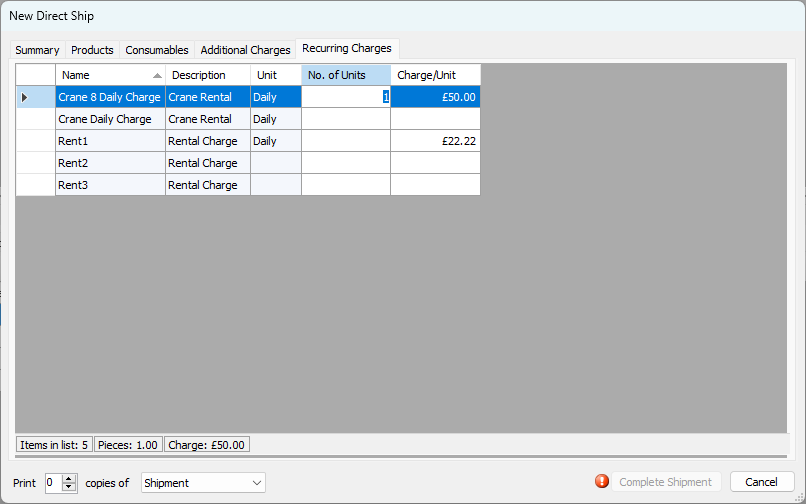
When the shipment is complete, Quantify adds the Recurring Charges to the product balances at the Job Site and displays them in the Products tab for the Job Site. Recurring Charges information is available in the shipment details of completed Shipments.
Recurring Rent with Single Rate Database
When the Quantify database is configured for Single Rate mode, costs for Recurring Charges are manually entered when adding to Shipments.
Quantify enables you to add Recurring Charges to shipments through the Recurring Charges tab in the New Direct Ship dialog.
Note: Quantify displays the Recurring Charges tab and makes it active only if the Job Site is billable.
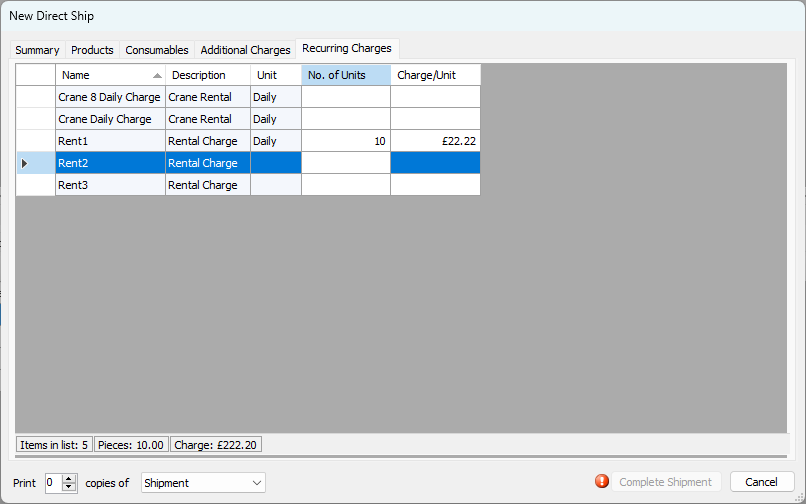
When the Shipment is complete, Quantify adds the Recurring Charges to the Product balances at the Job Site and displays them in the Products tab of the appropriate Job Site dialog. Recurring Charges information is available in the shipment details of completed shipments.
Stopping Recurring Charges
Rent on Recurring Charges recurs until the Recurring Charge has been returned from the Job Site through a return Shipment with a rent stop date. In the example below, one unit of Lump Sum Rent is set on a return Shipment from the Job Site. Rent will stop as of the rent stop date entered in the Summary tab.
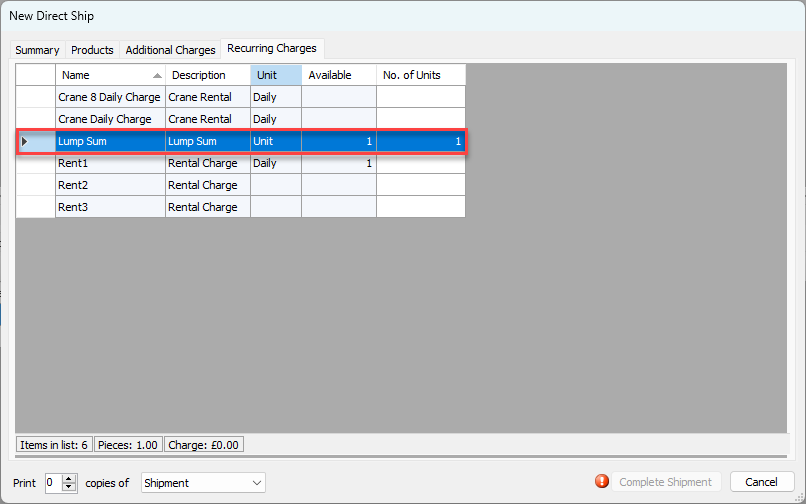
When Recurring Charges are returned from a Job Site, Quantify subtracts them from the balance at the Job Site, but does not add them to the Branch Office balance.