Once you have exported an Avontus Designer drawing as a Quantify Web file, you can attach it to the appropriate Scaffold Tracking Job Site, making it available to your Quantify Web users.
Note: Drawings in Quantify Web are view-only. To make changes to a drawing, use Avontus Designer. After saving the changes, the new drawing must be manually attached to the Scaffold Tag Job.
To attach a drawing to a Quantify Scaffold Tracking Job Site:
- Export the drawing to a Quantify Web file.
- Log in to Quantify.
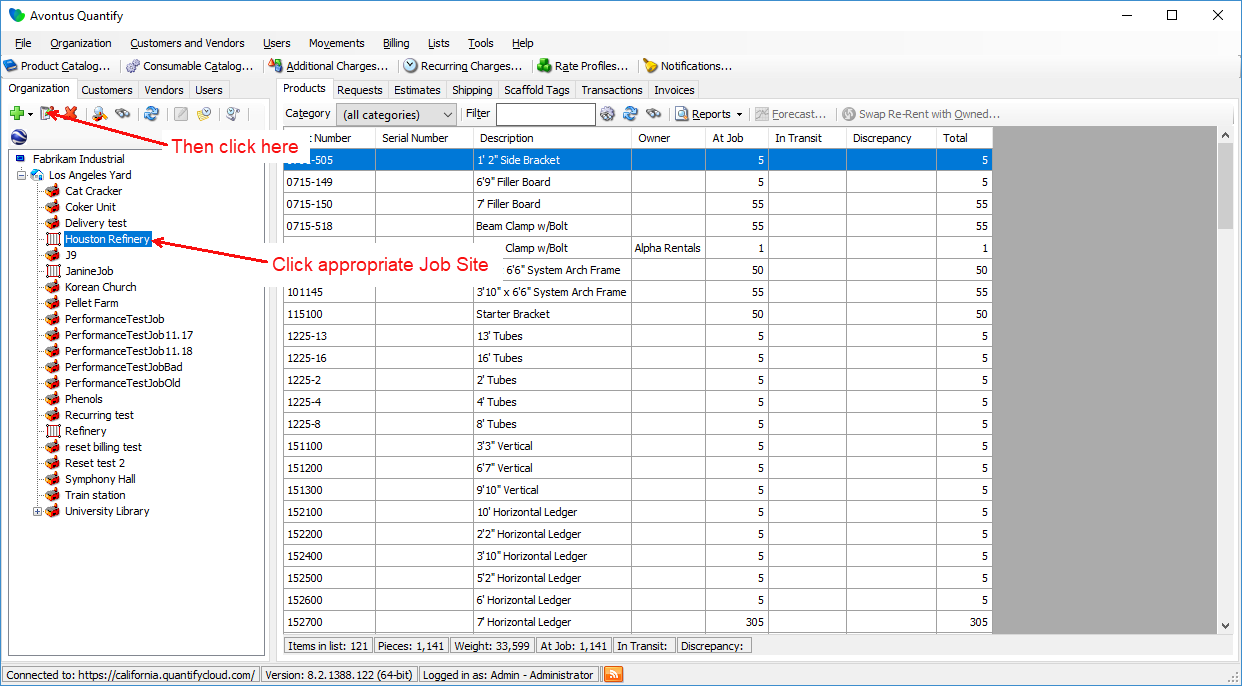
The Quantify interface appears. - Locate and click the appropriate Scaffold Tracking Job Site, then click the Edit selected item button (
 ).
).
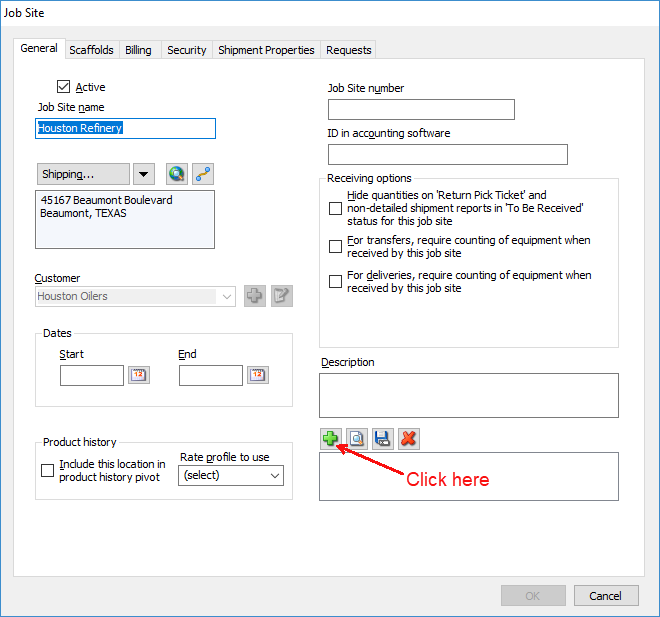
The Job Site dialog appears. - Click the Add Attachment button (
 ).
).
The Add Attachment dialog appears.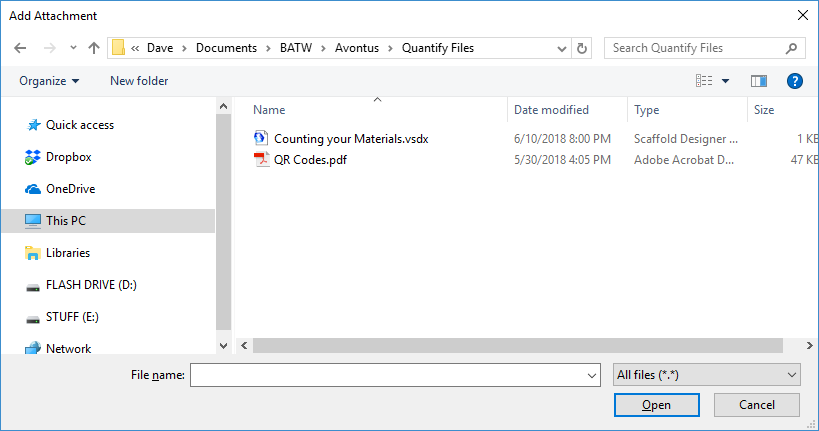
- Navigate to the folder that contains the drawing file, click the file and then click Open.
The Job Site dialog returns, with the attachment icon in the Attachments text field..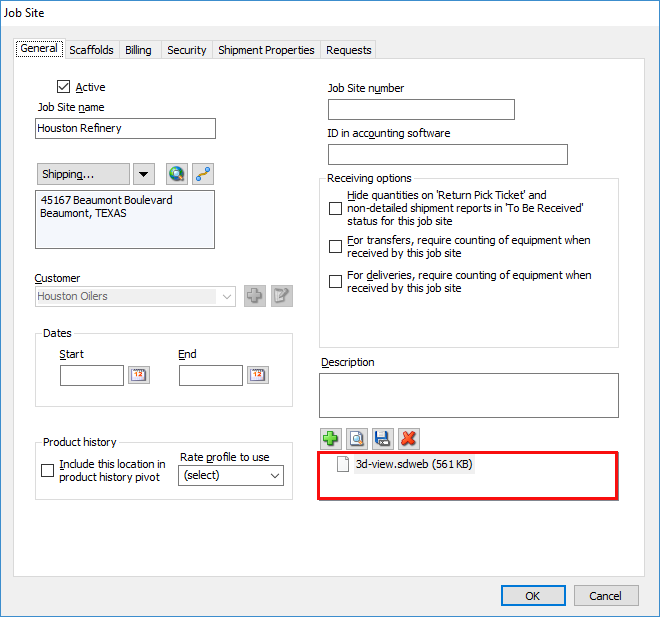
- Click OK.
The next time you log in to Quantify Web, the icon for the file will appear in the Drawings tab of the selected Scaffold Tracking Job Site.