In the Print Preview screen you can perform a number of standard options which impact the size and physical appearance of the report. In addition, you can print the report and send it via email.
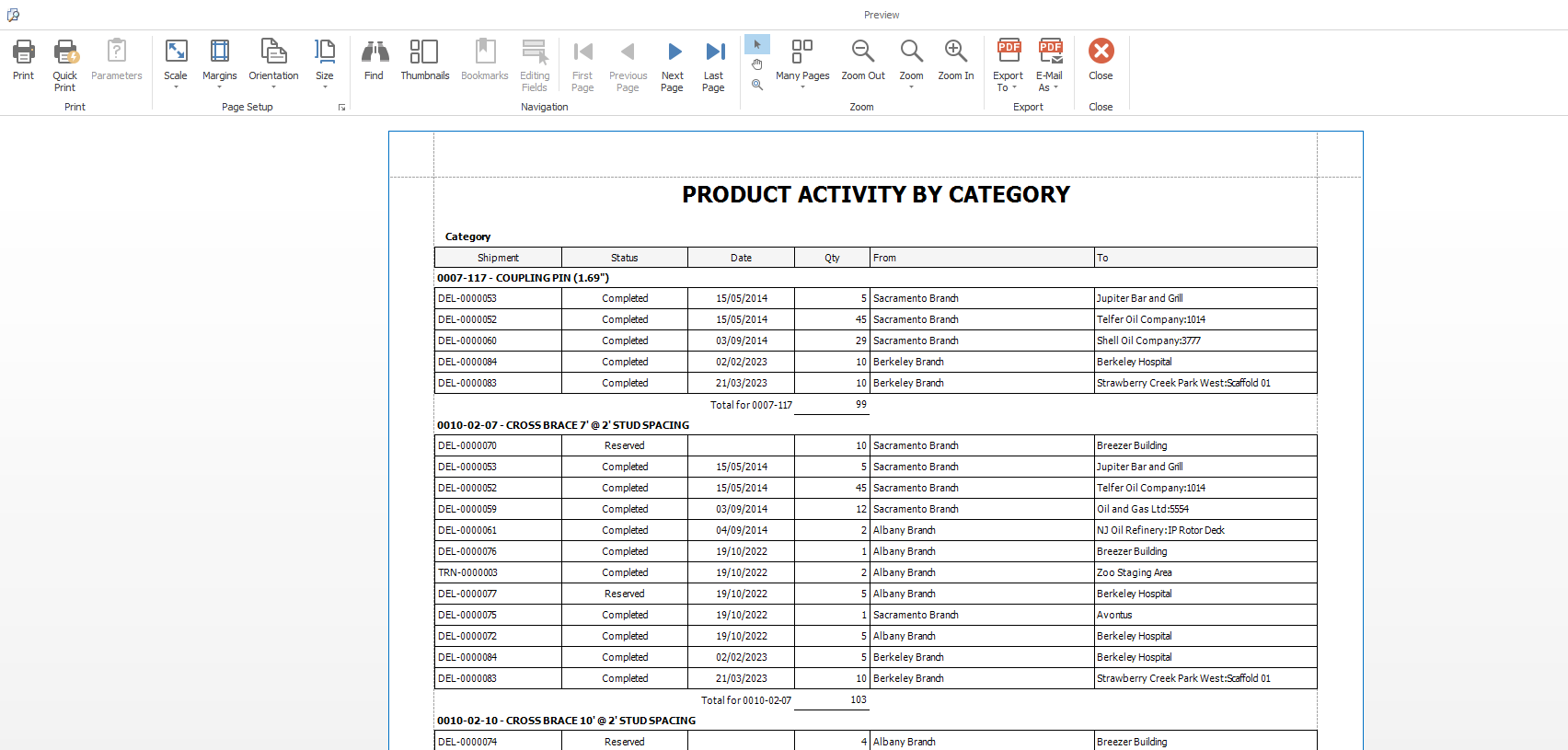
Quantify displays all reports in a print preview window, which provides the following options:
- Print
This action launches the standard Print dialog for your local or remote printer. Your computer, printer and network settings determine the printers and options available in this dialog - Export To
This action enables you to save the report as a file to a location of your choice. In order to save to a specific location, your local or remote machine must have read/write access to the location. Reports can be saved in three formats:- PDF File
This option saves the report as an Adobe PDF file with the .pdf file extension. Reports saved in this format cannot be modified. This file format is readable on most devices and requires the Adobe PDF Reader® to view. Download the Adobe PDF Reader for free - RTF File
This option saves the report as a Rich Text file with the .rtf file extension. Reports saved in this format can be opened and modified using programs such as Microsoft Word®. - XLSX File
This option saves the report as an Excel Spreadsheet file with the .xlsx file extension. Reports saved in this format can be opened and modified using Microsoft Excel® (2007 or newer. If you do not have Excel or have a version that is older than 2007, download the free XLS Viewer.). Quantify does not export calculations and other logic to the saved file. Some formatting may be changed when using this format.
- PDF File
- Email As
This action enables you to save the report as a file to a location of your choice and then launch an email message with the file attached. In order to save to a specific location, your local or remote machine must have read/write access to the location. If no mail client is installed on the machine, no email message will be launched. Reports can be emailed in three formats: PDF File, RTF File and XLSX File.