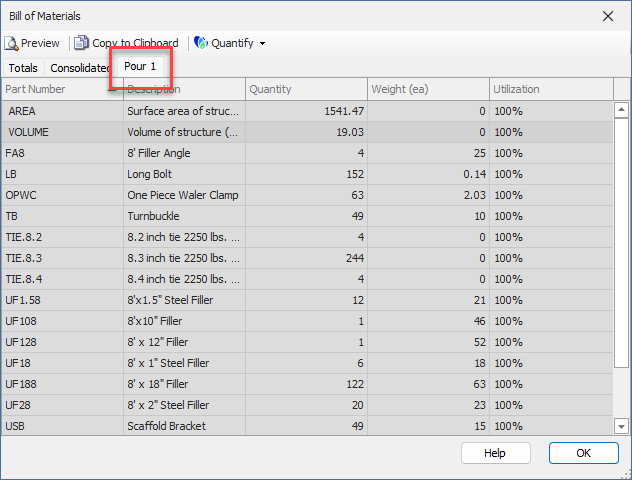
Above the Bill of Materials list you'll see tabs. Each tab contains a different view of the materials. The Bill of Materials always displays the first two tabs (Totals and Consolidated), which are only useful if you have multiple pages with Formwork.
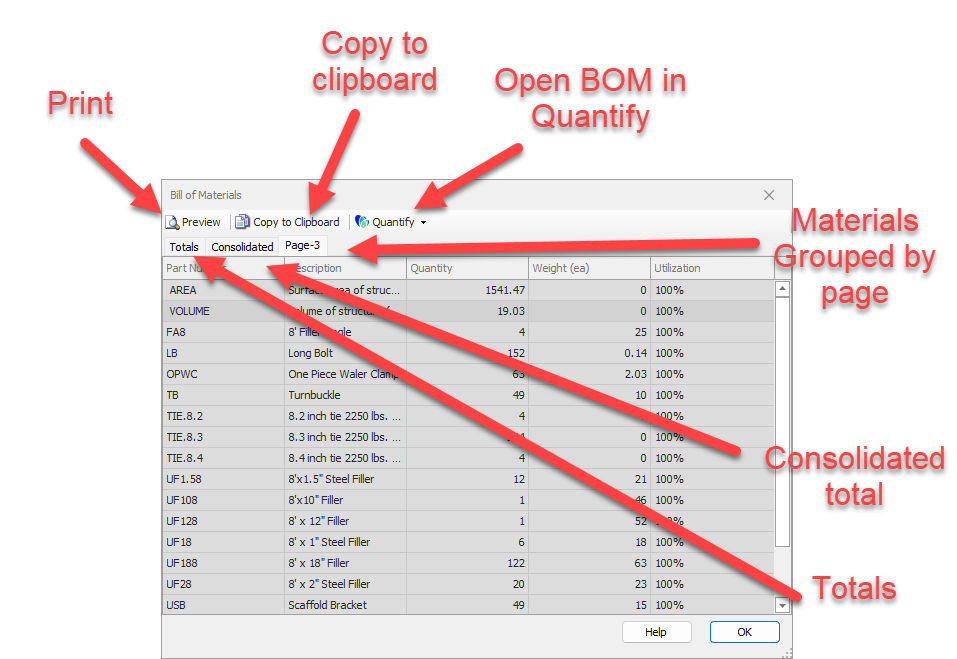
After the Totals and Consolidated tabs you'll see a tab that has the same name as each page in your drawing (Note that each page must contain Formwork for it to be shown). For example, if you have a page named Pour 1, when you view the materials you'll see a Pour 1 tab. Note that the default name for drawing pages is Page-. Since materials are efficiently organized into pours by page, you can organize and name pages corresponding to your job site pour schedule.