Use the Shipment Properties tab to assign custom properties to a shipment. These properties are enabled and labelled in the Shipments sub-tab of the Shipments and Scaffolds tab in the Global Options dialog.
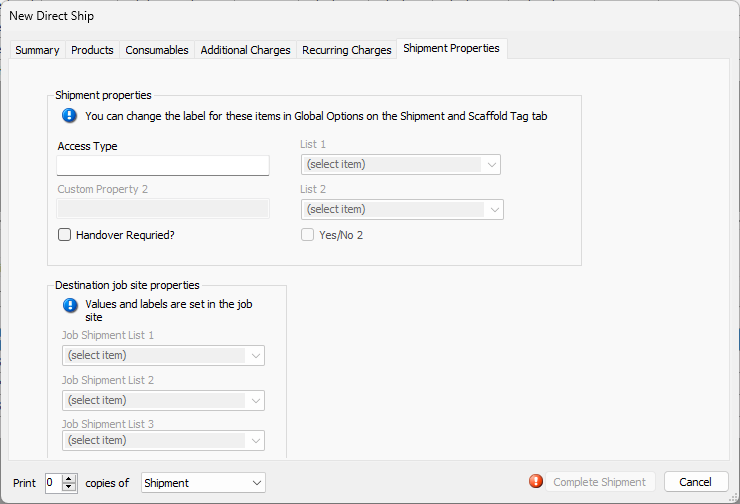
Shipment Properties Section
This section of the dialog contains custom properties that pertain the Job Sites that send shipments.
| Custom Property Text Fields | Use these text fields to enter appropriate Shipment properties. The label above the property text field will provide the context for your response. |
| Custom Property Dropdowns | Use these dropdowns to select Shipment properties. |
| Custom Property Checkboxes | Use these checkboxes to respond to a custom property. The label provides the context. For example: Should this shipment be expedited? A check in the checkbox means the answer is Yes. |
Destination Job Site Properties
This section of the dialog contains custom properties that pertain the Job Sites that receive shipments.
| Custom Property Dropdowns | Use these dropdowns to select the appropriate properties for the destination Job Site. |