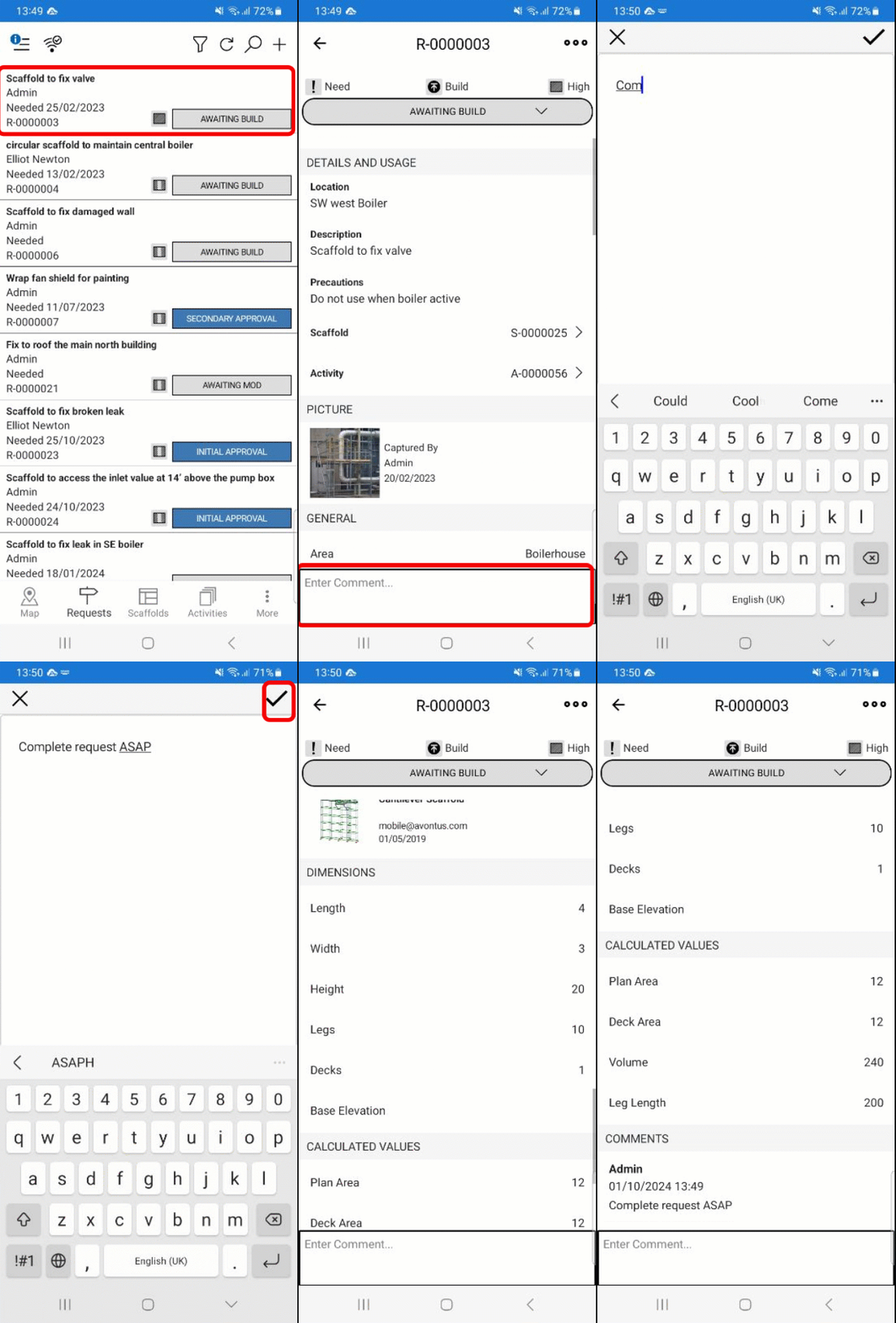
You can add comments to a Request. These comments can be used to add extra information to the Request that isn't covered by the default Request details.
To add a comment to a request.
Go to the Requests screen and tap a request.
Tap the comment box.
Enter the comment and tap the tick icon.
The comments will be added at the bottom of the Request screen.