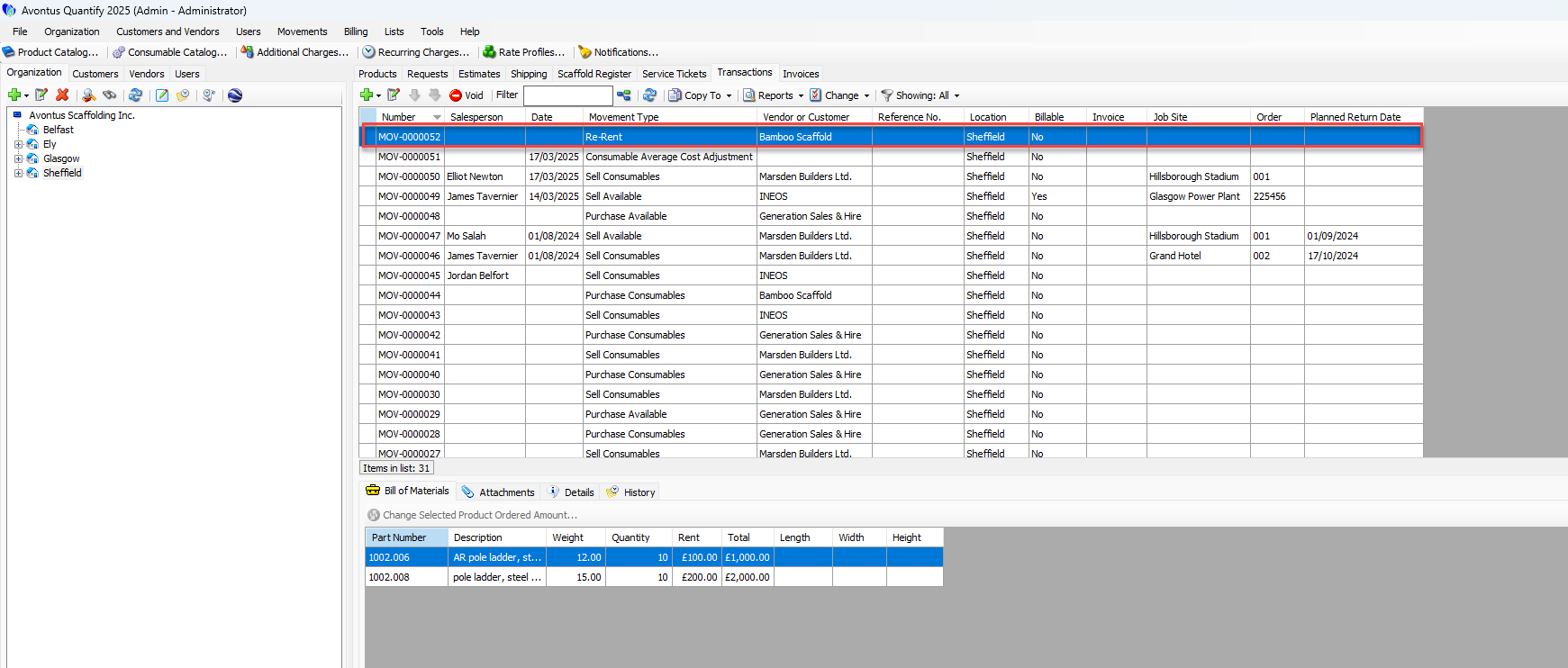
Quantify enables you to easily add re-rent material to inventory.
Note: Please ensure the part to be re-rented is in the Product Catalog.
To add re-rent material to inventory:
Click the appropriate Branch Office and click the Transactions tab.
Click Add button (
 ) and select Re-Rent from the menu that appears.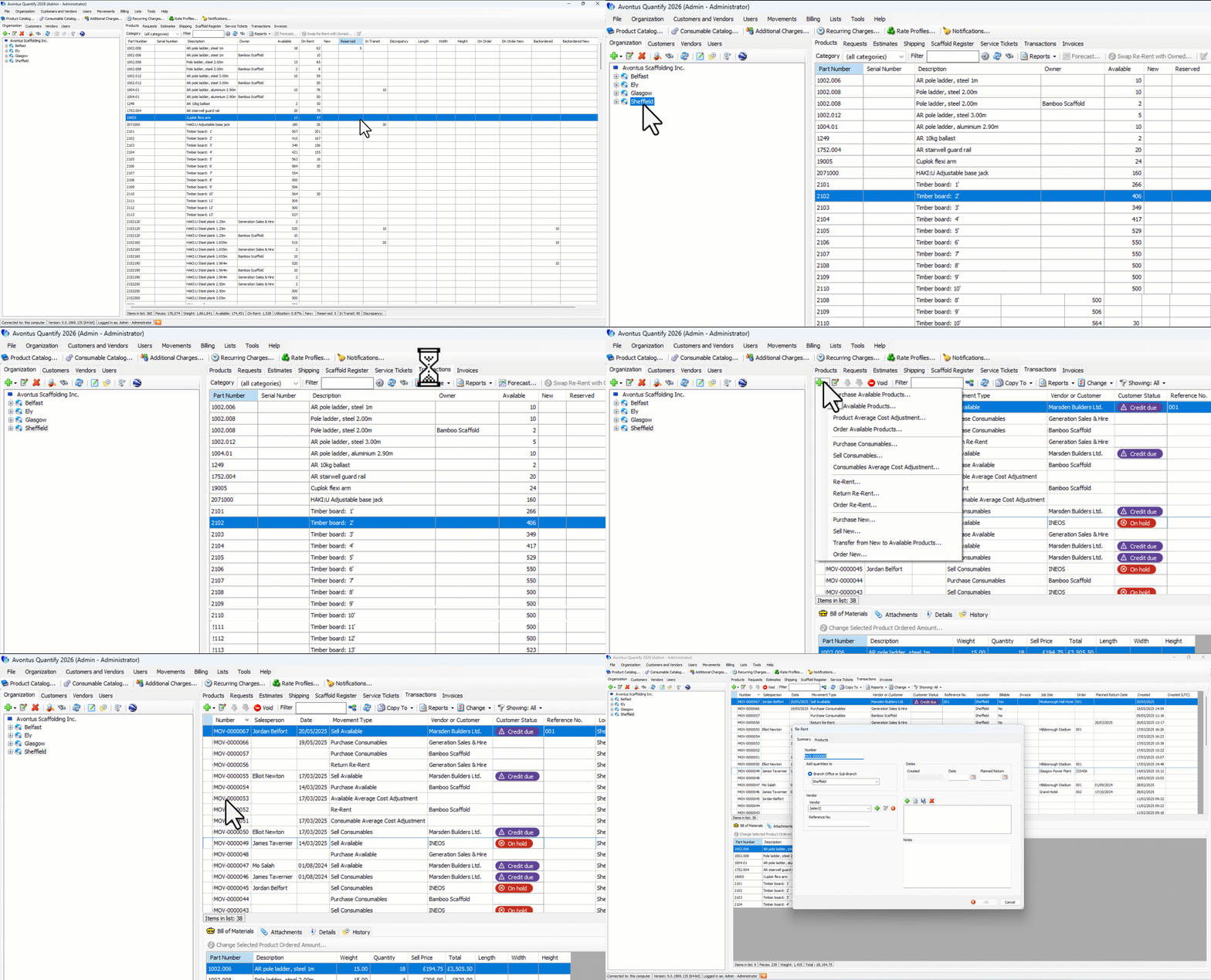
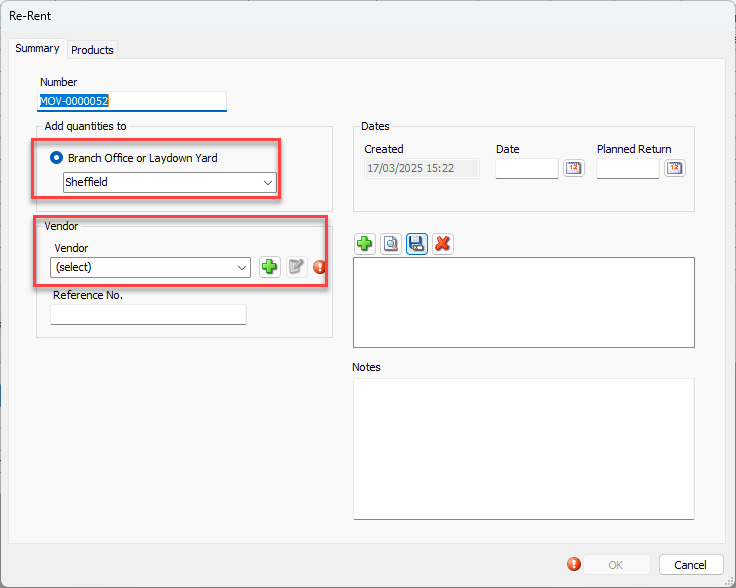
The Re-Rent dialog appears.
Click the Add Quantities To dropdown and select the Branch Office or Sub-Branch the re-rent inventory will be moved to.
Note: This field defaults based on Organization Tree focus, but may be changed, as needed.
Click the Vendor dropdown and select the appropriate vendor.
Note: You can add a new vendor to the database using the Add button, if necessary.
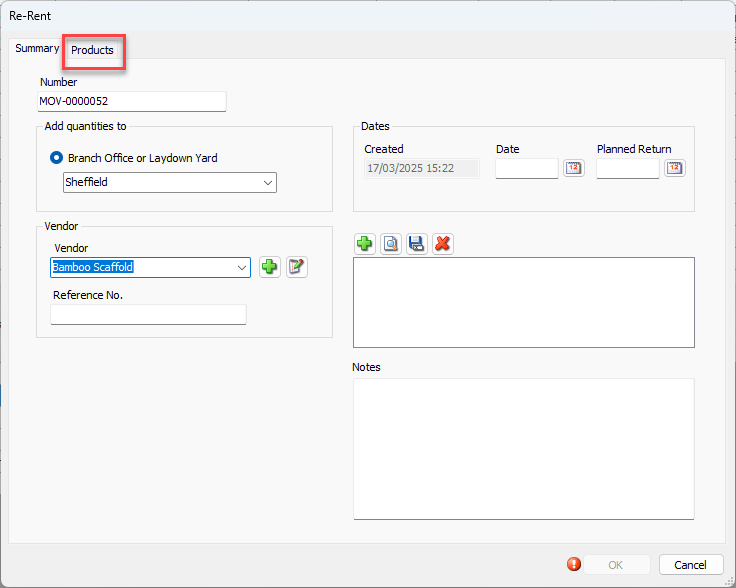
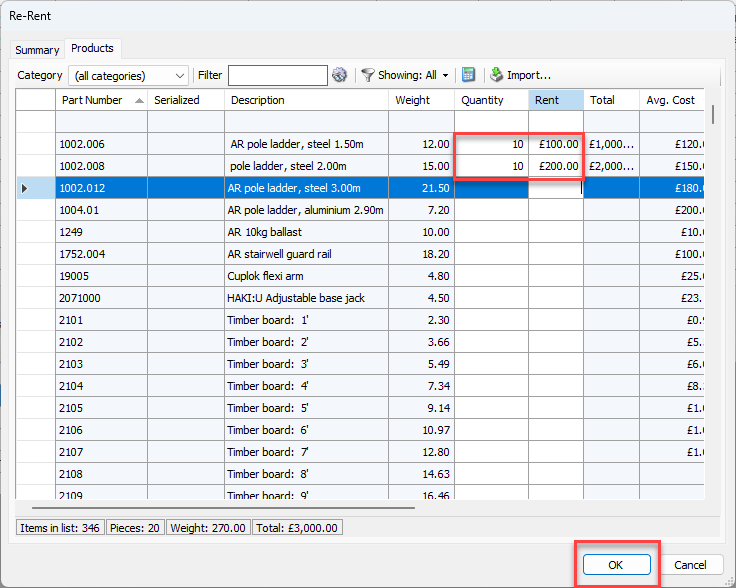
Click Products tab.
Locate the appropriate line item.
Note: The View filter defaults to Showing: All parts.
Click in its Quantity and Rent cells and enter the count of parts included in the re-rent and the daily rent for that item.
Click OK
You can now view the Re-Rent transaction in the Transactions tab. With the re-rent Transaction selected, the Bill of Materials information appears below.