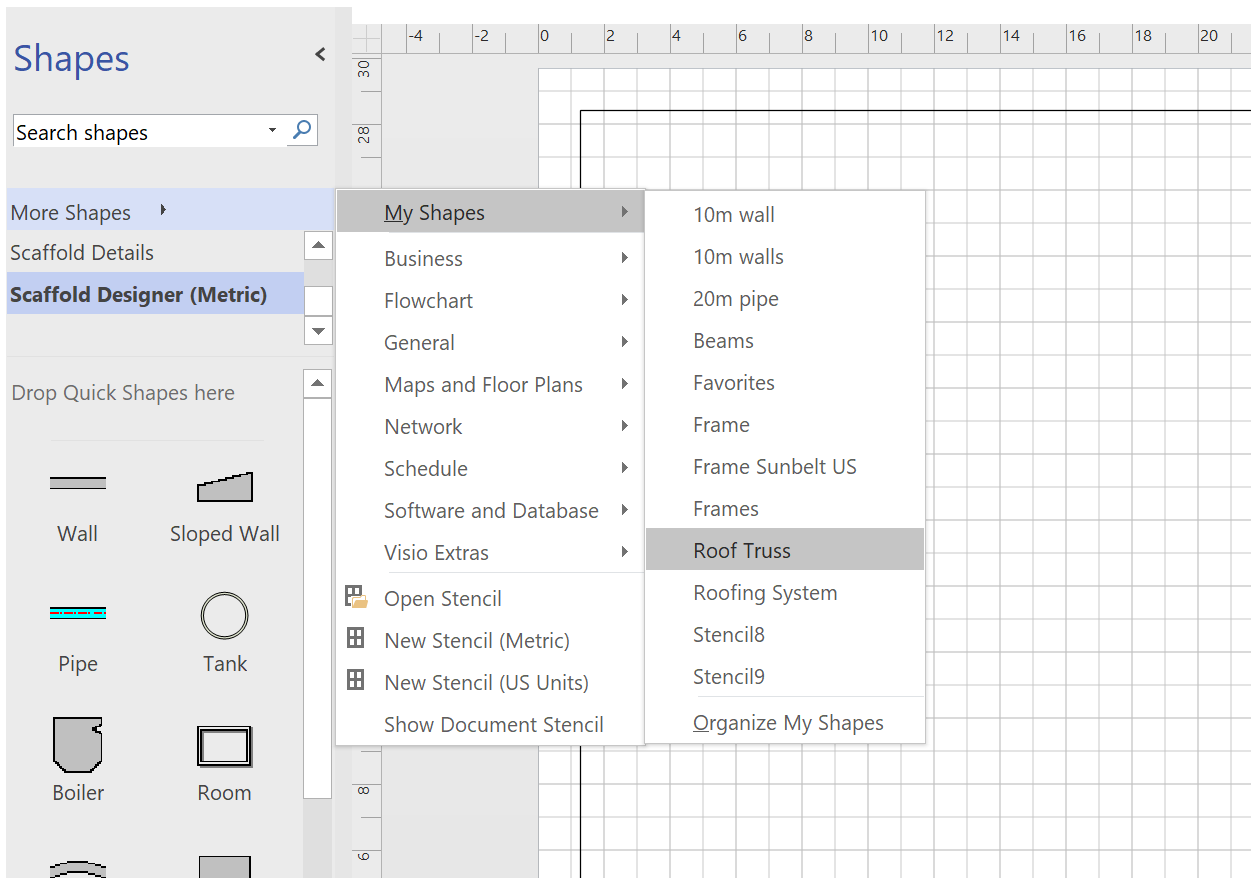
When you have completed designing your object you can add it to a stencil. To do this:
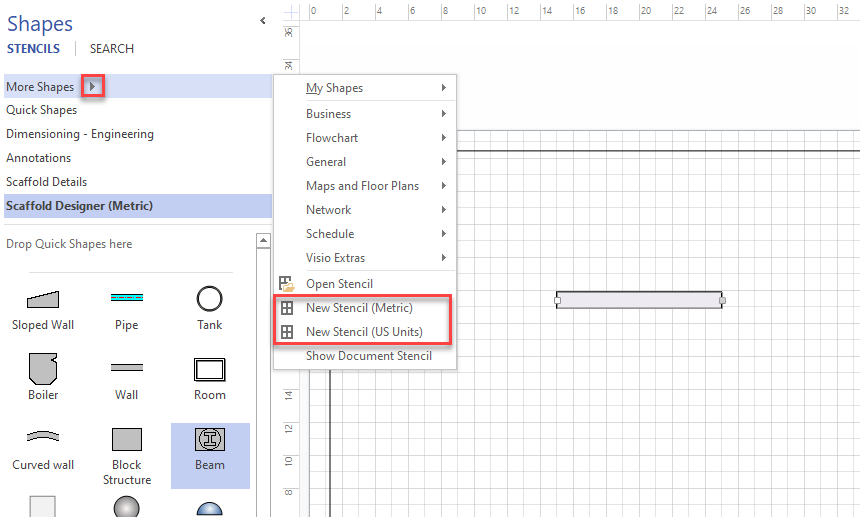
In the Shapes panel, click More Shapes and select New Stencil.
Note: Select either Metric of US Unit depending on which template your Designer is using.
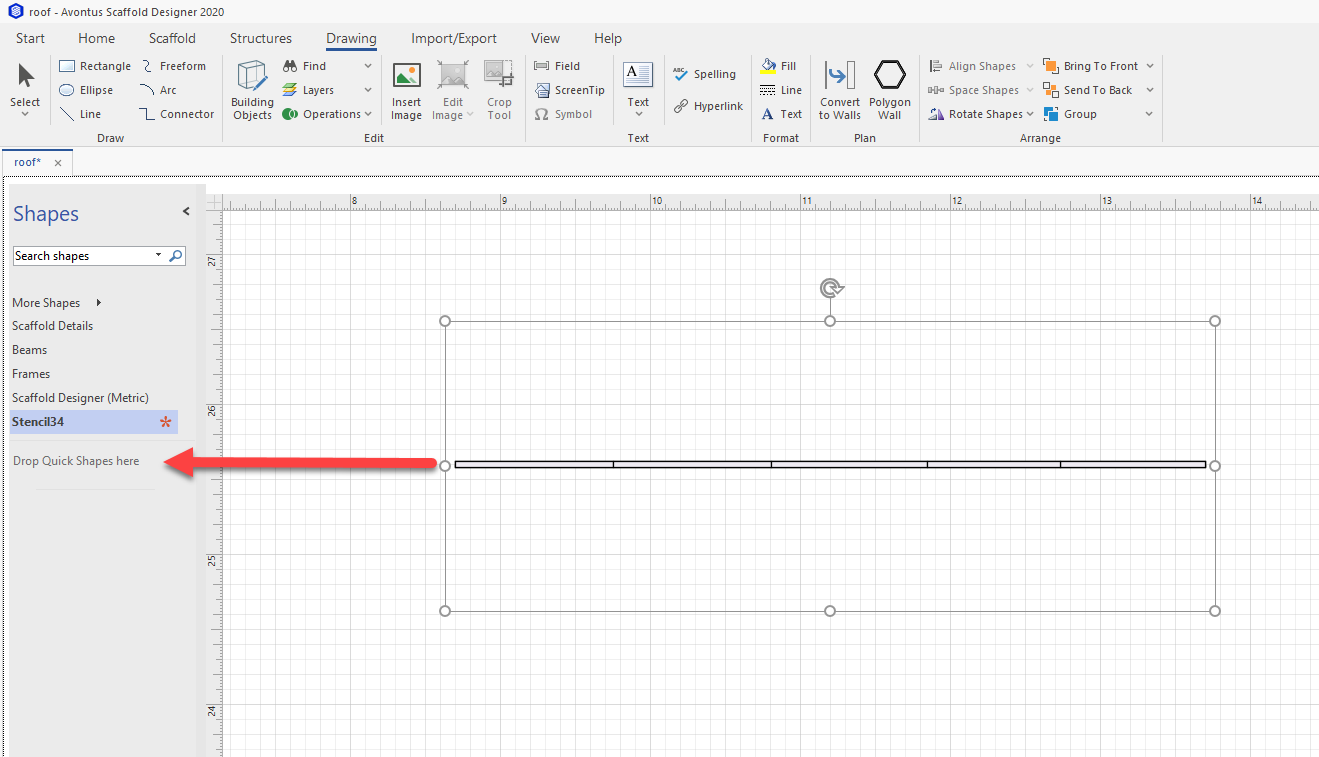
Select the grouped object and drag it to the Quick Shapes area.
Double-click the Master stencil and change the name.
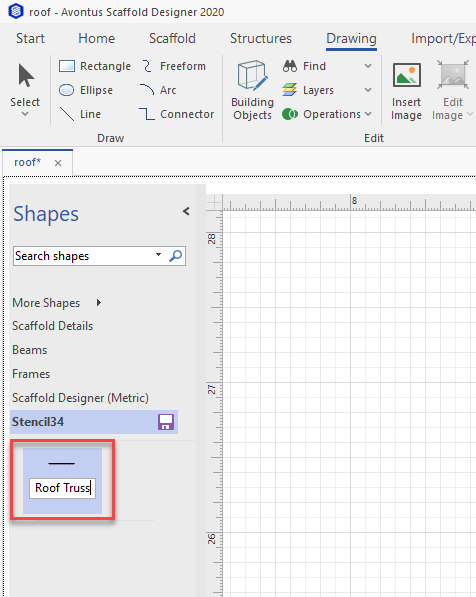
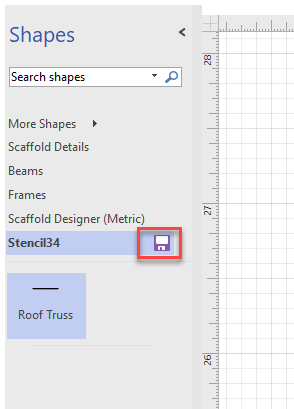
Click the Save icon
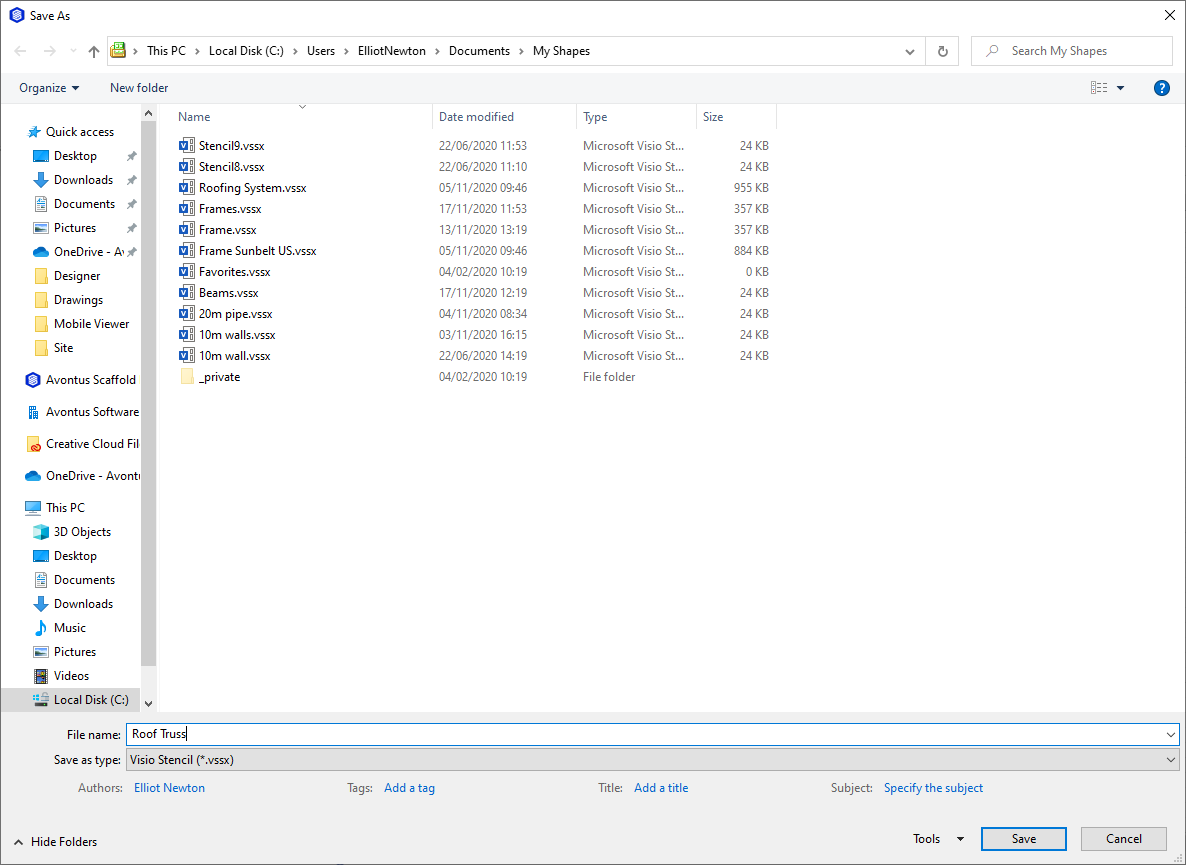
Save the file in the My Shapes folder.
Note: Ensure that the file type is .vssx
You can now find your shape in the More Shapes section. You can use this stencil in any designer drawing.