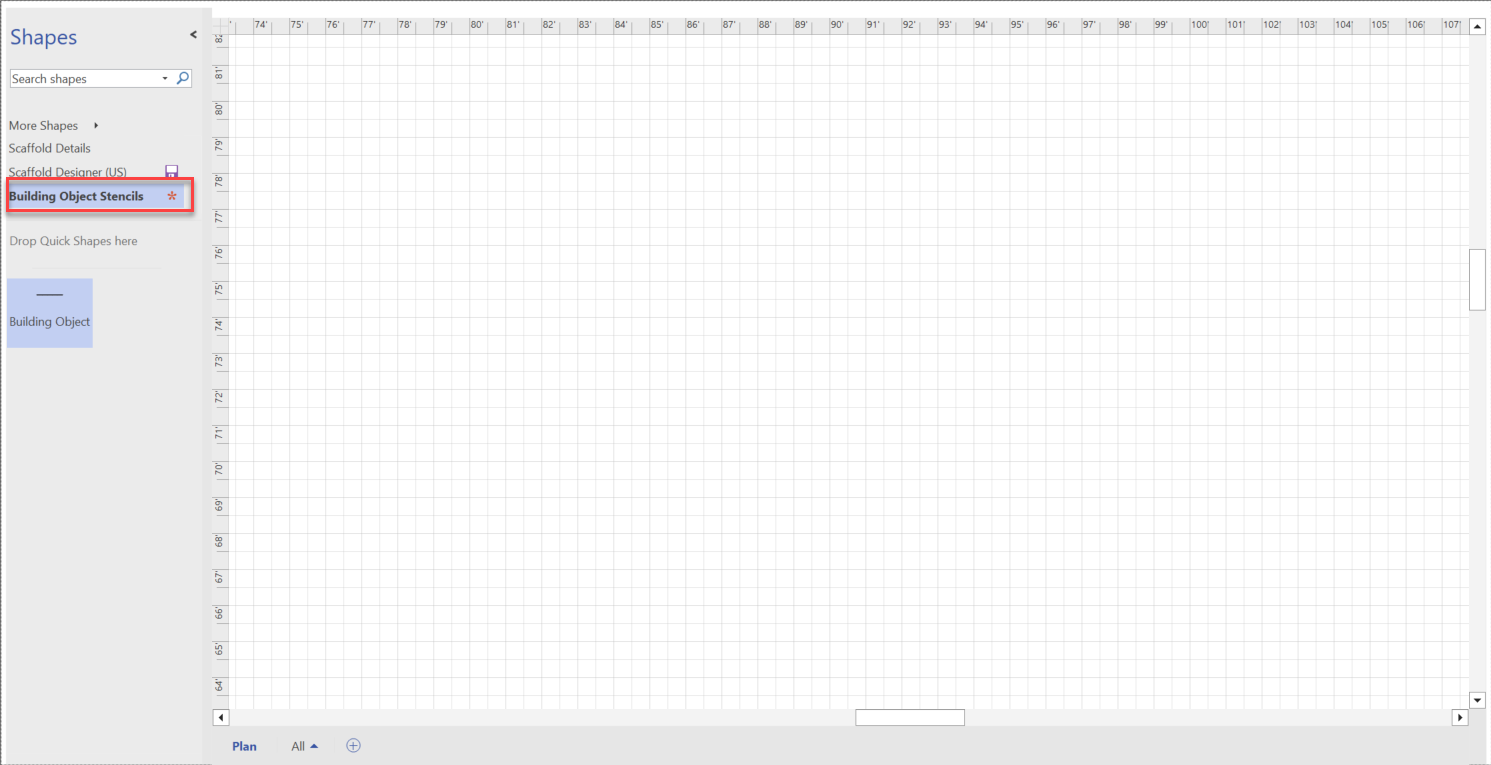
This article will demonstrate within Avontus Designer how to create a stencil folder for your building objects. This will enable you to organize your components for a better workflow within any drawing design, transfer them to a new computer, or share them with a colleague.
You can also view this article in video form on YouTube
To create a Stencil file of your Building Object.
Create the stencil
Click on More Shapes and select New Stencil
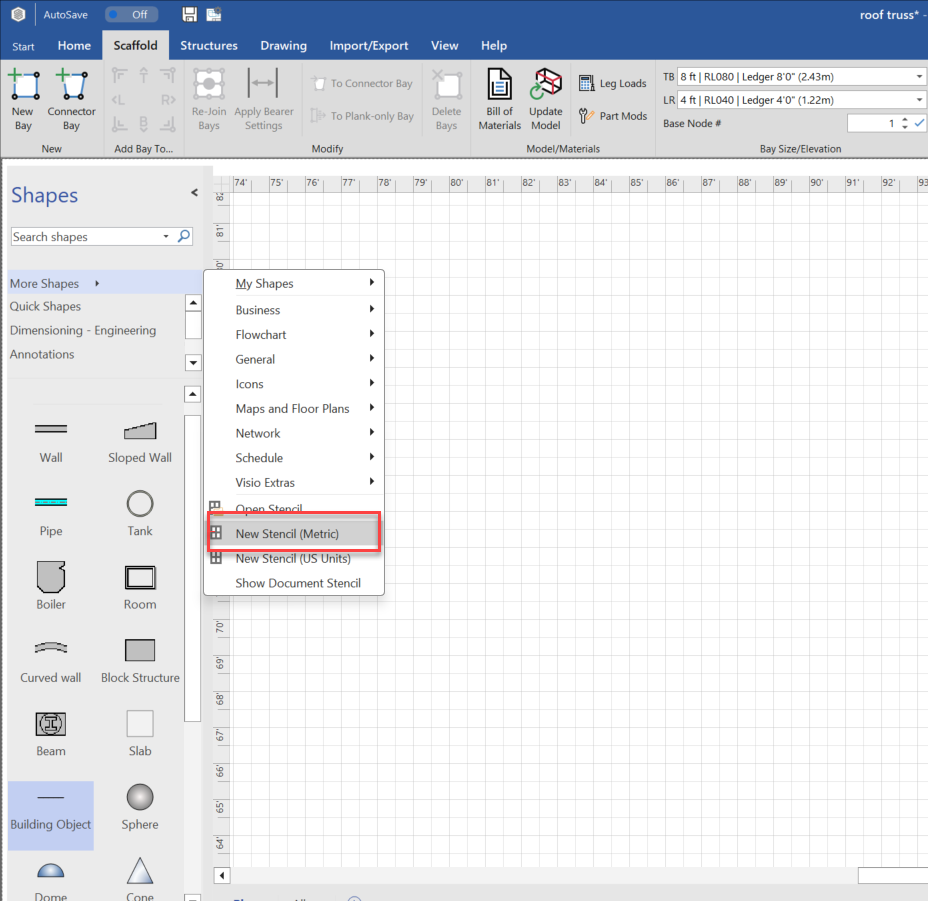
The stencil will appear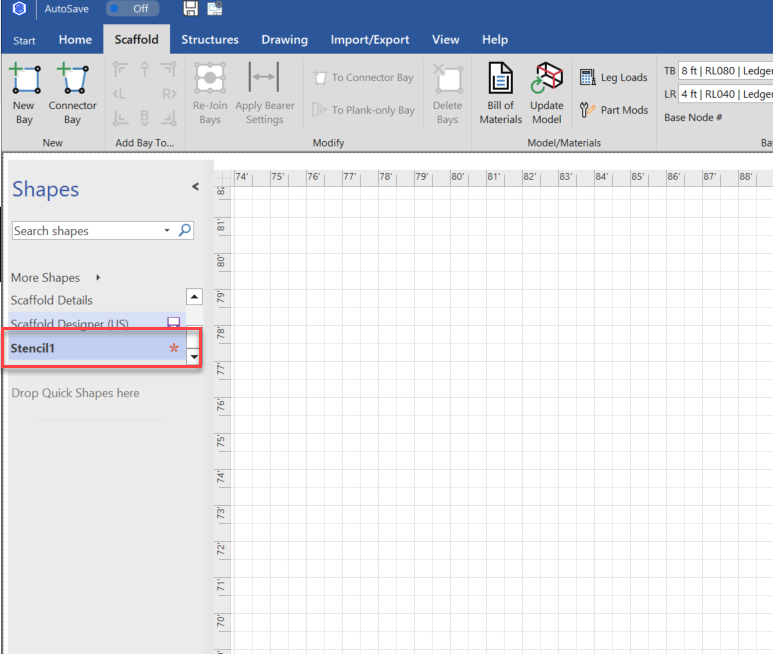
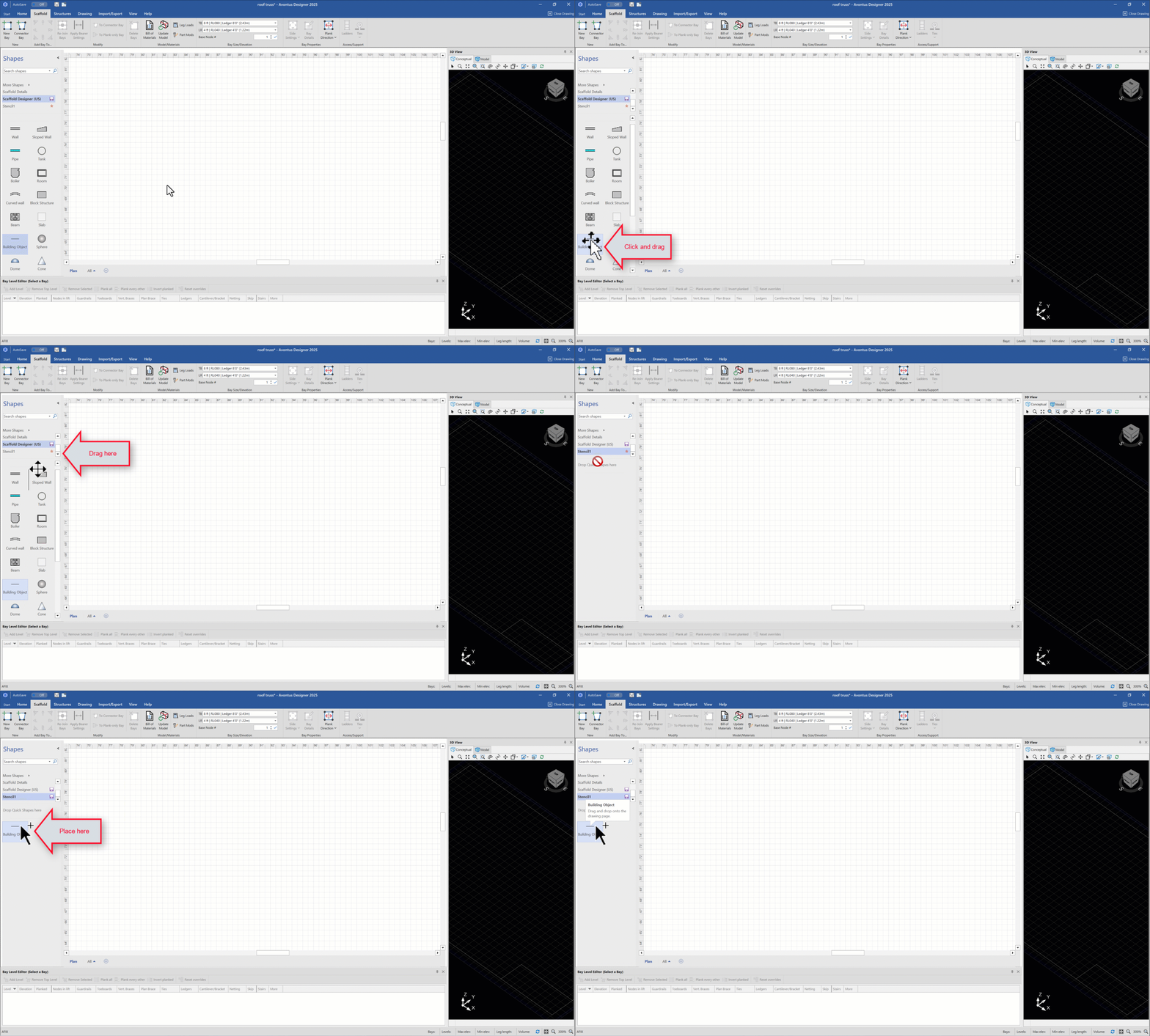
Return to the main stencil
Click and drag the object to the new Stencil
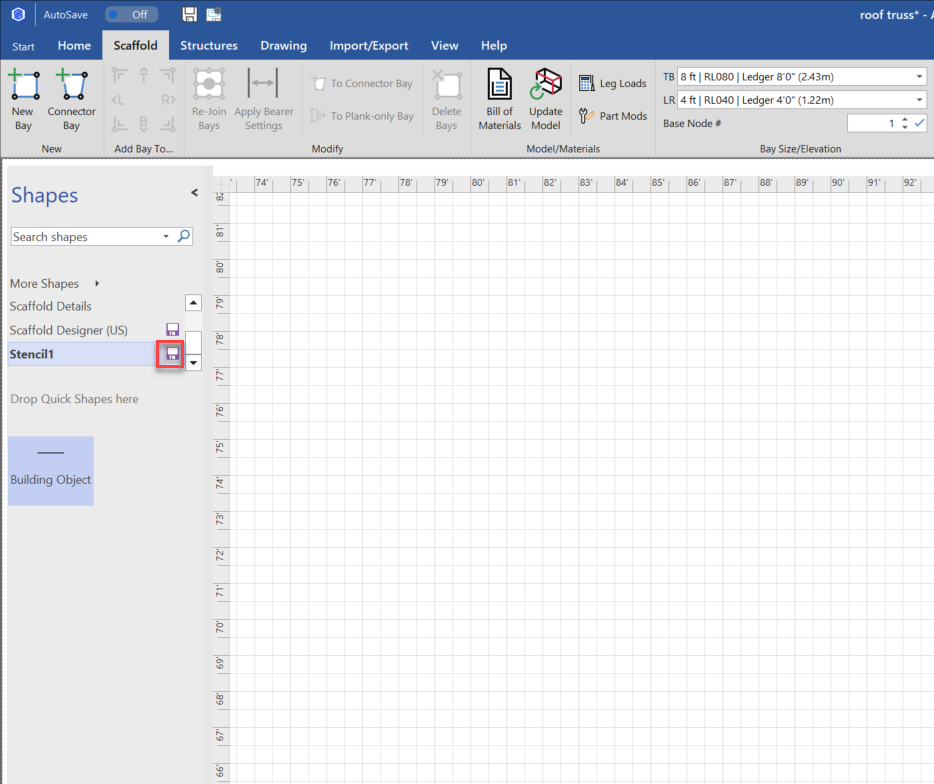
Click Save
Give it a name and click Save
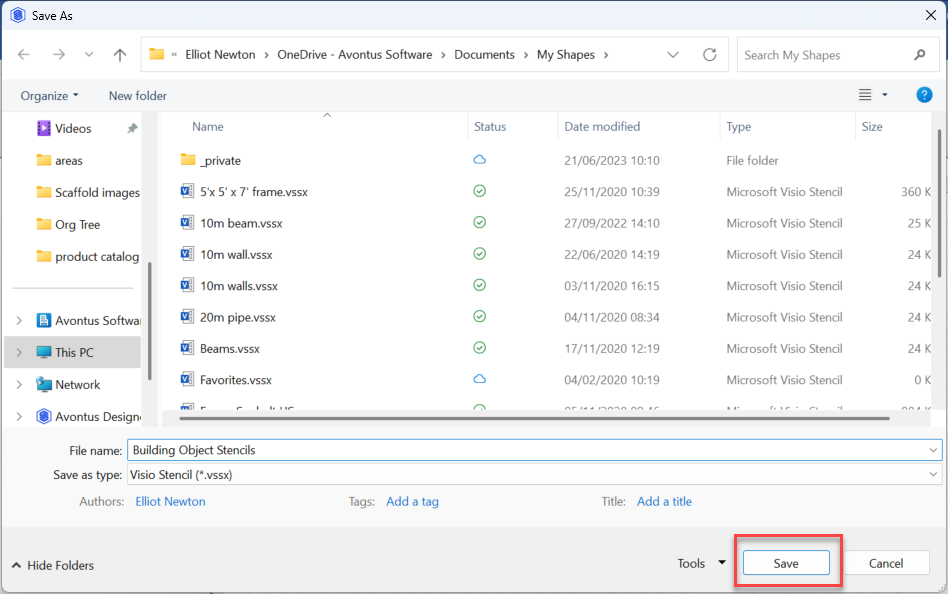
The stencil will be saved.