You can assign a customer to a status.
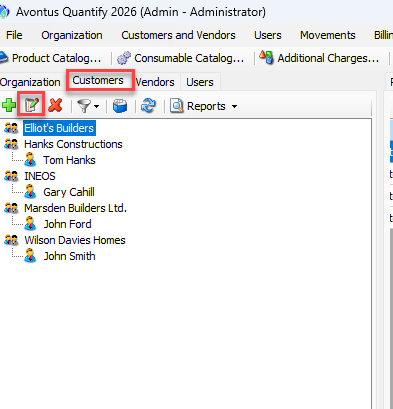
Select Customers
Select the customer whose status you wish to change.
Click Edit (you can also double-click the customer).
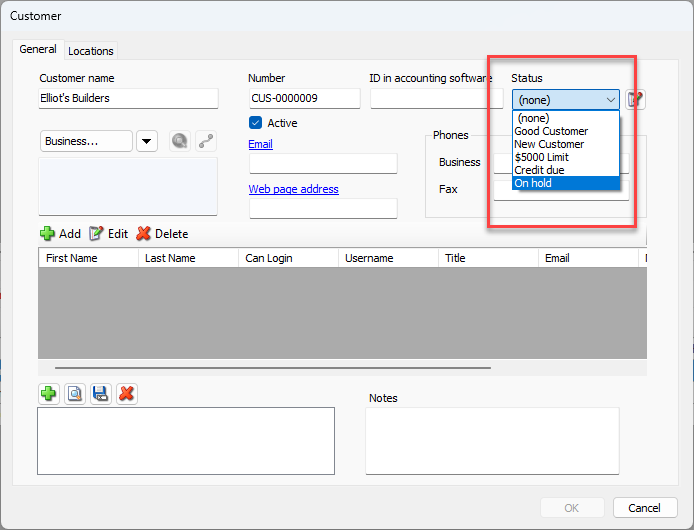
Select a status from the Status drop-down
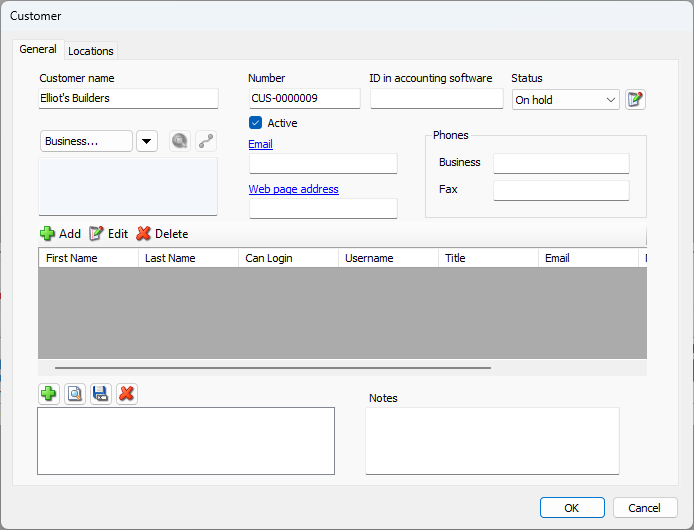
Click OK.
You will be able to see warning messages in Shipments.
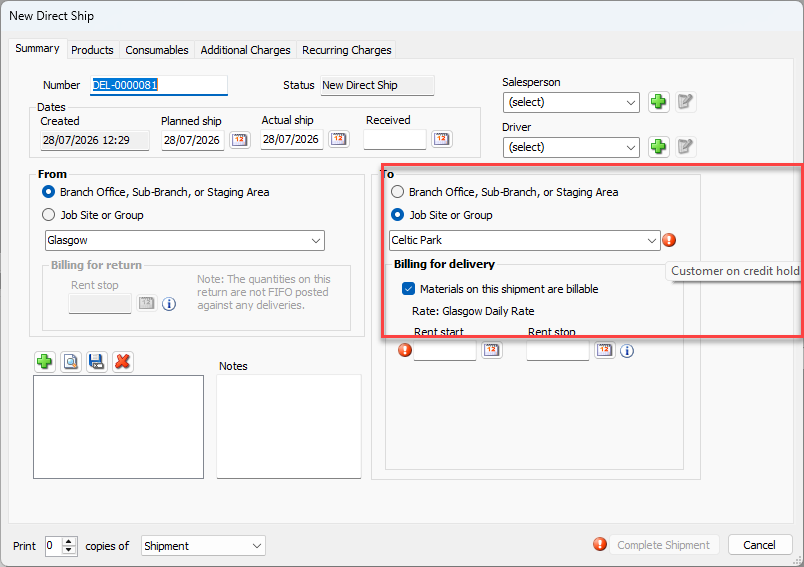
You can also see these warnings in Transactions.
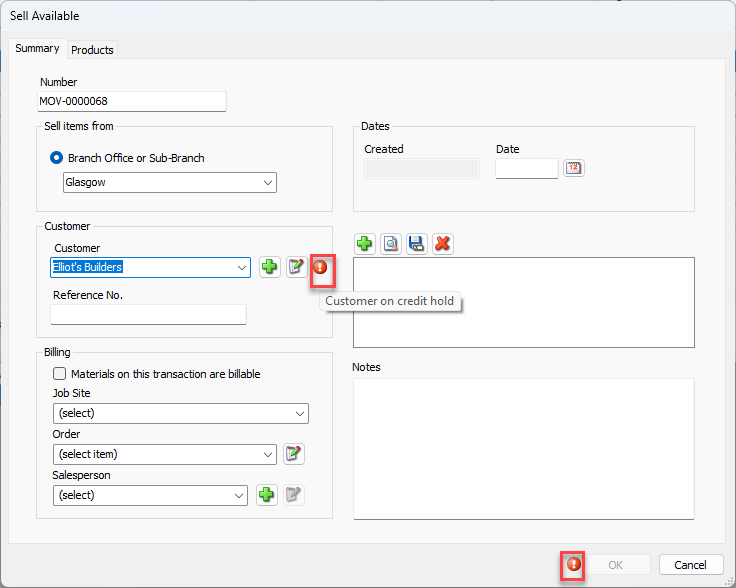
You will also see warnings in the Customer Status column in the Shipping and Transactions columns.