Quantify enables you to easily change your password.
To change your Quantify password:
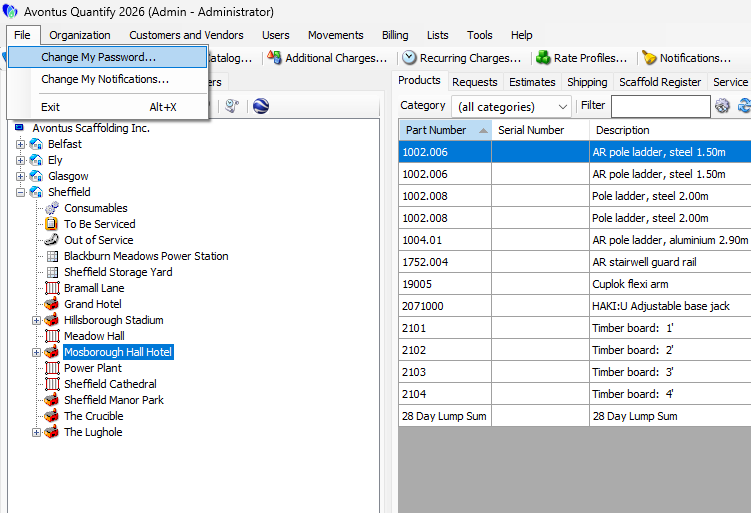
Click the File menu and select Change My Password.
The Change Password dialog appears.Click in the Current password dialog and enter your current Quantify password.
Click in the New password dialog and enter your new Quantify password.
Click in the Confirm new password dialog and enter your new Quantify password.
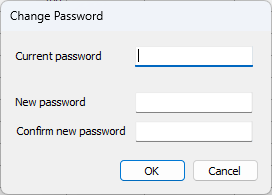
Click OK.
Quantify changes your password.