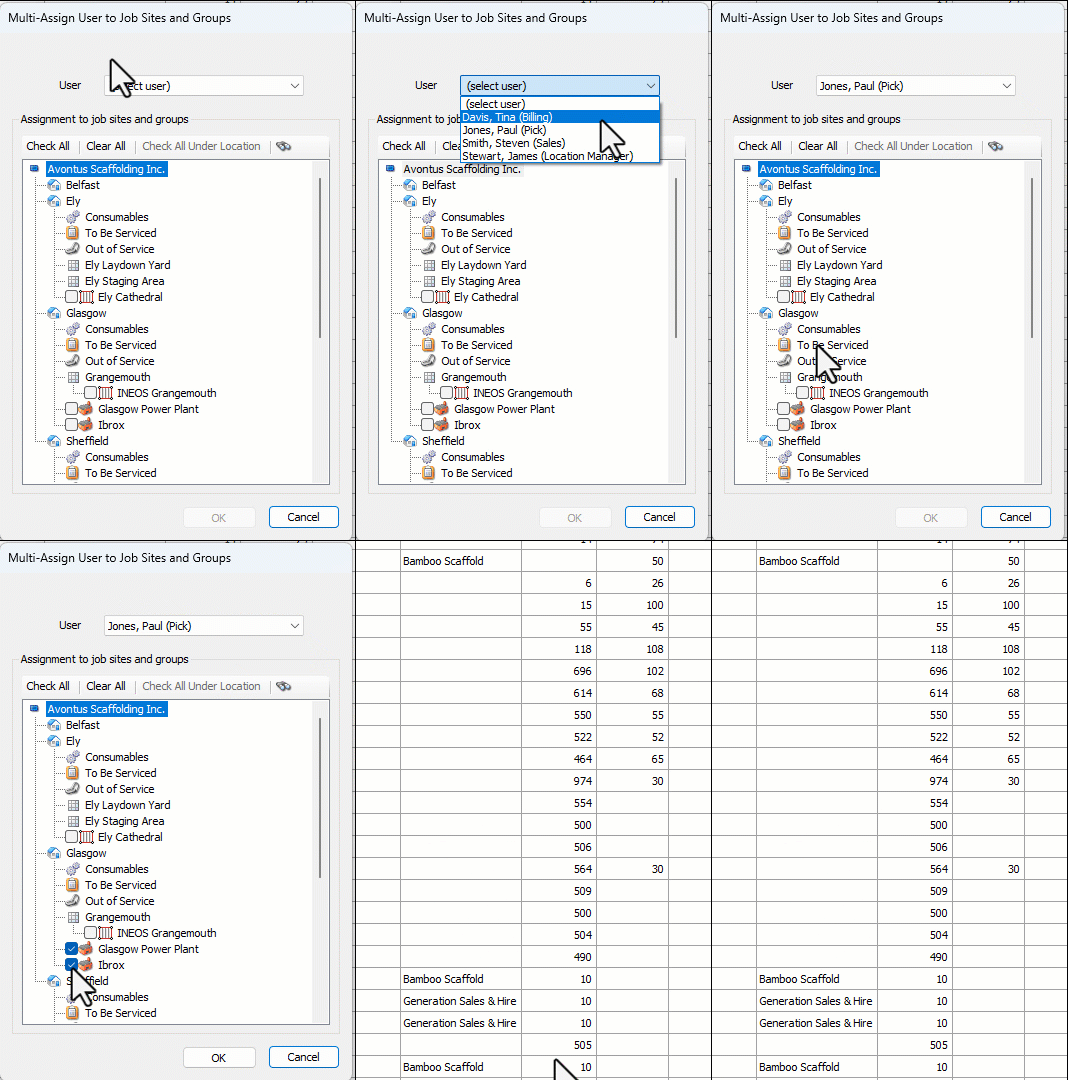
If your database is configured to use Location-Based Security, you can use Quantify's Multi-Assign feature to assign a User to multiple job sites at once.
To assign a User to multiple Job Sites at once:
Click the Users tab.
Click the Security dropdown and select Assign Users to Job Sites and Groups.
.gif)
The Multi-Assign User to Job Sites and Groups dialog appears.
Click the User dropdown and select the appropriate user.
Quantify populates the Assignment to job sites and groups area.
Click the checkbox to the left of each Job Site or Group to which you want to assign the user.
Note: Click Check All to put a check in every checkbox or Clear All to clear all checkboxes.
Click OK.