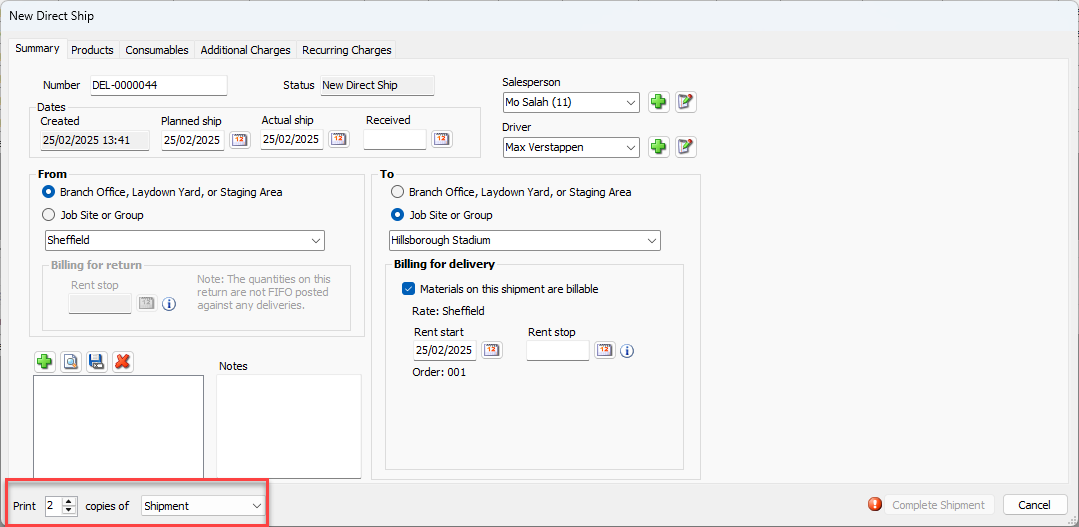
Quantify enables you to automatically print copies of Shipment reports when the Shipment has completed.
To configure a new shipment to automatically print Shipment reports:
Open a Shipment
Click in the Print text field and enter the number of copies you want to print.
Click the Print Copies of dropdown and select the type of report you want to print. Your options are: Shipment, Shipment (Detailed), Shipment with Pricing.