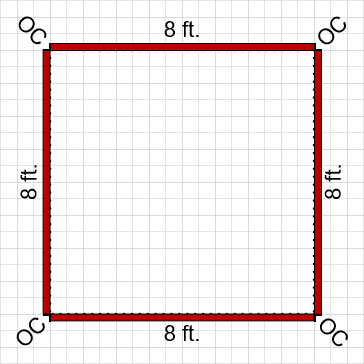
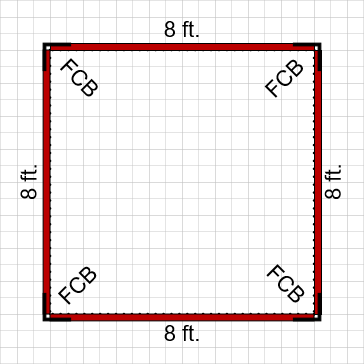
Handset Designer provides two options for forming corners with Slab edges: standard outside corner angles (OC) or footing corner brackets (FCB). Handset Designer uses Standard Outside Corner by default. You can change the default setting to use Footing Corner Bracket instead.
To configure the Slab corners:
- Click Formwork Options in the Handset Designer ribbon.
 The Formwork Options dialog opens.
 - Click the Formwork Design Tab.
- Click the Use footing corner bracket checkbox.
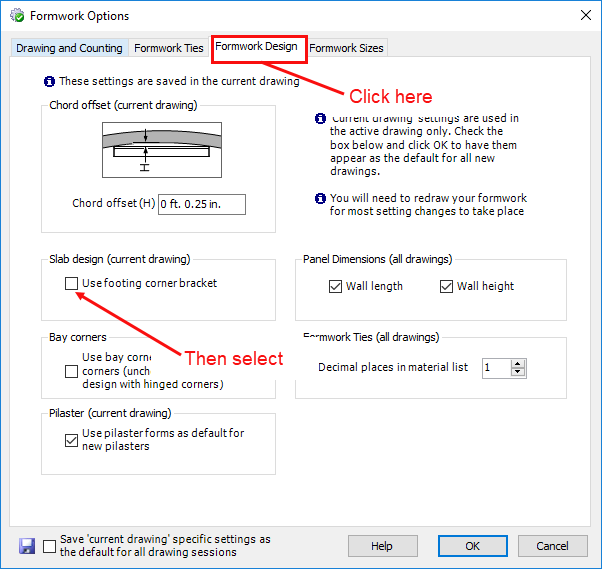
- Click OK.
When you draw Formwork, the notations show which type of corner Handset Designer has configured: Standard Outside Corners or Footing Corner Brackets.