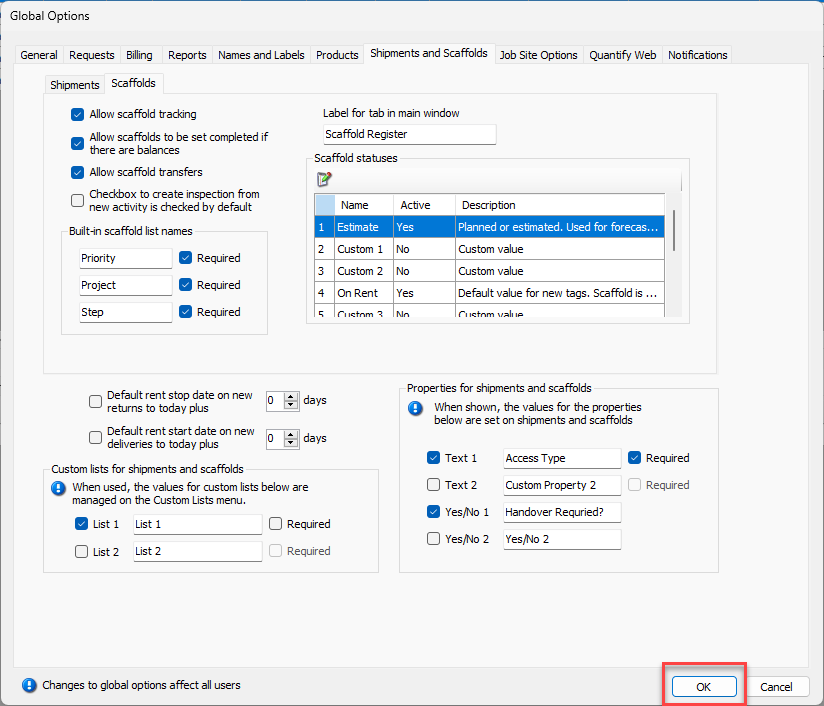
The Global Options dialog provides the features necessary to configure the following types of global custom properties for Scaffolds:
NOTE: The features mentioned in this article are only available in the Industrial and Enterprise editions of Quantify.
Text | Text fields enable you to enter up to 50 characters. |
Yes/No | Yes/No fields enable you to enable or disable a custom labeled checkbox. |
To configure global Scaffold custom properties:
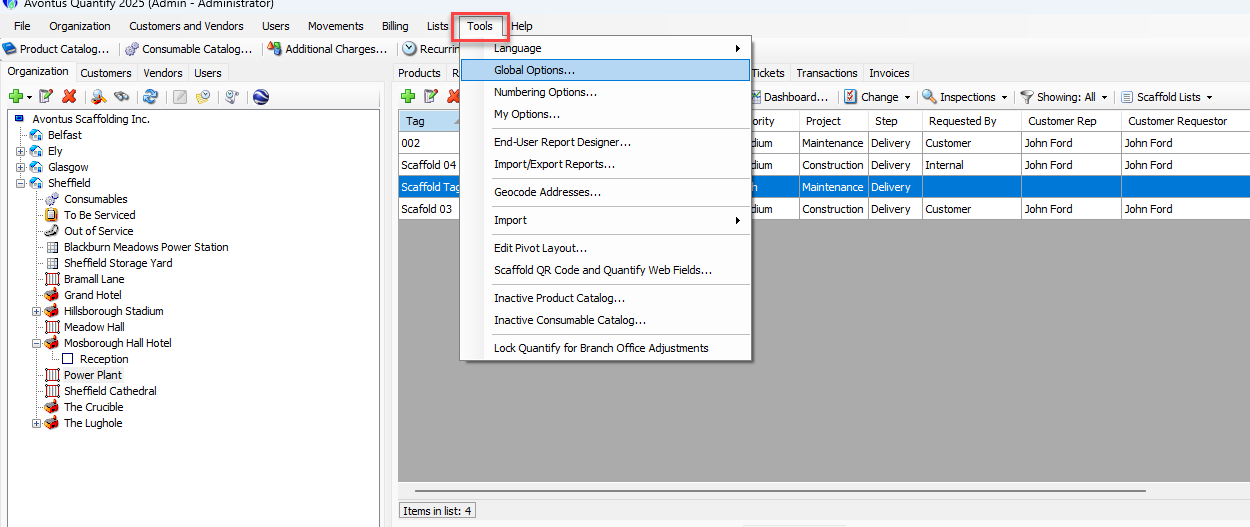
Click the Tools menu and select Global Options.
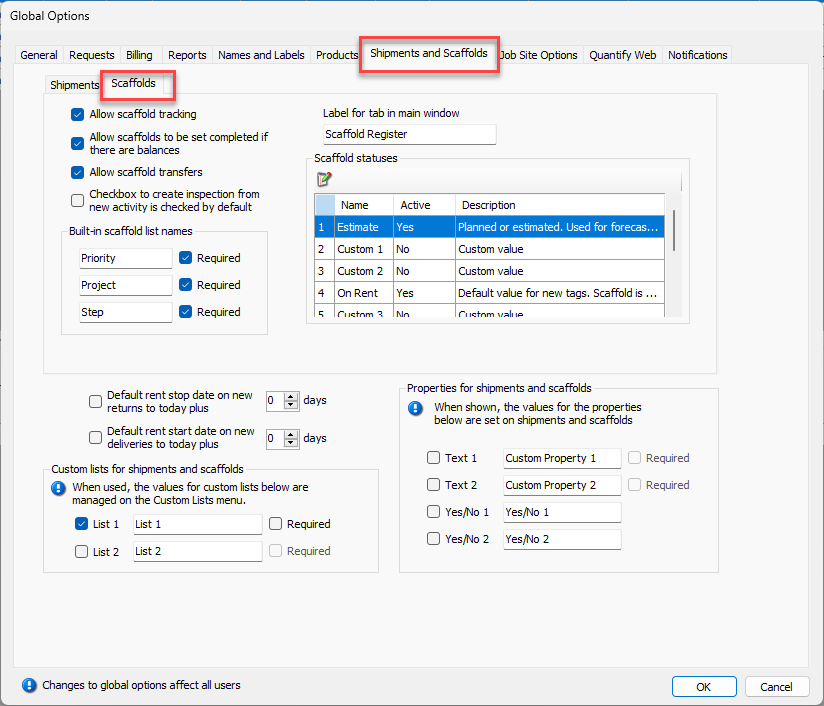
The Global Options dialog appears.Click the Scaffold and Shipments tab, then click the Scaffolds sub-tab.
The Global Options dialog refreshes.
Click the appropriate Text checkbox.
Click in the text field for that custom property and enter a label for that property.
As necessary, click that property's Required checkbox.
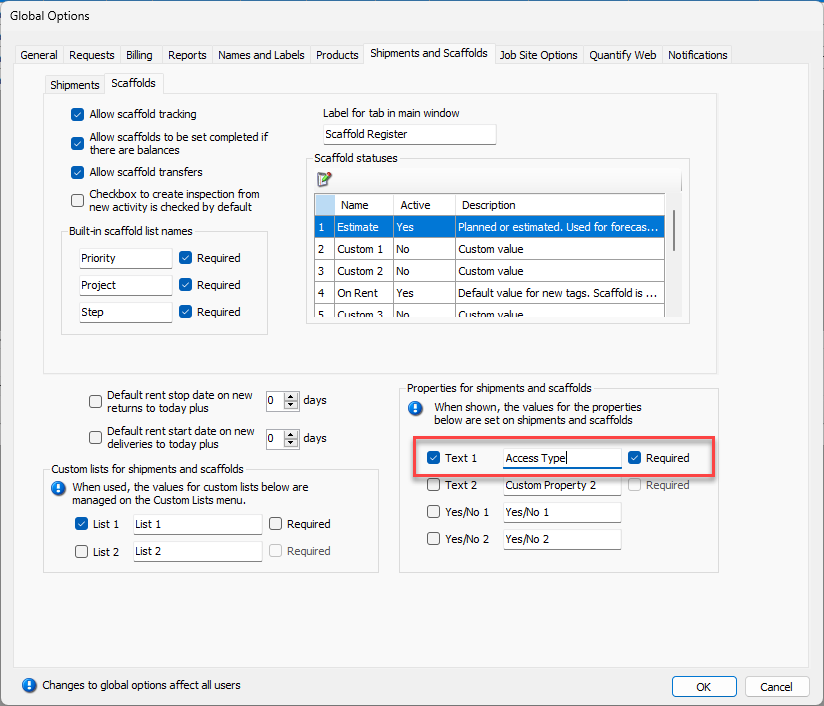
As necessary, repeat the above three steps for the other custom property.
Click the appropriate Yes/No checkbox.
Click in the text field for that custom property and enter a label for that property.
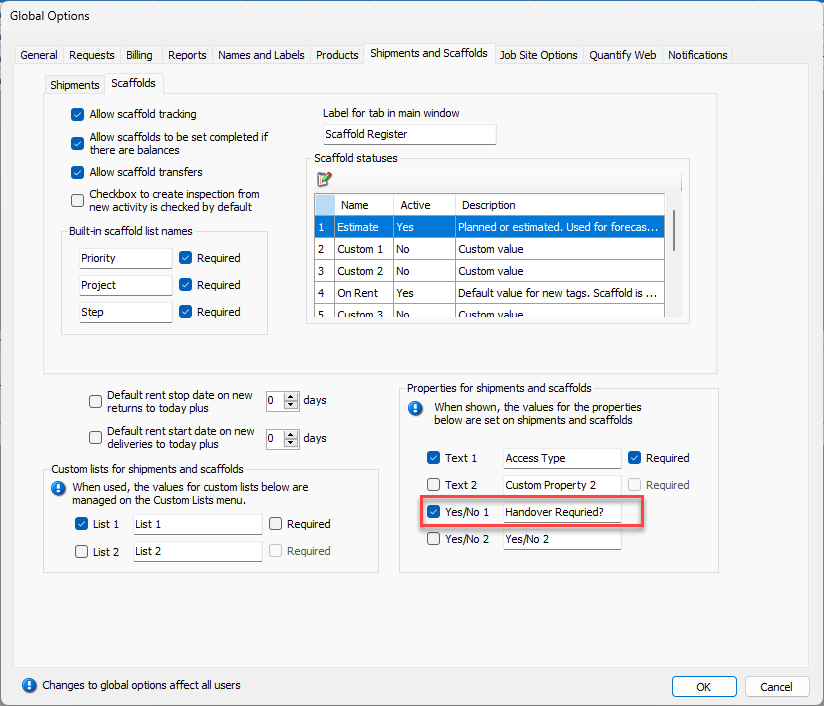
As necessary, repeat the above two steps for the other custom property.
Click OK.