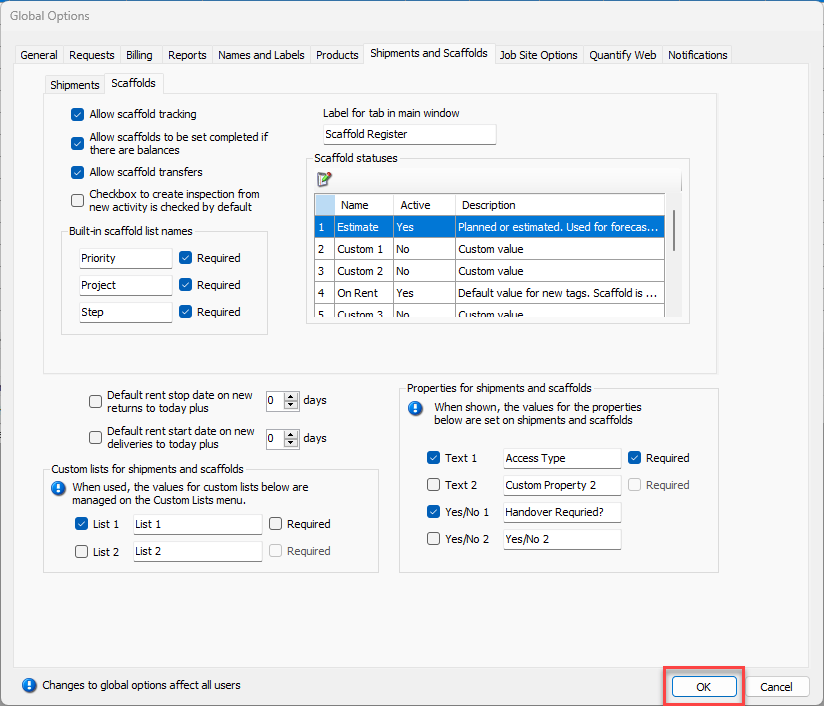
By default, Quantify does not allow Scaffold transfers. If you want to be able to transfer Scaffolds, you must enable this functionality in the Scaffolds sub-tab of the Shipments and Scaffolds tab in the Global Options dialog.
To configure Quantify to allow transfers:
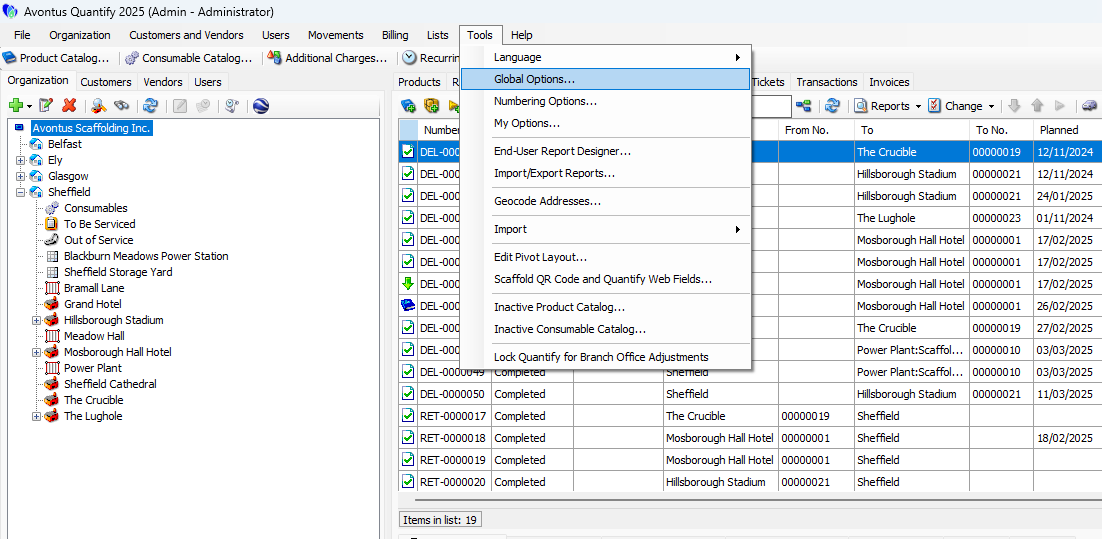
Click the Tools menu and select Global Options.
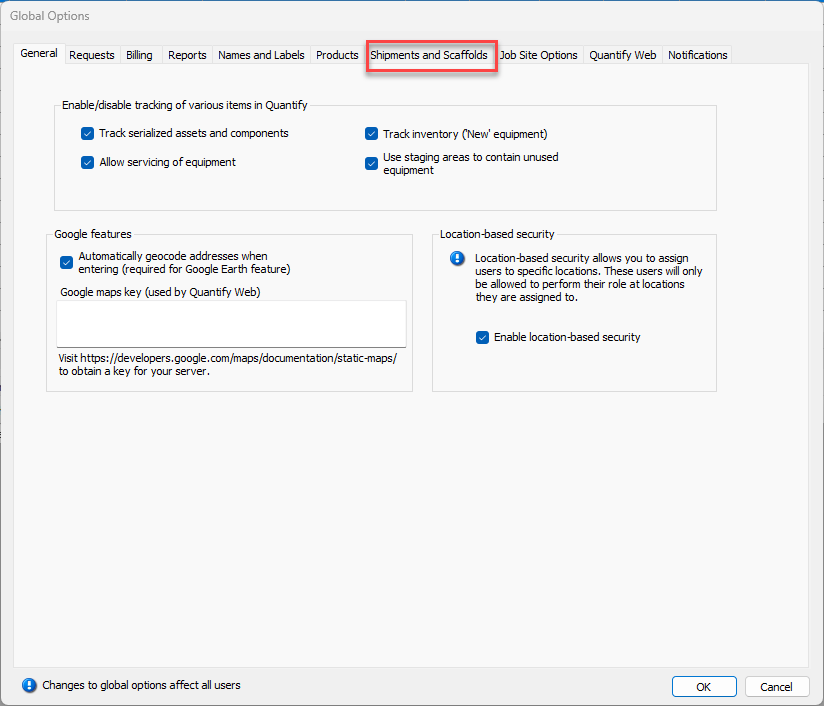
The Global Options dialog appears.Click the Shipments and Scaffolds tab.
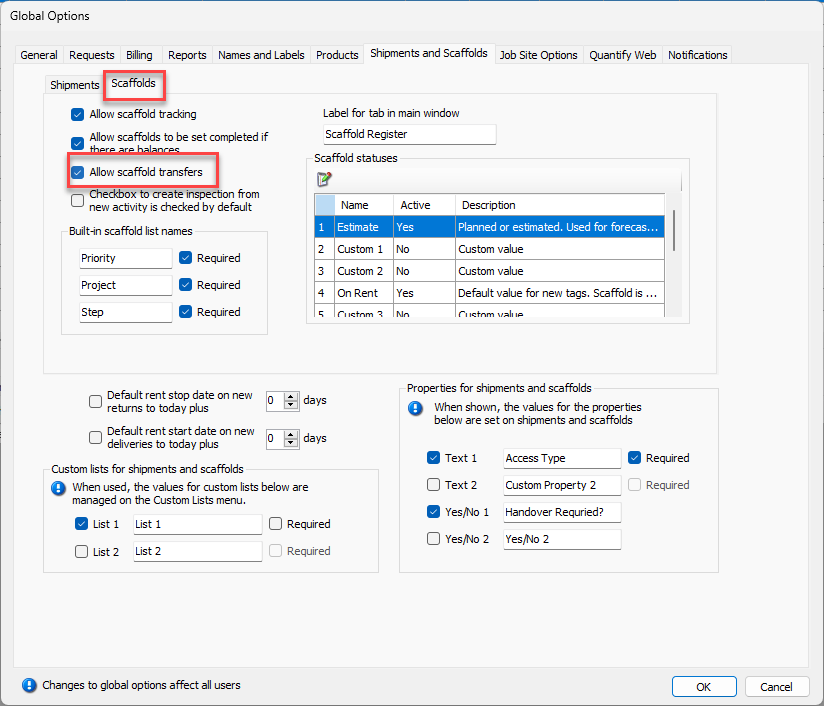
The Global Options dialog refreshes.Click the Scaffolds sub-tab, then click the Allow scaffold transfers checkbox, to put check in it.
Click OK.