In order to ensure that the data in the Quantify database easily syncs up with the data in the Sage 50 database, each appropriate Consumable Category must have Rent GL codes, Sales GL codes and a Description that matches with that information in Sage 50. You enter this information on a Consumable Category-by-Consumable Category basis. The procedures below show you how to do that.
To configure the Consumable Catalog for Sage 50:
- Click Consumable Catalog.
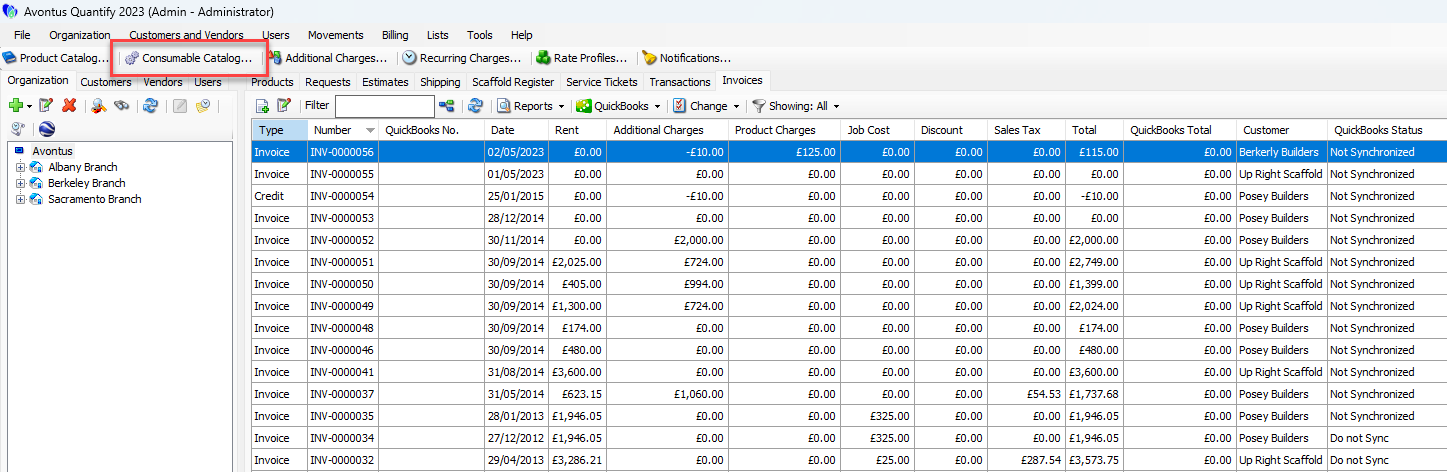
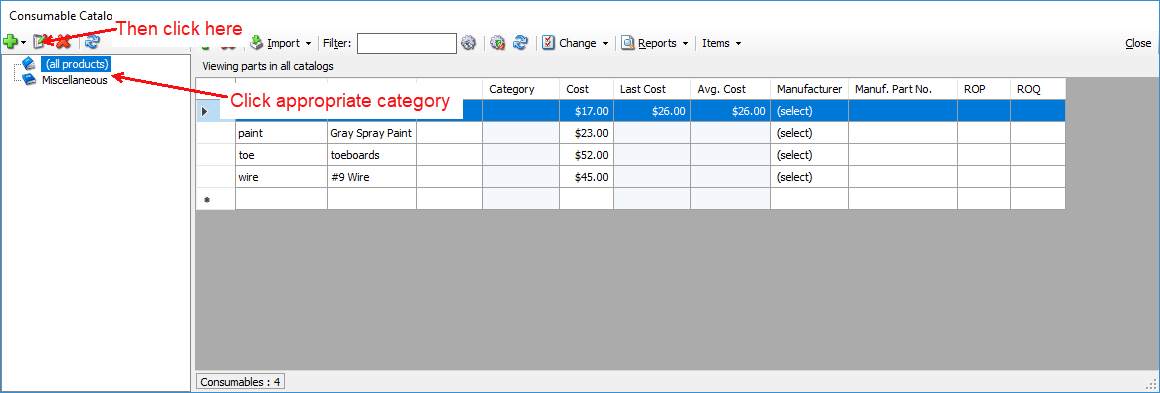
The Consumable Catalog appears. - Click the appropriate Consumable Category and click the Edit Selected Catalog button (
 ).
).
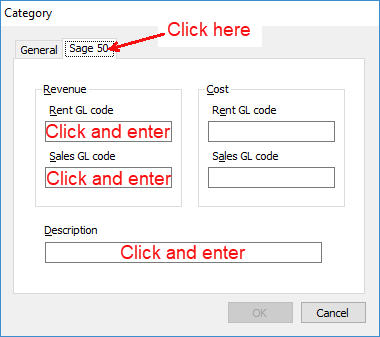
The Category dialog appears. - Click the Sage 50 tab
- Click in the Rent GL code text field and enter the appropriate Sage 50 Account ID, matching the general ledger account number for rental revenue for the selected Consumable Category.
- Click in the Sales GL code text field and enter the appropriate Sage 50 Account ID, matching the general ledger account number for sales revenue for the selected Consumable Category.
- Click in the Description on exported invoice text field and enter the statement you want to appear in the Quantify Invoice Summary format, and in the invoice export to Sage 50.
- Click OK.
- Repeat the above procedures for each appropriate product category.