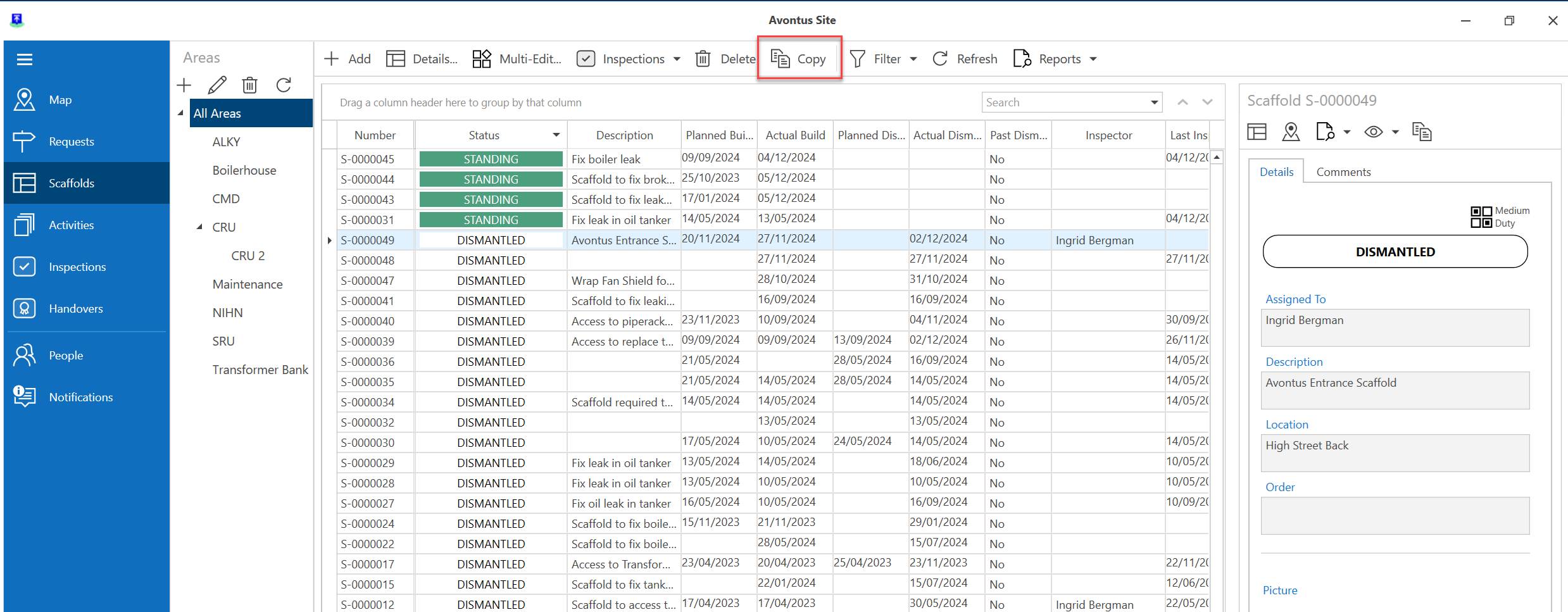
hen you dismantle a Scaffold on a Job Site, and rebuild an almost identical Scaffold, you can copy the dismantled Scaffold (including its dimensions and settings) and rebuild on ScaffoldIQ. This saves you from having to manually enter the information, most of which is identical to the dismantled scaffold.
To do this we will need to enable Dismantled Scaffolds in the filter
Click Filter
Select the Dismantled checkbox and click Apply
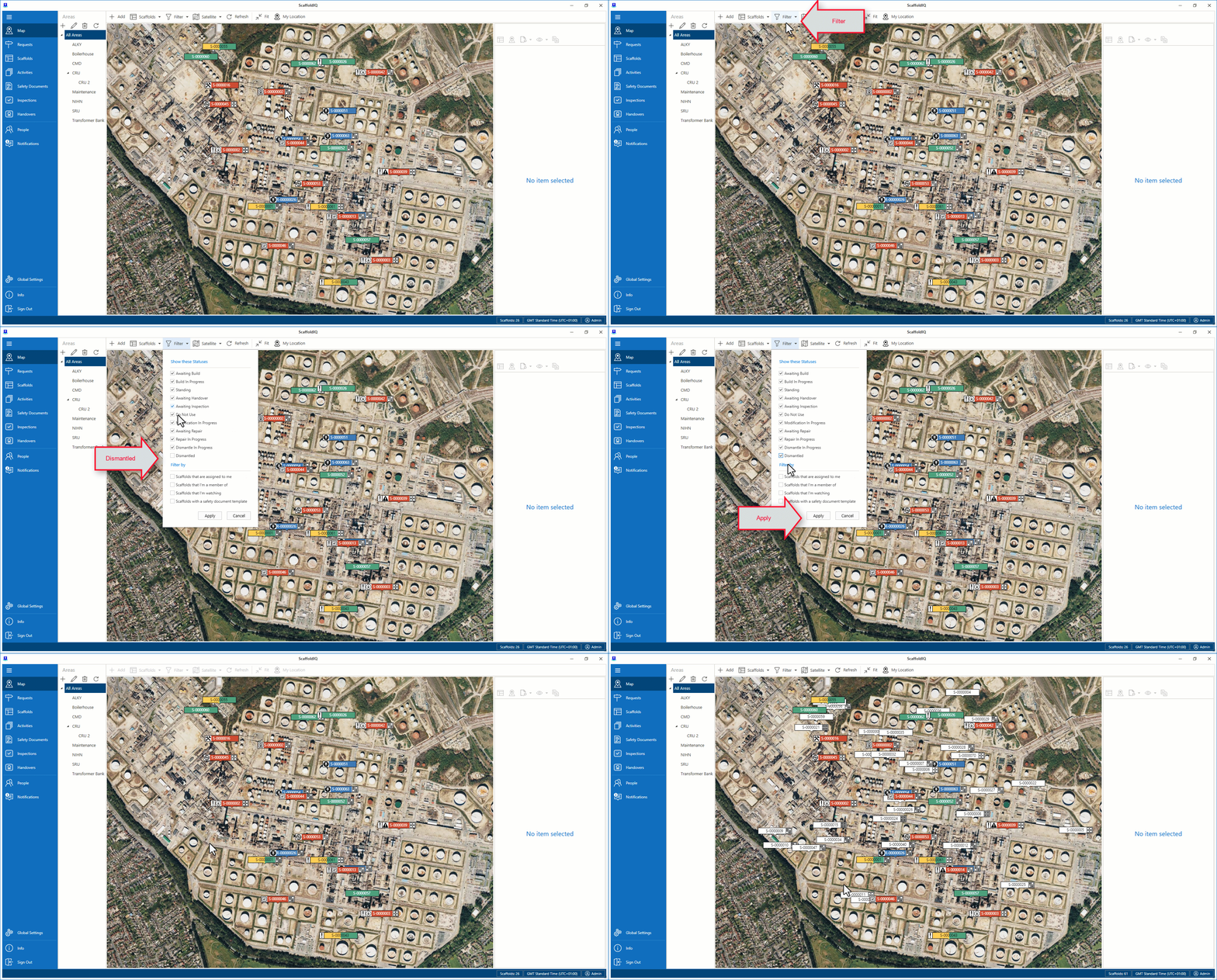
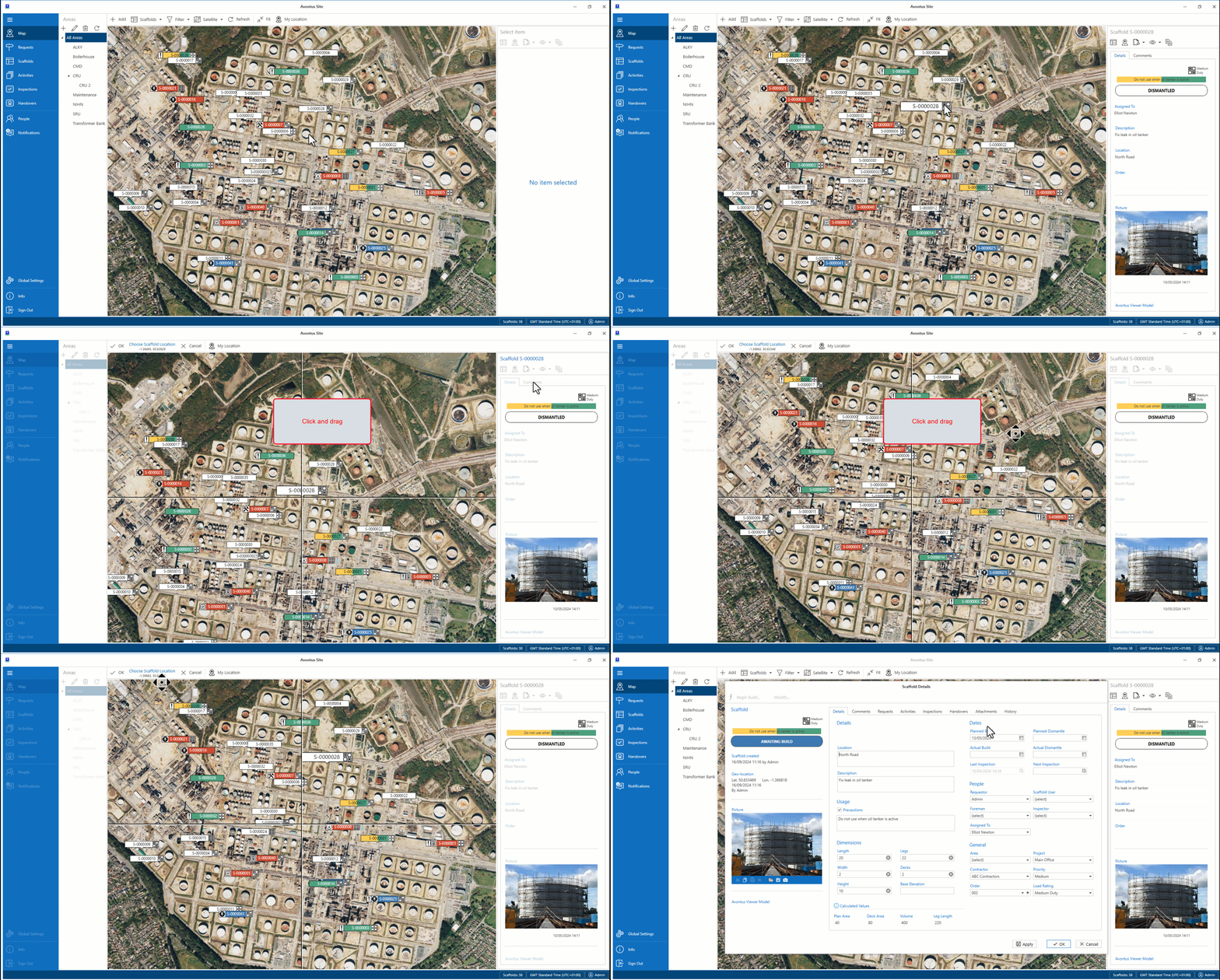
We can now see, and copy Dismantled Scaffolds.Click a dismantled Scaffold and select the Copy button
Drag the crosshairs to where you want the Scaffold to go and click OK
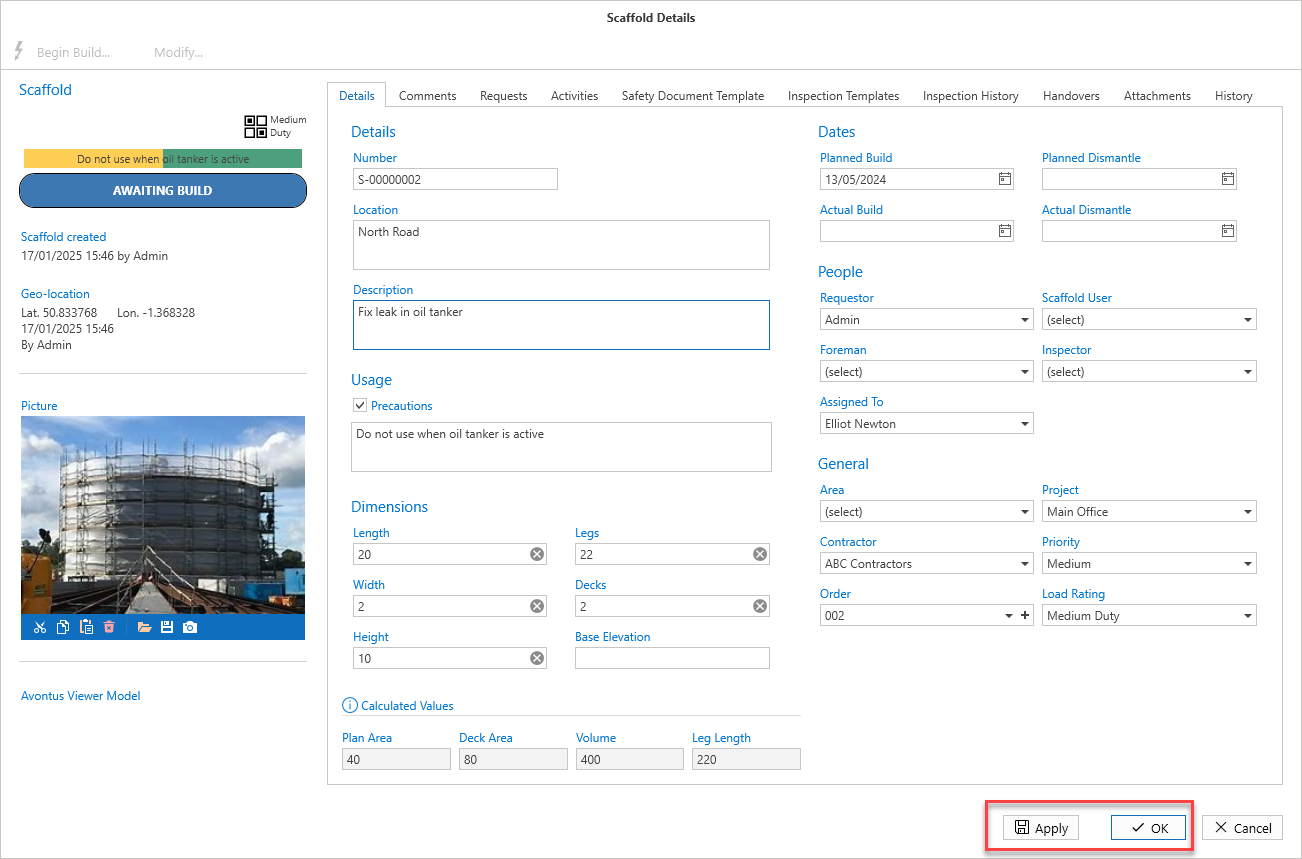
Make any required changes then click either Apply or OK
Note: You can also copy a Scaffold from the Scaffolds screen