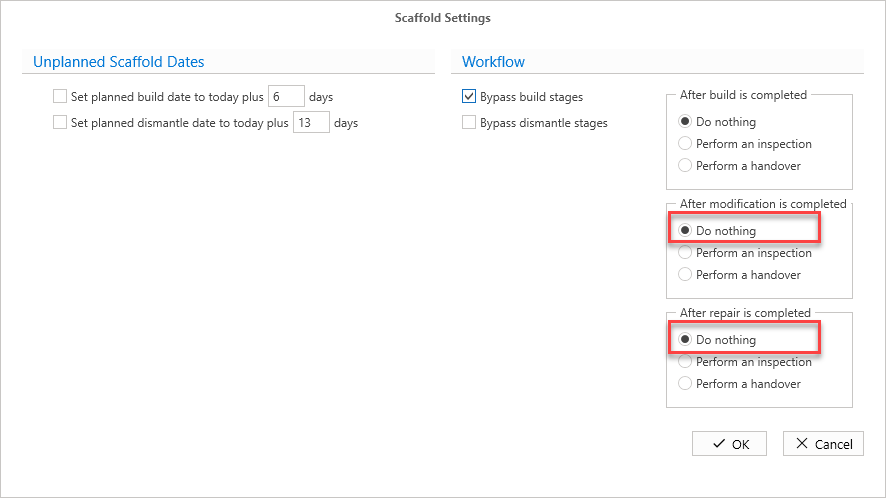
When erecting a scaffold, it is possible to bypass the Handover stage. This means when erecting a scaffold, the scaffold will go from the Build in Progress stage to Standing, skipping over the scaffold handover process. This is useful when adding multiple scaffolds that already exist on your job site as it will remove extra steps. It is also recommended you also bypass the Build stage when adding multiple standing scaffolds. Please see Scaffold Settings for more information.
To bypass the Handover stage:
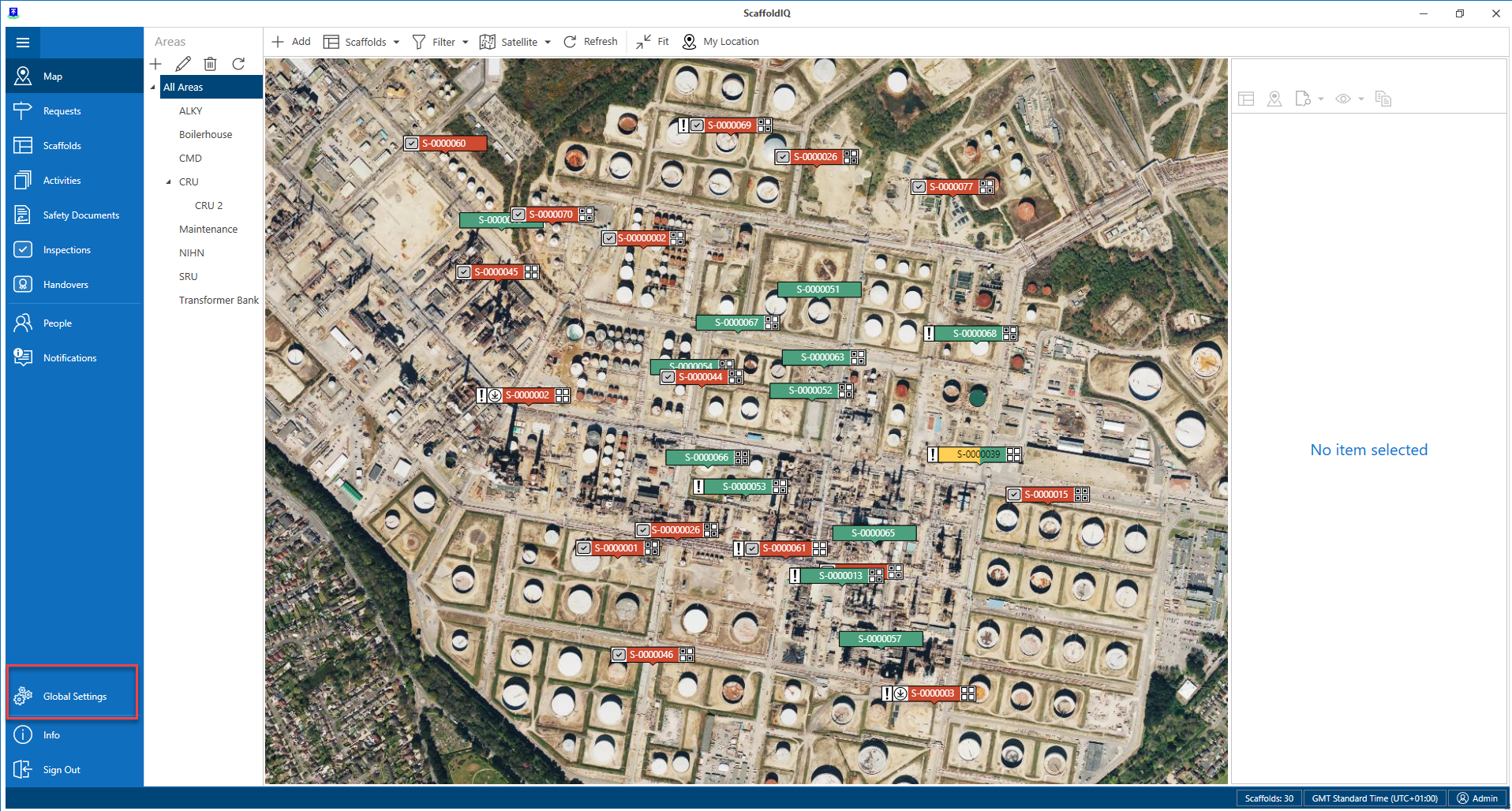
From any screen, select Global Settings
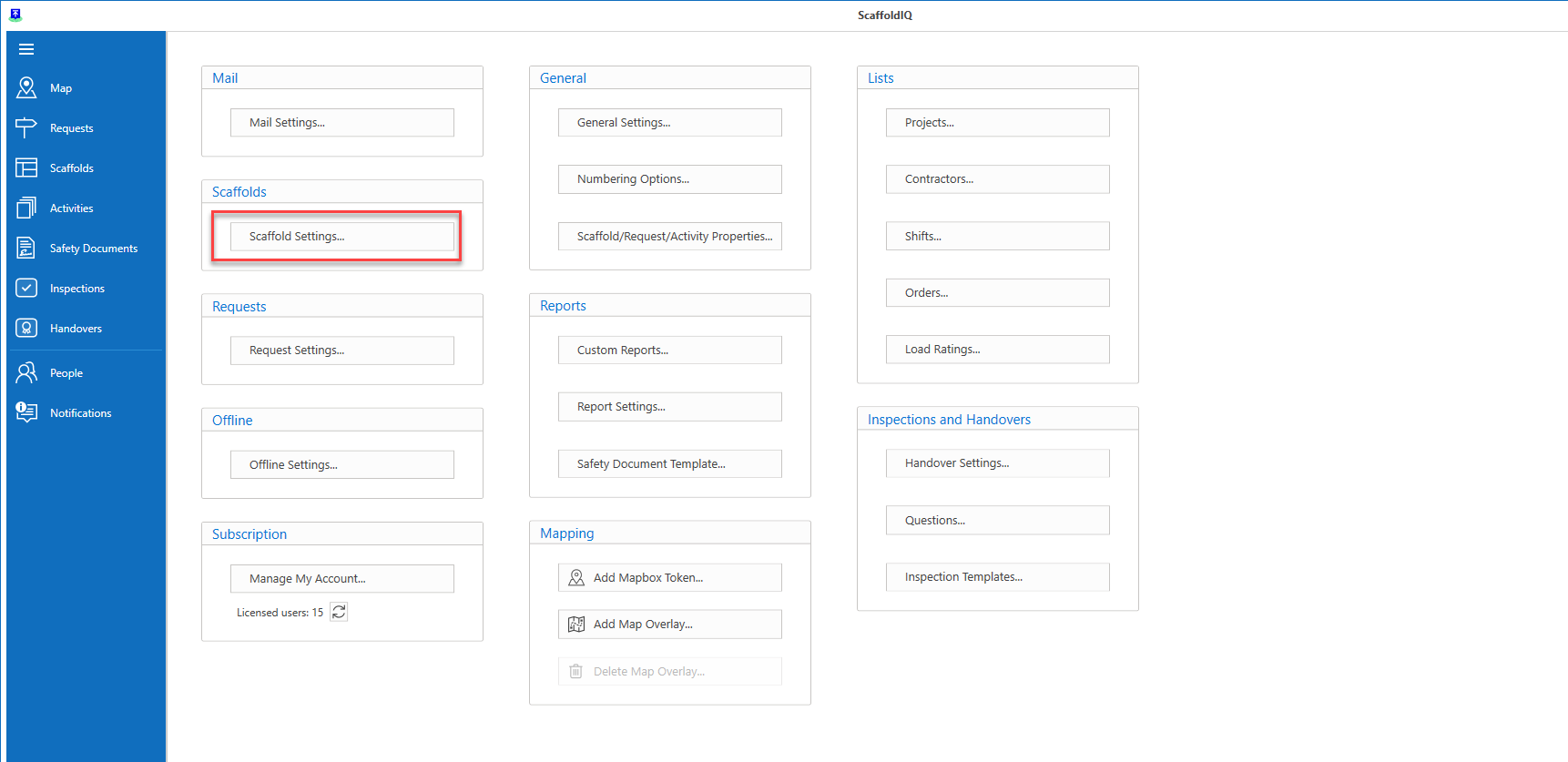
In Global Settings, select Scaffold Settings
In the Workflow section of the Scaffold Settings, click Do Nothing under After build is completed
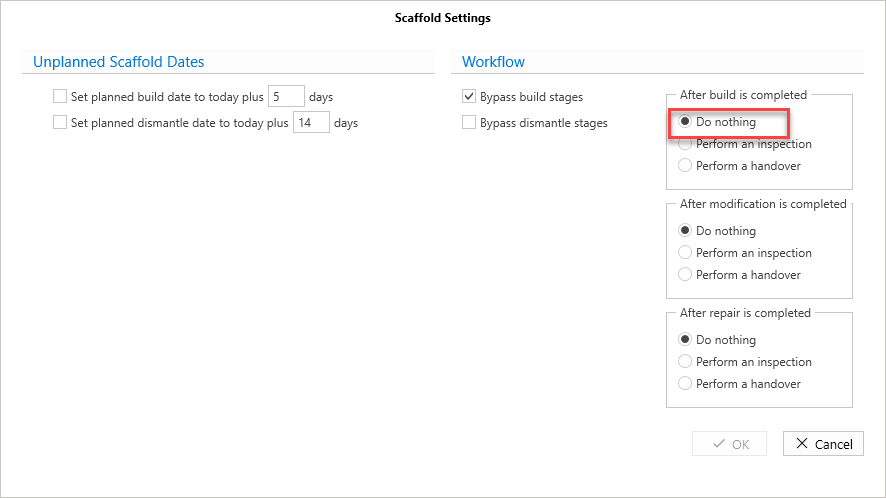
Click OK
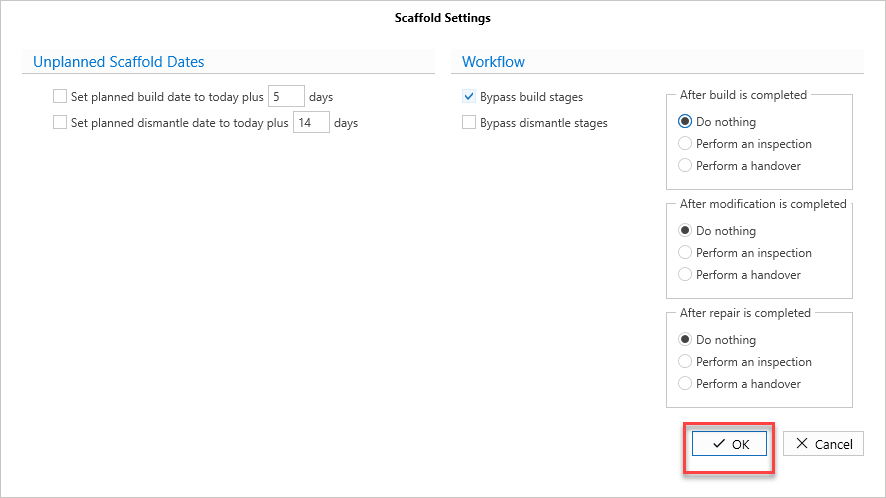
This means that whenever a scaffold is erected, it will bypass the Handover stage and go straight to Standing.
It is also recommended to bypass the Build stages if you are adding multiple scaffolds.
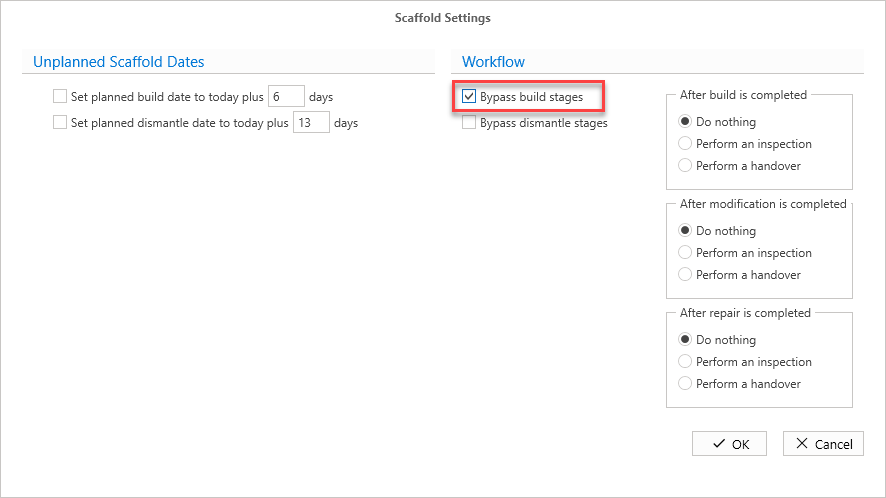
You can also select to bypass a handover on a Modification and Repair.