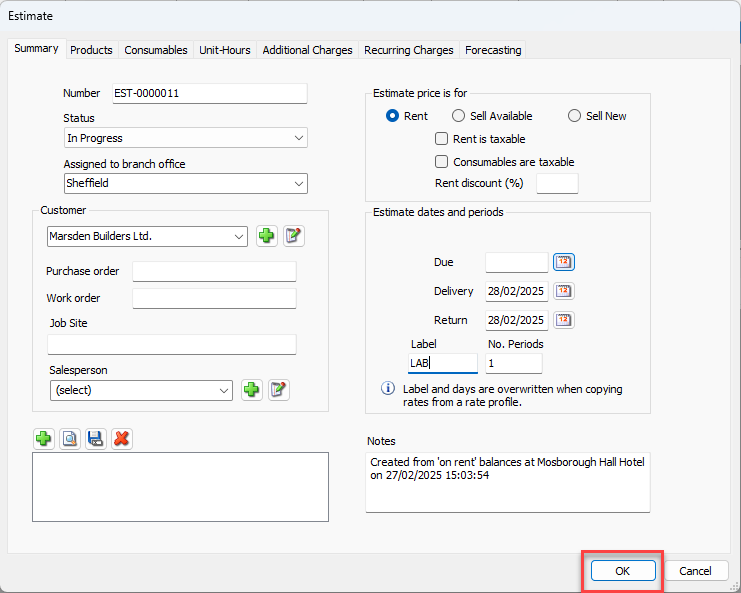
You can create an Estimate from a copy of an Estimate that was created previously. Simply edit the copy to create the new Estimate.
To copy an Estimate:
Click the appropriate location in the Organization Tree, then click the Estimates tab.
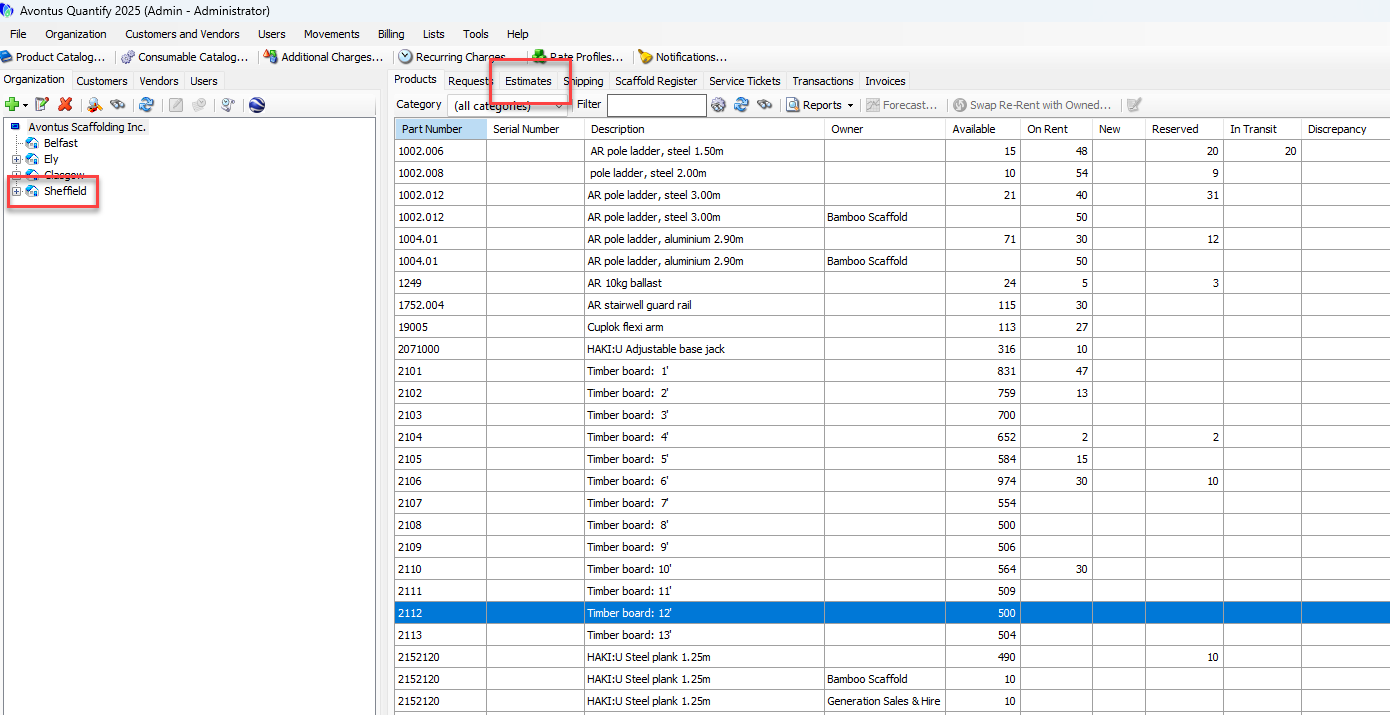
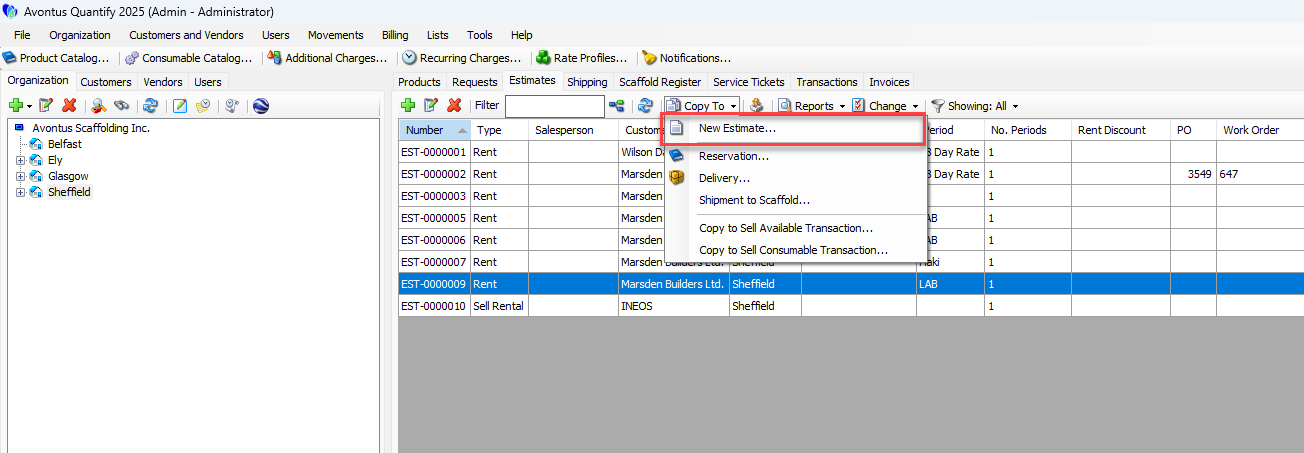
Click the Copy To dropdown and select New Estimate.
The Estimate dialog for the selected Estimate appears. It is a copy of the selected Estimate with a new Estimate number.
Click the Delivery calendar icon.
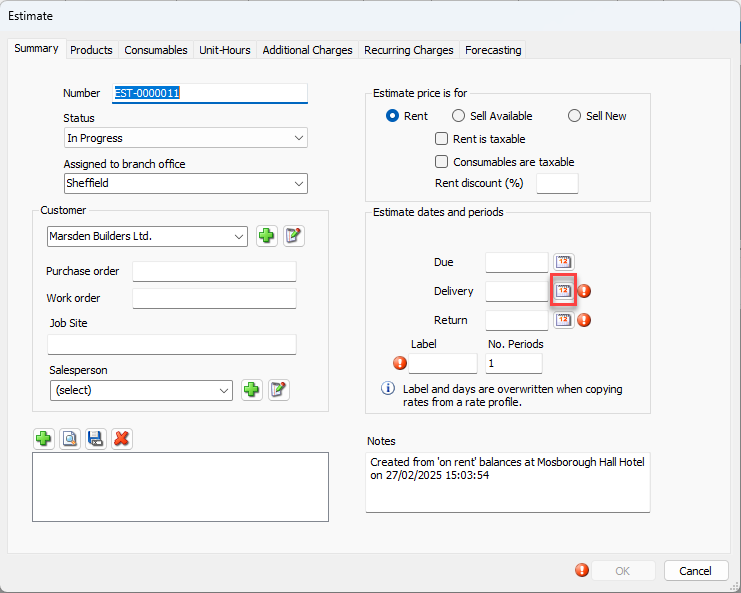
A calendar appears.
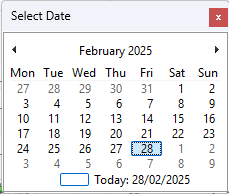
Locate and click the appropriate delivery date.
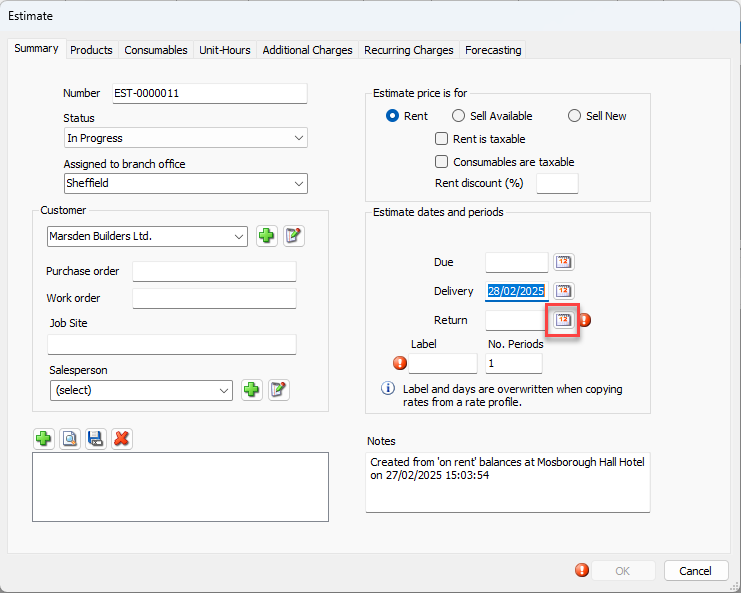
Click the Return calendar icon.
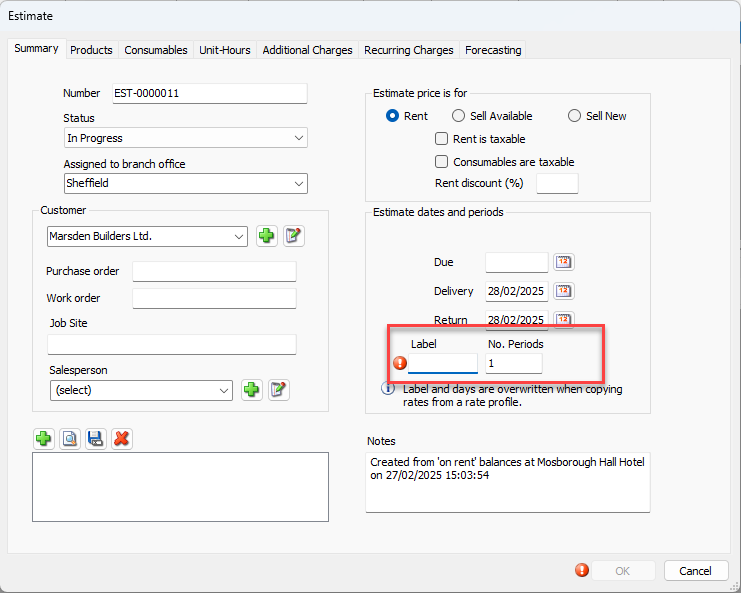
Click in the Label text field and enter the appropriate label.
As necessary, modify other information under the other tabs.
For these procedures, refer to Creating or Editing an Estimate.Click OK.