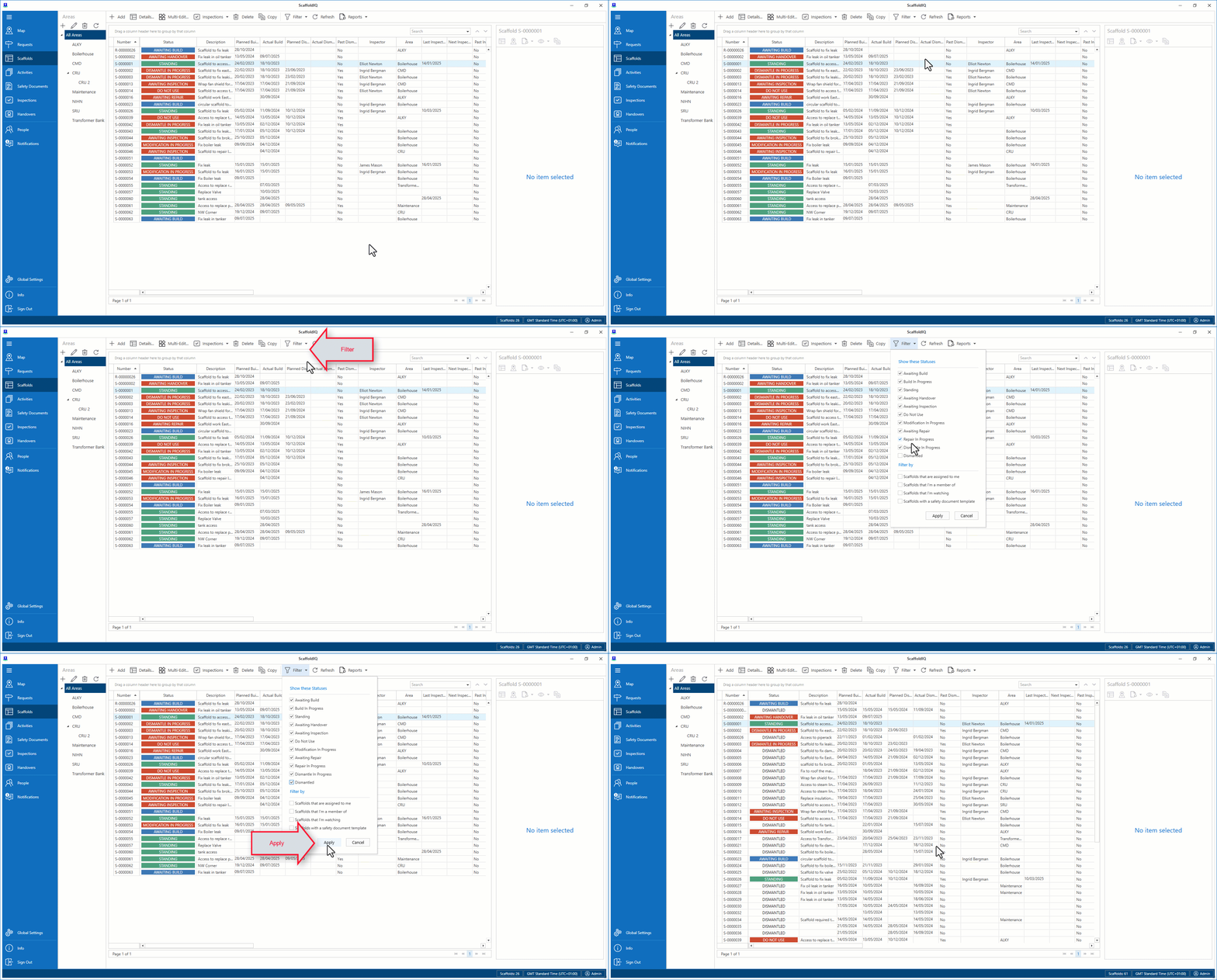
When a Scaffold has been dismantled, it can be deleted. You will need to enable Dismantled Scaffolds in the filter, so they can be seen on the Map or Scaffolds screen.
Note: Only Dismantled Scaffolds can be deleted.
In the Scaffolds screen, select to filter in Dismantled Scaffolds
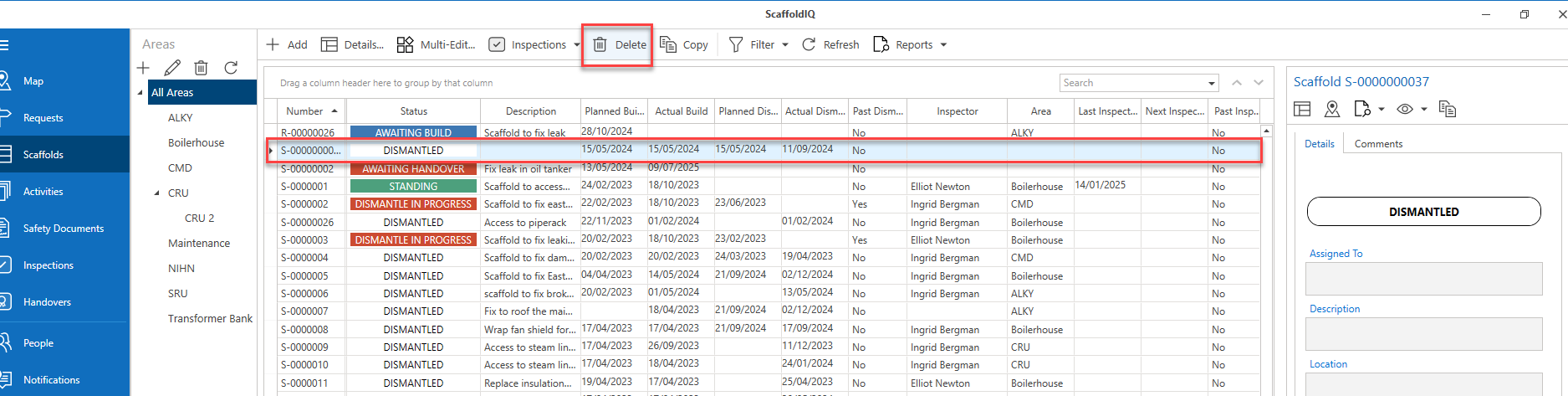
Select the Dismantled Scaffold, and click Delete
Click Yes, Delete
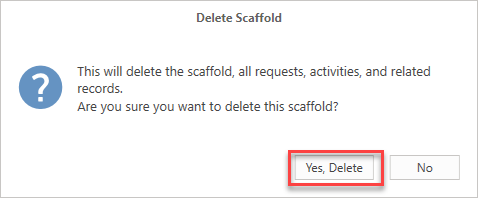
The scaffold will be deleted.