Depending on the information you want to display and the number of Formwork components on your Wall, you may want to adjust the Panel Dimension. For instance, if you want to display Wall length and height on a Panel Dimensions, the dimension data may partially block the Formwork drawing, as in this example:
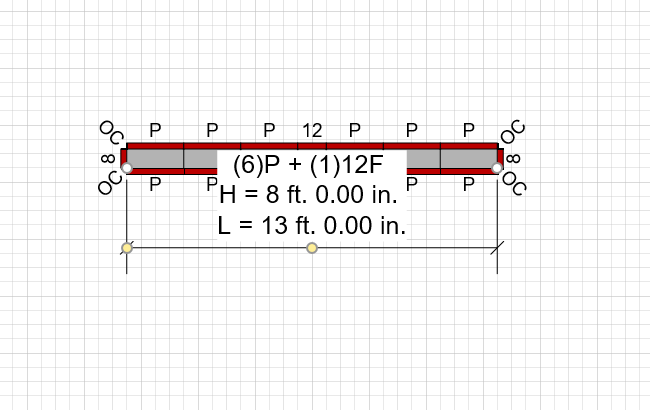
To edit a Panel Dimension, as necessary:
- Click the shape handle (yellow circle) on the edge of the dimension and drag away from your Wall to lengthen the dimension's reference line.
- Release the mouse.
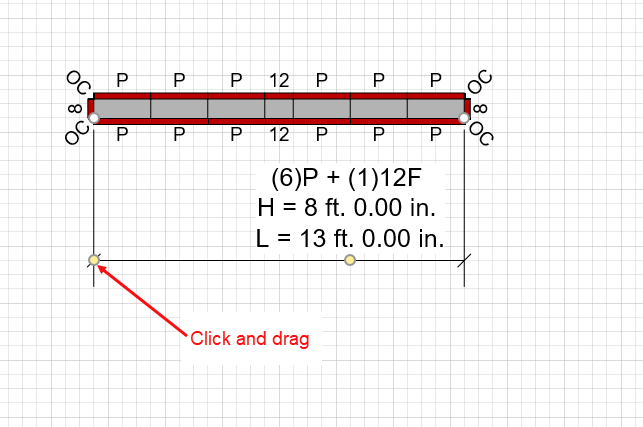
- Click the shape handle (yellow circle) attached to the dimension data and drag anywhere on your page.
- Release the mouse.
Handset Designer moves the dimension data. If you want to move the data beyond the area of the dimension shape, Handset Designer draws a reference line connecting the shape and the data.
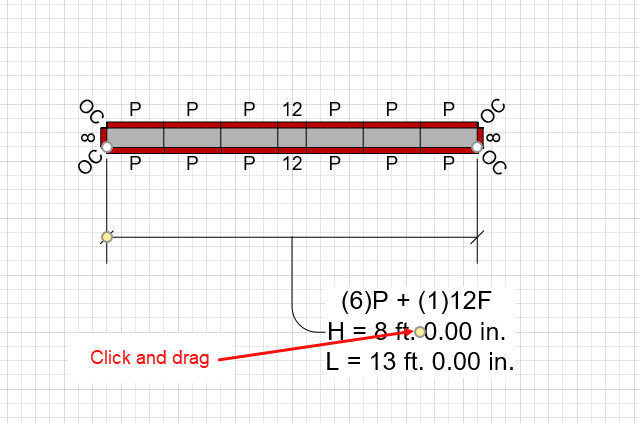
To display height and length information for a Panel Dimensions, refer to Formwork Design Tab under About the Formwork Options Dialog.