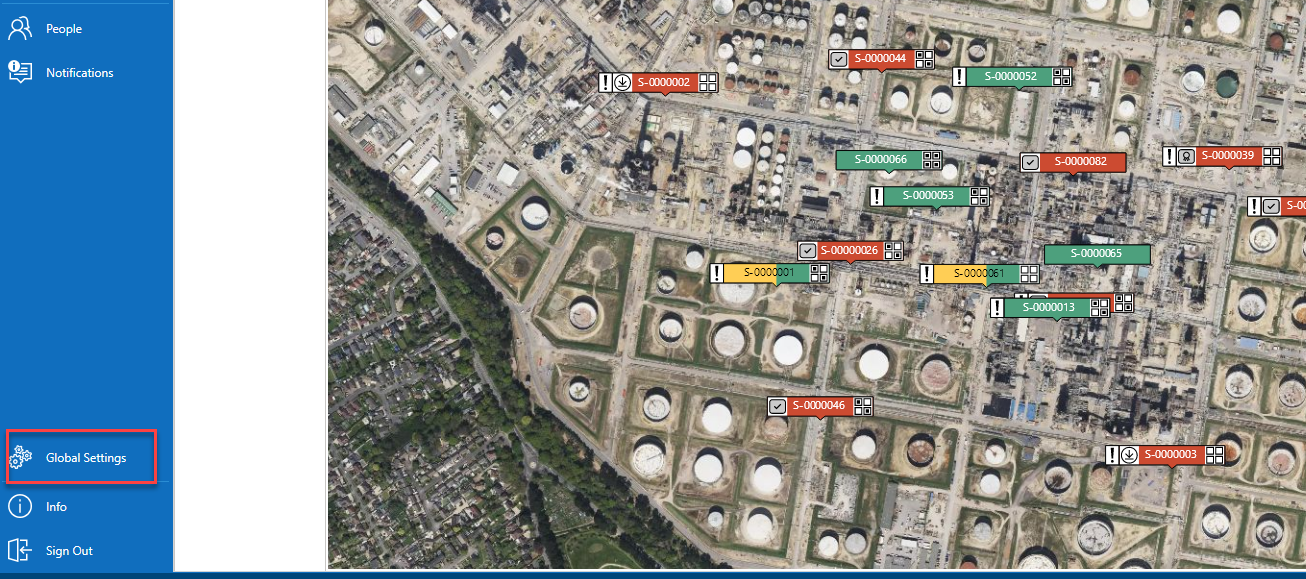
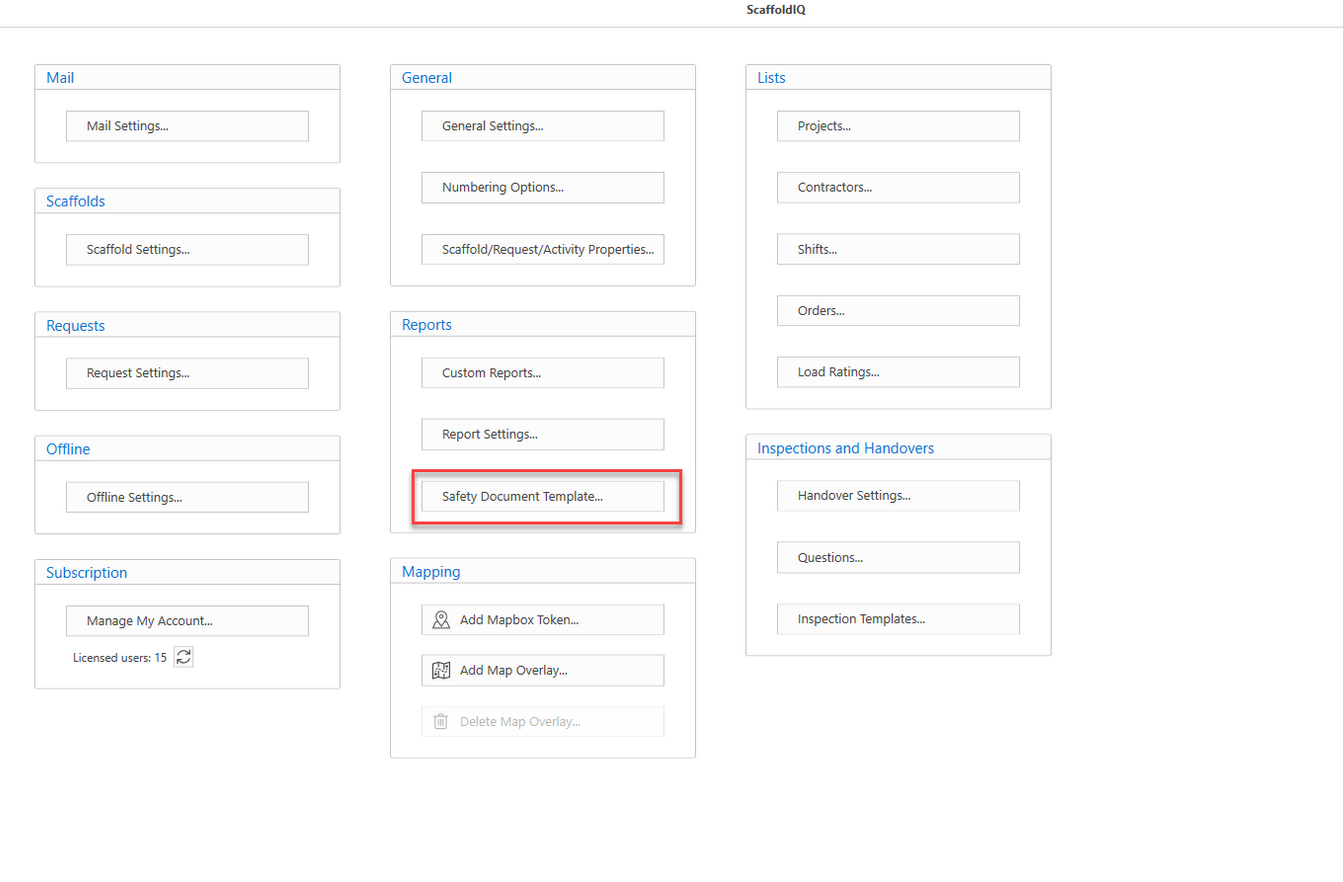
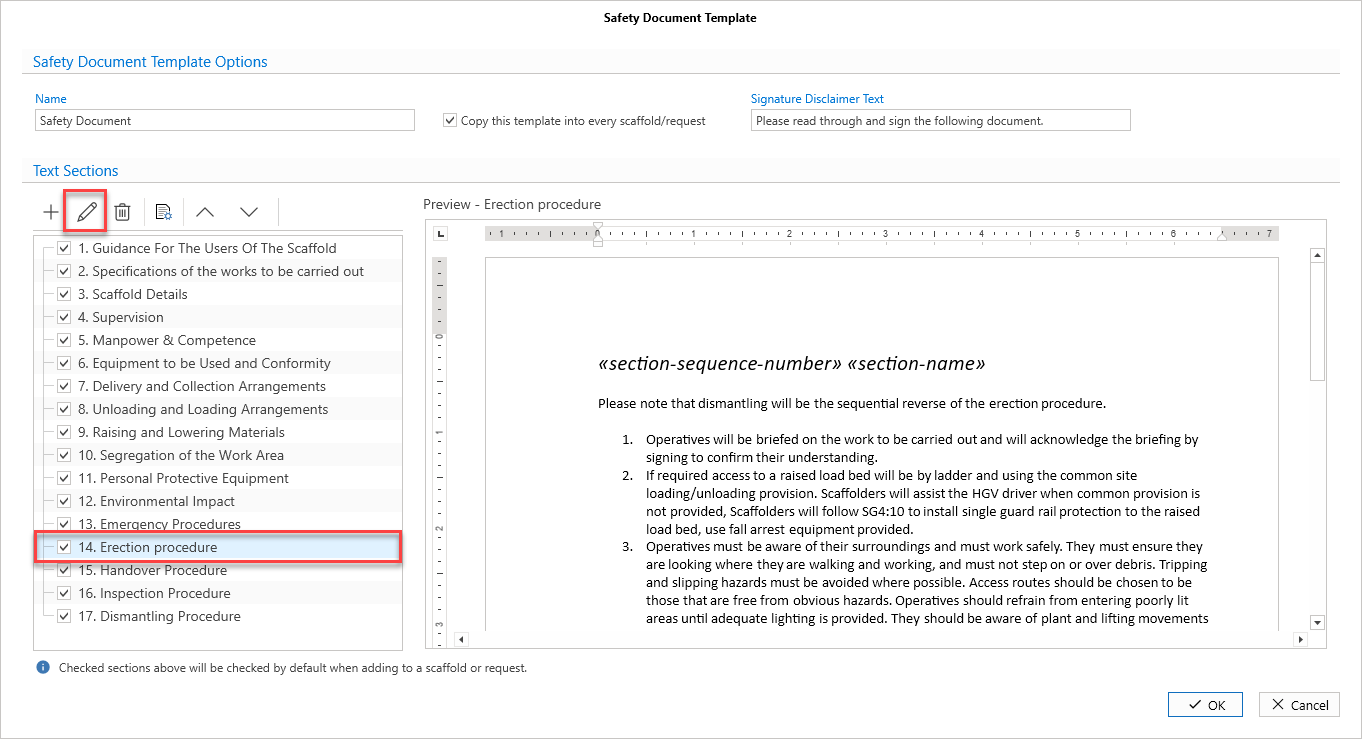
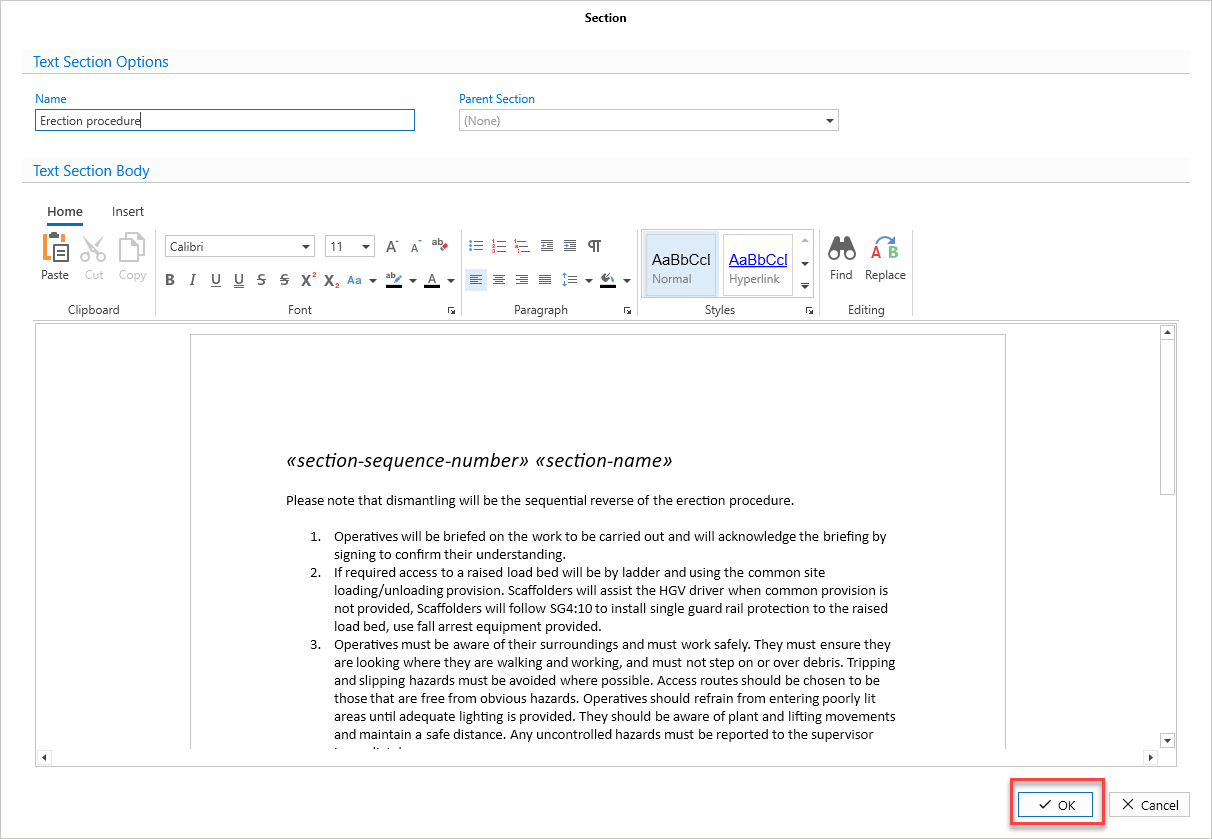
Text sections can be edited.From the main menu, select Global SettingsSelect Safety Document TemplateSelect a text sectionSelect the Edit buttonClick OK