Enabling Bearer Settings in the Drawing Options
- Published on Feb 12, 2025
You can enable bearer settings on an individual drawing rather than globally.
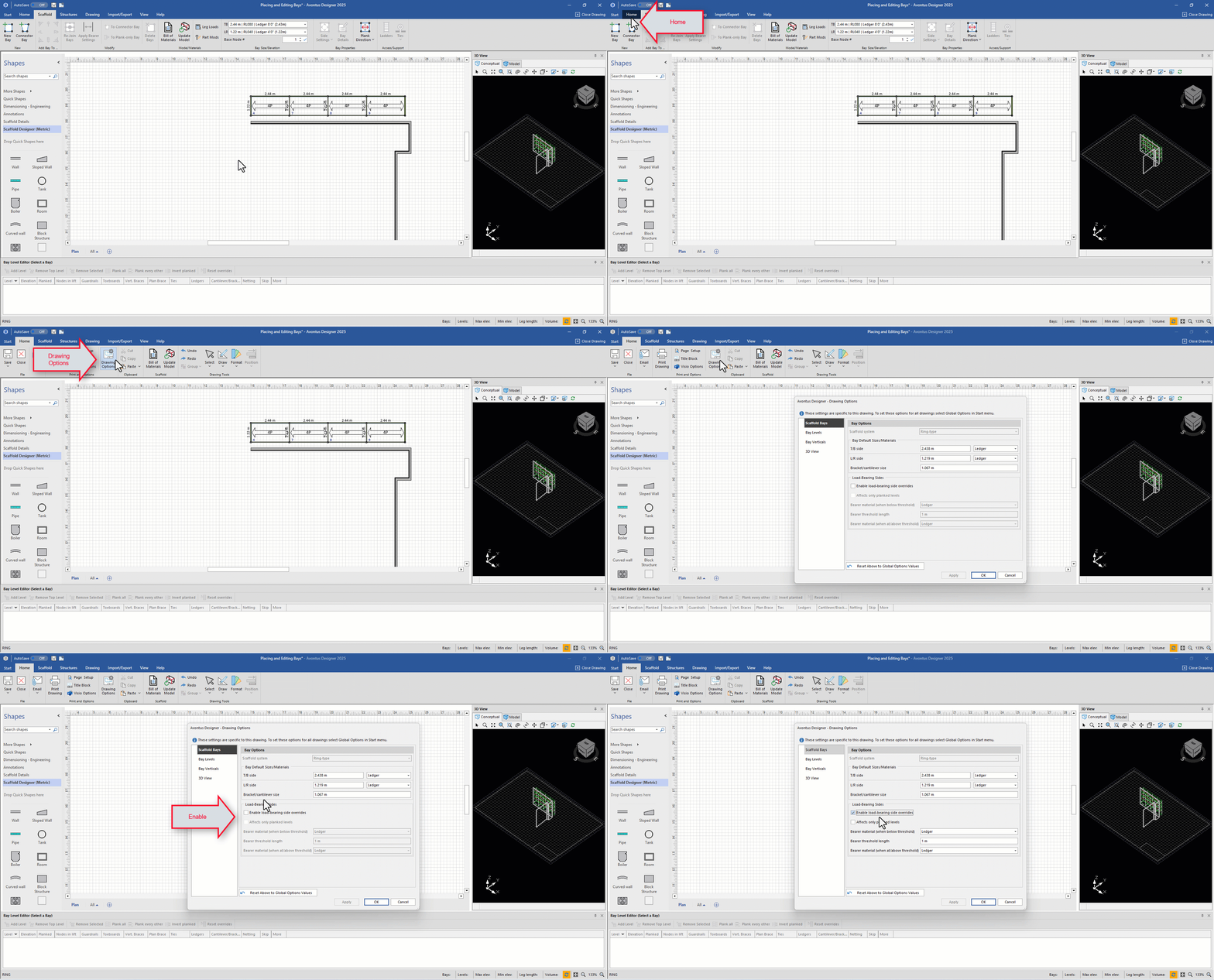
To do this
Click Home tab
Select Drawing Options
In the Scaffold Bays tab, select Enable load-bearing sides overrides
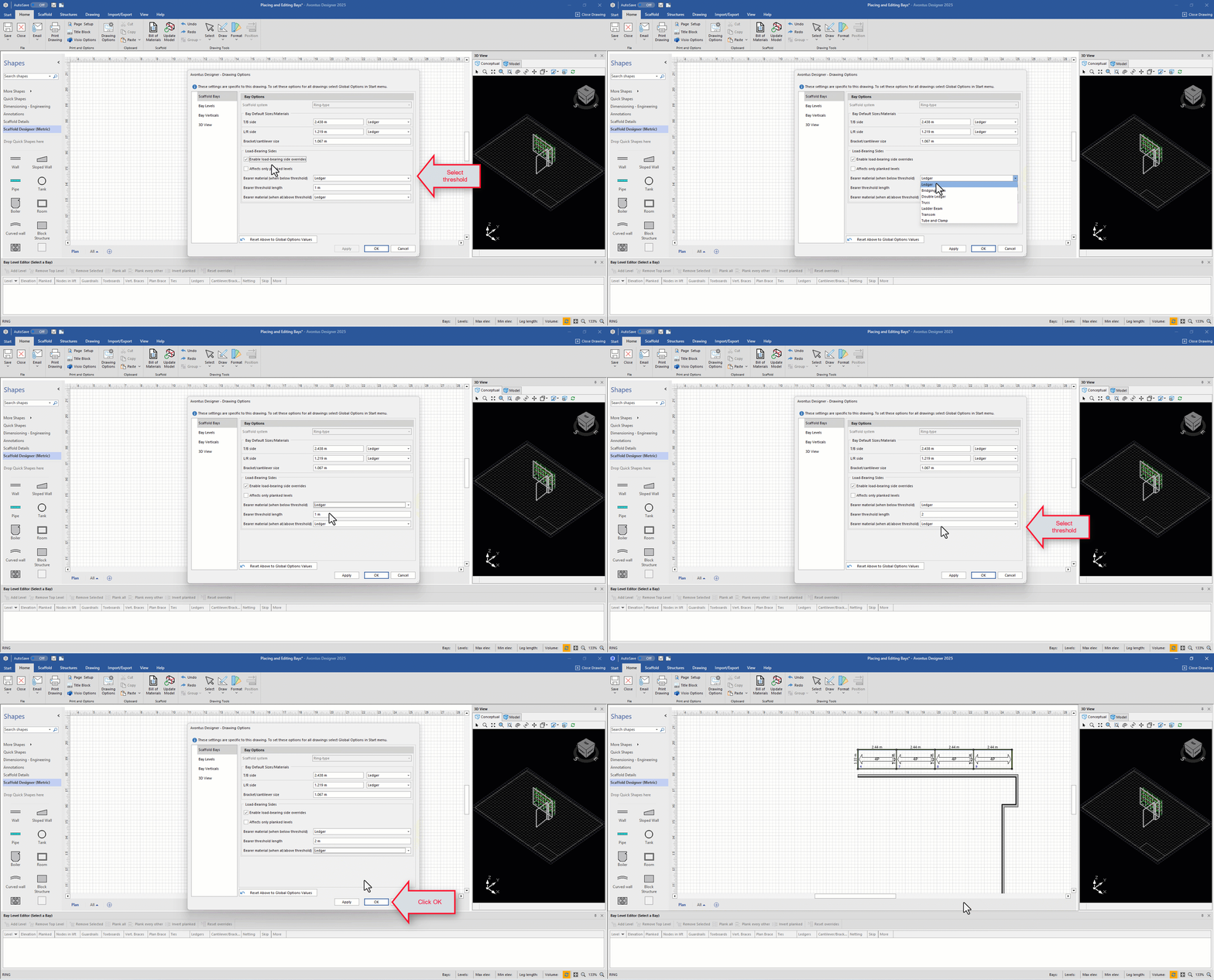
Next, click OK, or modify the Bearer material used and threshold lengths.
Was this article helpful?