In order to ensure that the data in the Quantify database easily syncs up with the data in the Sage 50 database, each appropriate Quantify Customer and Job Site must have an ID Code that corresponds with the Customer and Job Site ID Codes in Sage 50. You enter Job Site and Customer ID codes on a Job Site-by-Job site and Customer-by-Customer basis. The procedures below show you how to do that.
To enter Customer and Job Site ID codes for Sage 50 integration:
Click the Organization tab.
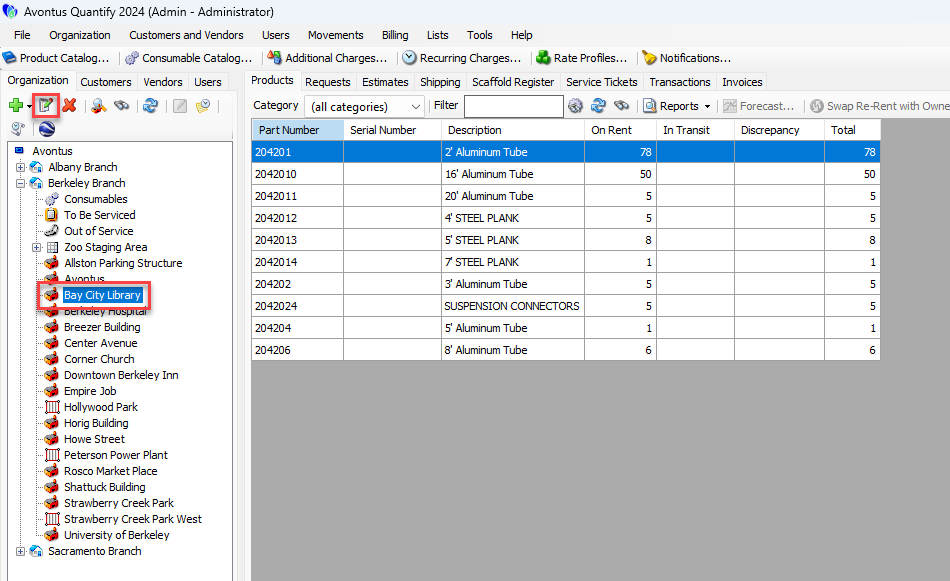
Locate and click the appropriate Job Site, then click the Edit Selected Item button (
 ).
).
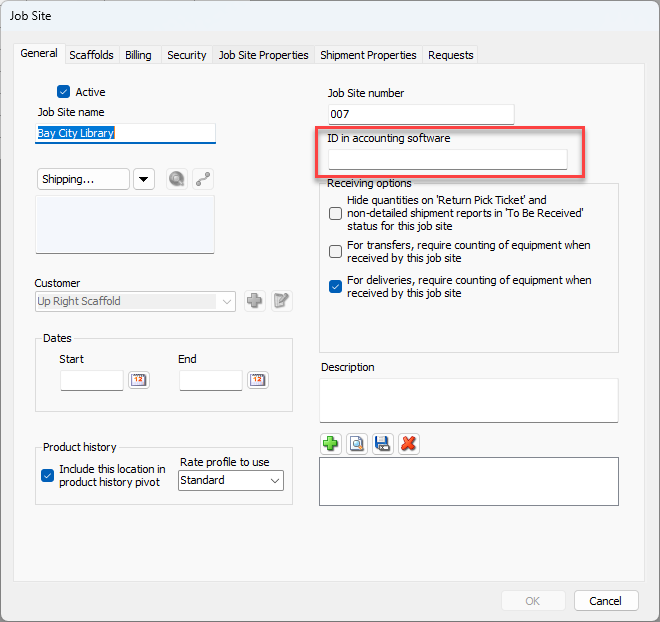
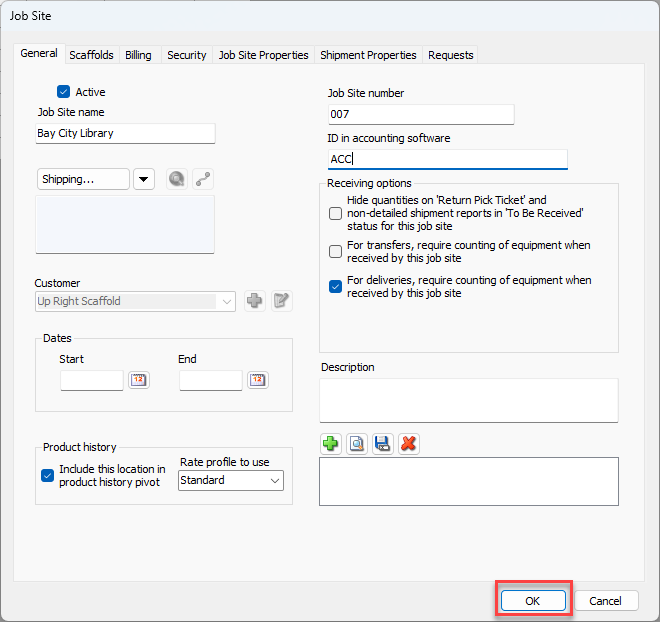
The Job Site dialog appears.Click in the ID in accounting software text field and enter the appropriate Sage 50 Customer ID.
Click OK.
Repeat the above procedures for each applicable Job Site.
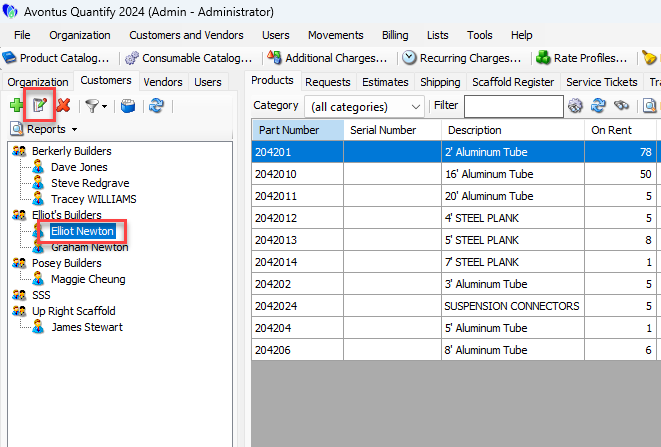
Click the Customer tab.
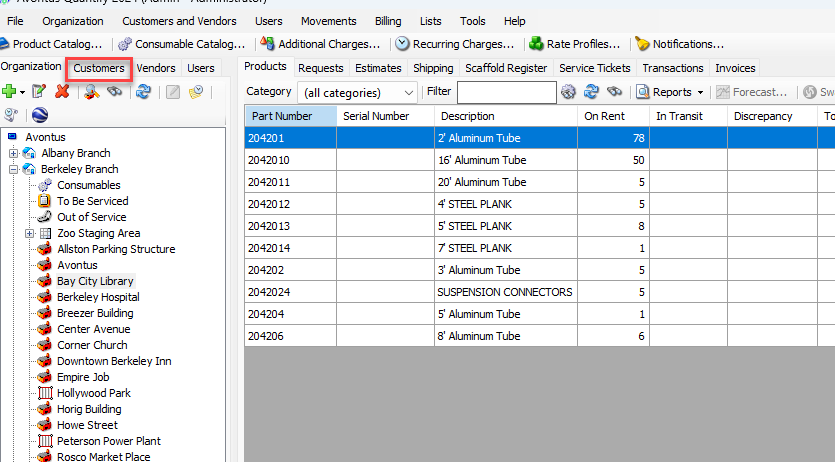
Click the appropriate Customer, then click the Edit Customer button (
 ).
).
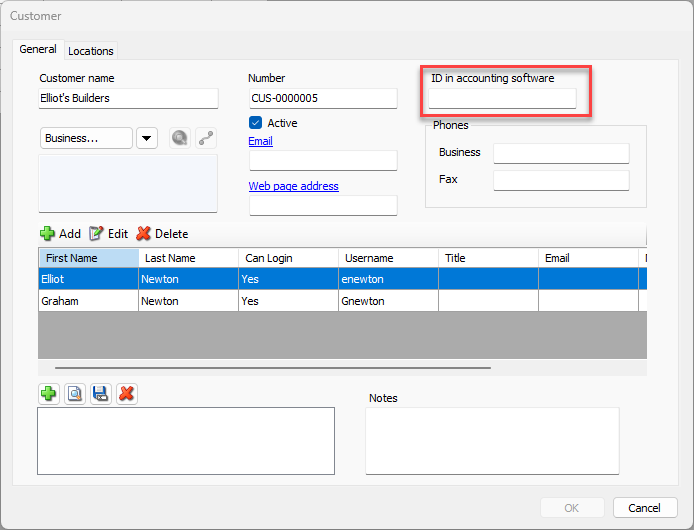
The Customer dialog appears.Click in the ID in accounting software text field and enter the appropriate Sage 50 Customer ID.
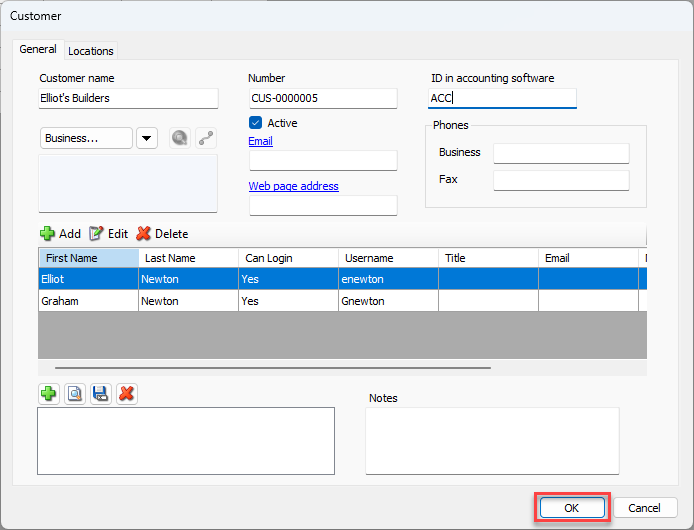
Click OK.
Repeat the above procedures for each applicable Customer.