The filter is used to filter the requests and scaffolds that are visible on the map. This allows users to only display requests or scaffolds that are relevant to them. Users can select to display requests or scaffolds of their choice, for instance a user can filter out all scaffolds except those that are Awaiting Build so that only scaffolds that are waiting to be built will be displayed.
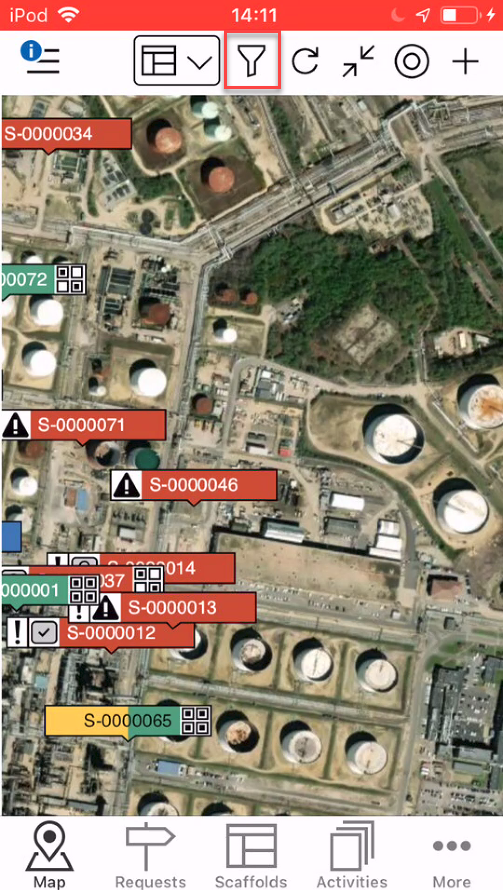
Tap the slider button to enable or disable the filter on that status.
On

Off

Requests
The following filters are for requests
Initial Approval - Display any requests in the Initial Approval status.

Secondary Approval - Display any requests in the Secondary Approval status.

Estimate - Display any requests in the Estimate status.

Estimate Approval - Display any requests in the Estimate Approval status.

Final Approval - Display any requests in the Final Approval status.

Awaiting Build - Display any requests in the Awaiting Build.

Awaiting Modification - Display any requests in the Awaiting Modification status.

Awaiting Dismantle - Display any requests in the Awaiting Dismantle status.

Requests that are assigned to me - Display all scaffolds assigned to you.

Requests that I'm a member of - Display all Requests where you are the requestor, user, foreman or inspector.

Requests that I'm watching - Display Requests that you have selected to watch.

Scaffolds
The following filters are for scaffolds
Awaiting Build - Display all scaffolds in the Awaiting Build status.

Build in Progress - Display all scaffolds in the Build in Progress status.

Standing - Display all scaffolds in the Standing status.

Awaiting Handover - Display all scaffolds in the Awaiting Handover status.

Awaiting Inspection - Display all scaffolds in the Awaiting Inspection status.

Do Not Use - Display all scaffolds in the Do Not Use status.

Modification In Progress - Display all scaffolds in the Modification In Progress in status.

Awaiting Repair - Display all scaffolds in the Awaiting Repair status.

Repair In Progress - Display all scaffolds in the Repair in Progress status.

Dismantle in Progress - Display all scaffolds in the Dismantle in Progress status.

Scaffolds that are assigned to me - Display all scaffolds assigned to you.

Scaffolds that I'm a member of - Display all scaffolds where you are the requestor, scaffold user, foreman or inspector.

Scaffolds that I'm watching - Display scaffolds that you have selected to watch.

Note: Dismantled Scaffolds can only be viewed in the Desktop app.