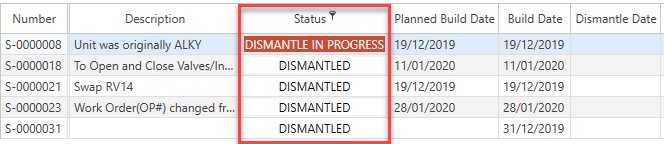
It is possible to filter content using the Filter Editor. For instance, you could only display scaffolds where the status is either Dismantled or Dismantle in Progress.
- Go to the Scaffold screen.
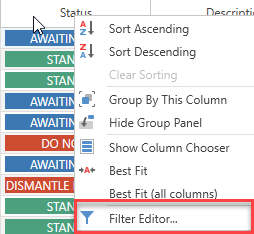
- Right-click on the Status column and click Filter Editor.
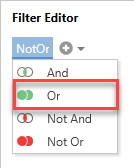
- In the Filter Editor dialog screen, click And.
- Select Or.
- Click the + icon twice to create two different conditional formulas.
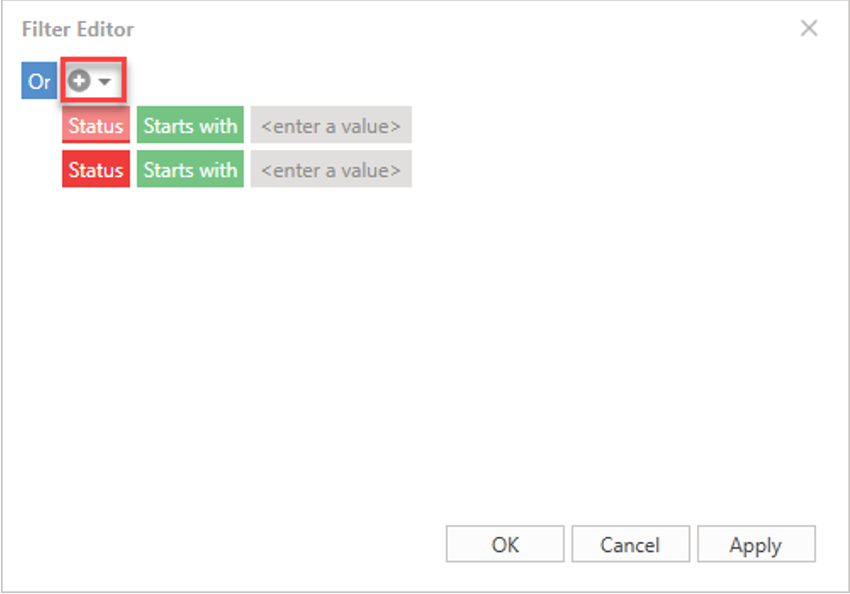
- Create the formula
- Set red box to Status
- Set green box to Equals
- Set the value to Dismantled
- Repeat the same steps for the other condition but set the value to Dismantle in Progress.
- Click Apply and OK.
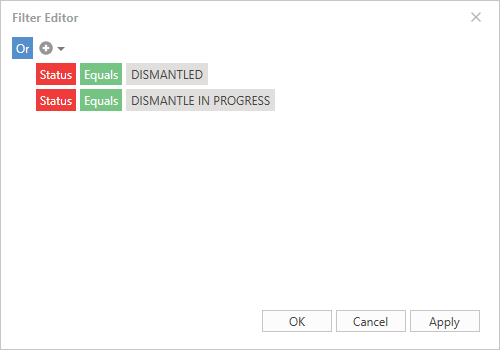
This will filter results where the status reads either Dismantle in Progress or Dismantled.