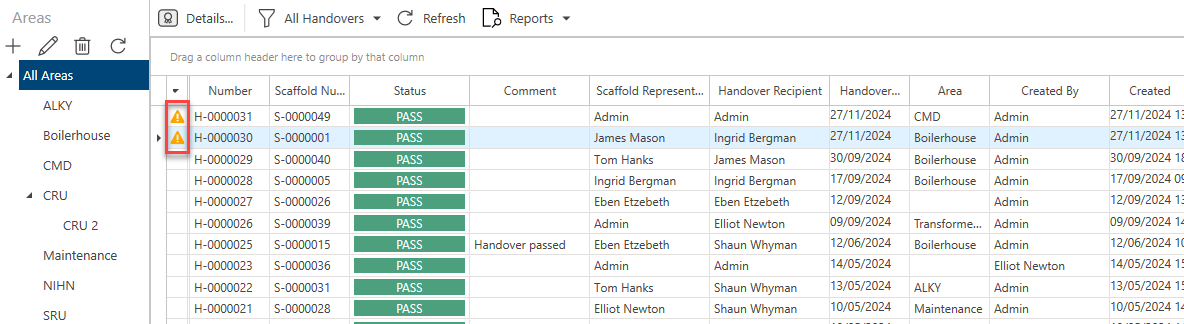
The Handover Settings screen allows users to specify a distance between the Scaffold tag and the location of the user performing the Handover. This will NOT stop a user performing the Handover, but a warning icon will appear on the Handover if the user completing the handover location exceeds the specified amount.
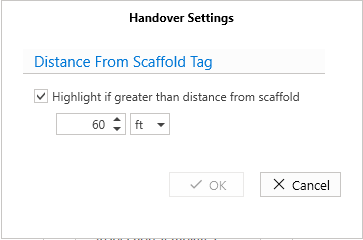
Highlight if greater than distance from Scaffold - Check this to enable the warning which appears on Handovers alerting the user if they are above the specified amount. Then you can specify the distance, and the unit of measurement (feet or meters). In this example, a warning will appear if the user is 60 feet or more away from the Scaffold being handed over.
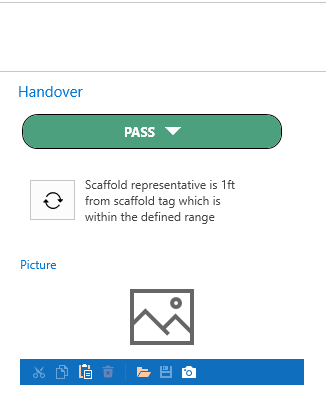
Here you can see a Handover which falls below the specified distance.
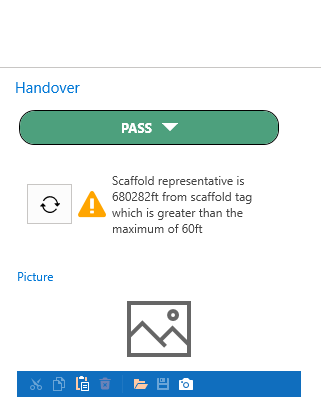
Here you can see a Handover which is above the specified distance
You can also see this reflected in the Handover screen.