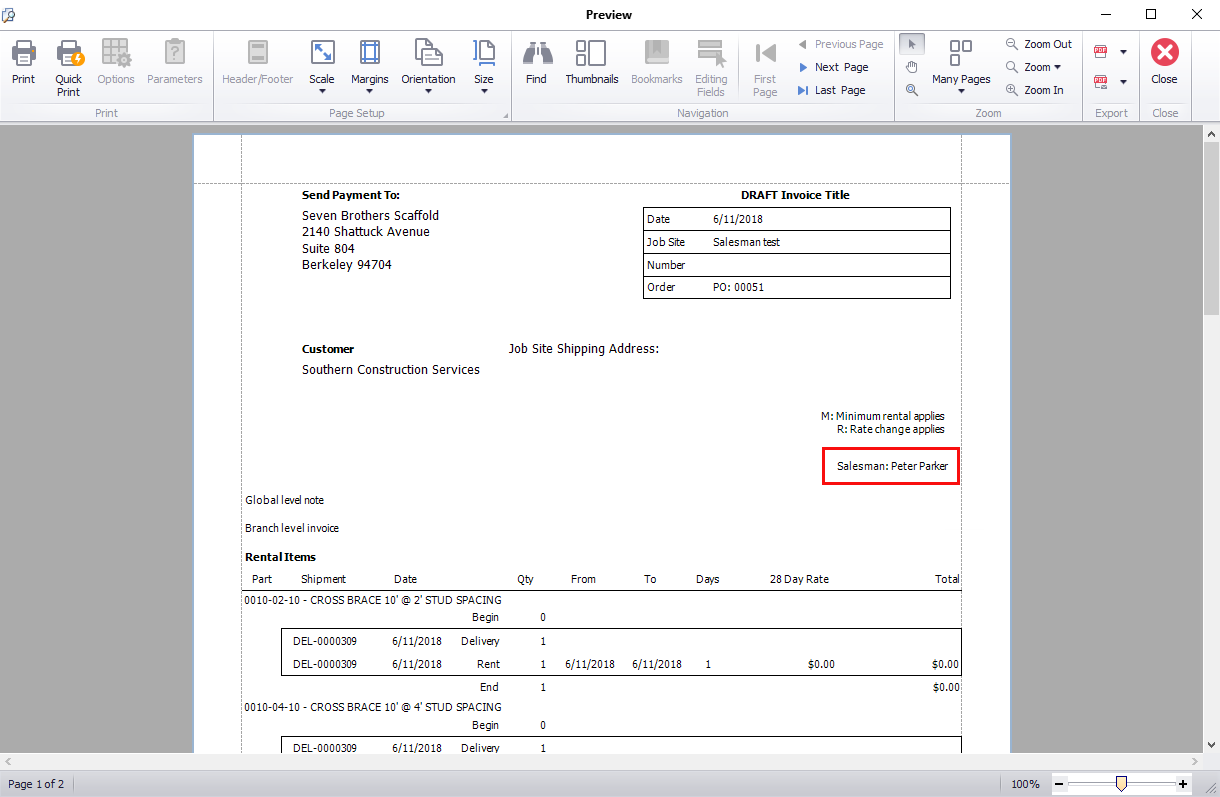
You can configure Quantify so that every Job Site has a required Salesman field, which will appear in all invoices for that Job Site.
To make a mandatory salesman filed appear in invoices:
- Click the the Tools menu and select Global Options.
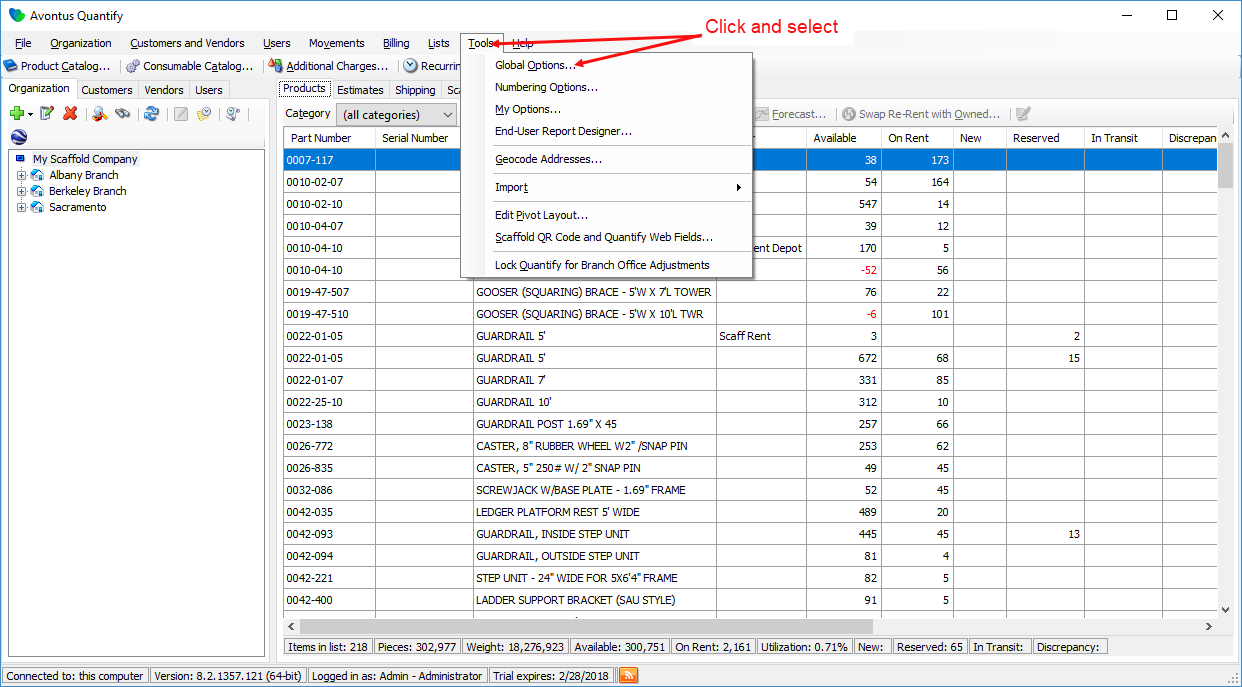
The Global Options dialog appears. - Click the Job Site Options tab.
- In the Property visibility and labels section, click the appropriate User checkbox.
- Click in its text field and enter the word Salesman.
- Click its Required checkbox.
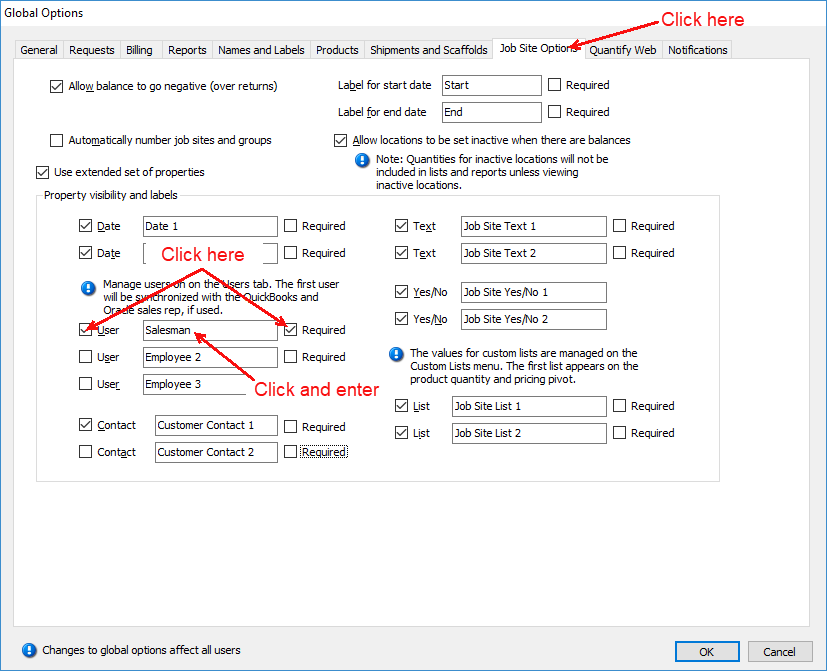
- Click OK.
This Salesman custom field will now be required on all future job sites, and it will appear on invoices.