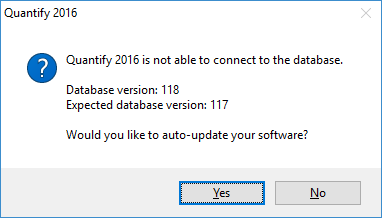
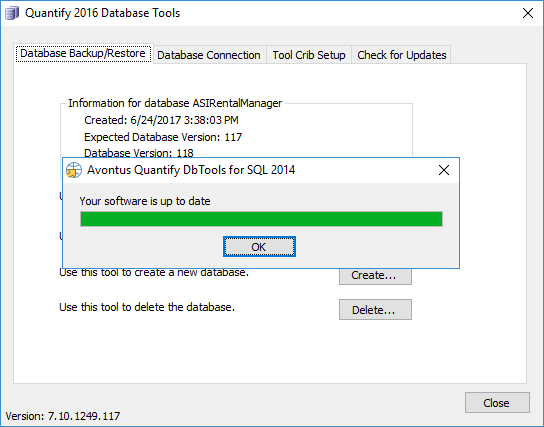
When I open Database Tools, it says "Quantify 2014 is not able to connect to the database" and I'm asked to auto-update the software. When I click 'Yes', it says "Your software is up to date" and opens Database Tools. How do I update? Can I still use Database Tools?
Answer:
This prompt will occur with Database Tools for SQL 2012 if you are using Quantify version 6.0.987.104 or higher. If you are encountering this issue with Database Tools for SQL 2014, contact support for assistance.
Because the database version does not match the Database Tools version, you are prompted to update, even though no additional updates are available for this version of Database Tools (last version is 6.0.930.103). After clicking through the messages, Database Tools will open normally and can be used as normal. Creating backups, restoring databases, and completing other tasks. Using this version of Database Tools will not result in any data corruption or errors.