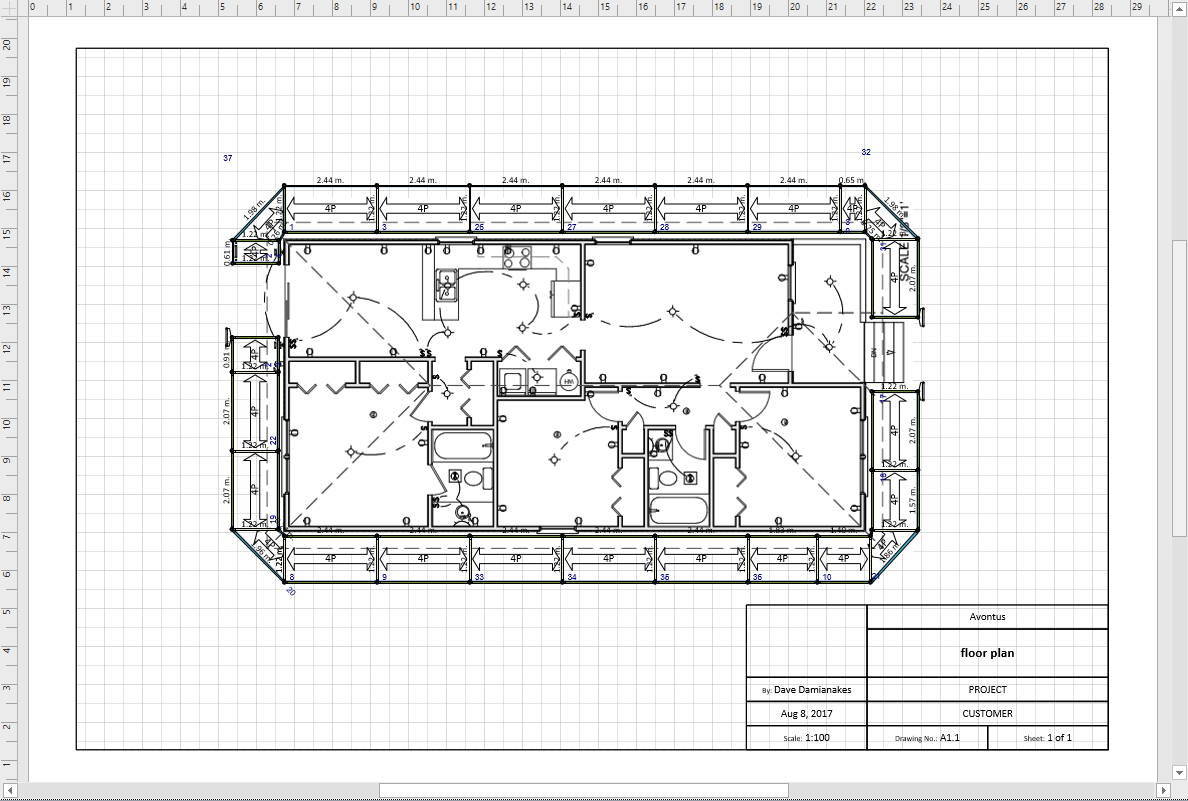
Avontus Designer enables you to insert a plan as an object into a drawing. Once in the drawing, you can launch the object in its original application.
To import a plan using Insert Object:
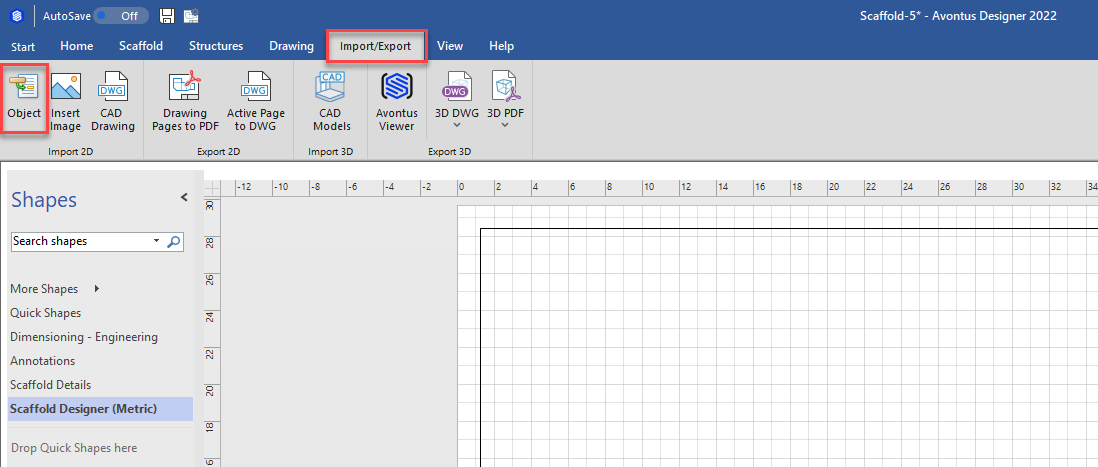
- Click the Import/Export tab, then click Object in the Import group.
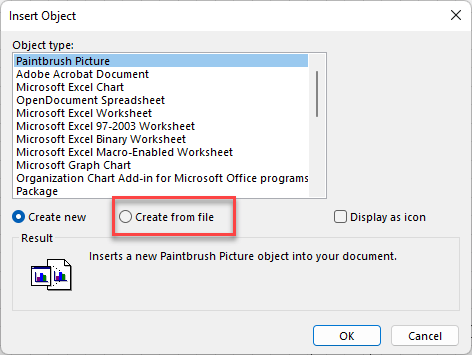
The Insert Object dialog appears. - Click the Create from File radio button
- Click Browse
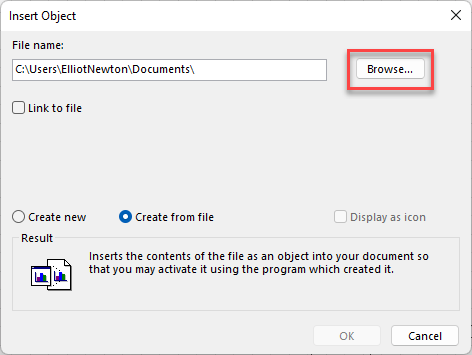
The Browse dialog appears.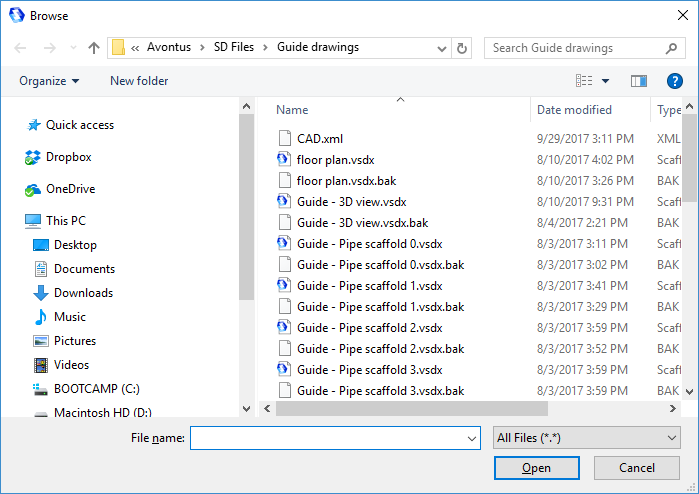
- Locate and select the appropriate file and click Open.
Avontus Designer adds the file to the current layer of your drawing as an image file.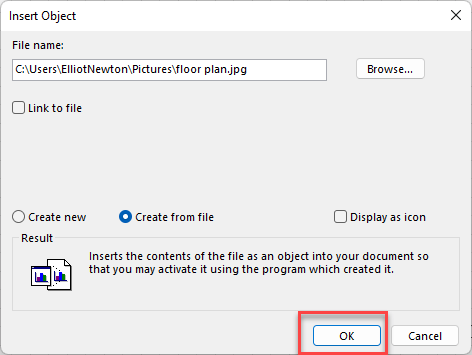
- Use the edge controls to adjust the size of the image as needed such as meeting the edges of the Avontus Designer Drawing Page.
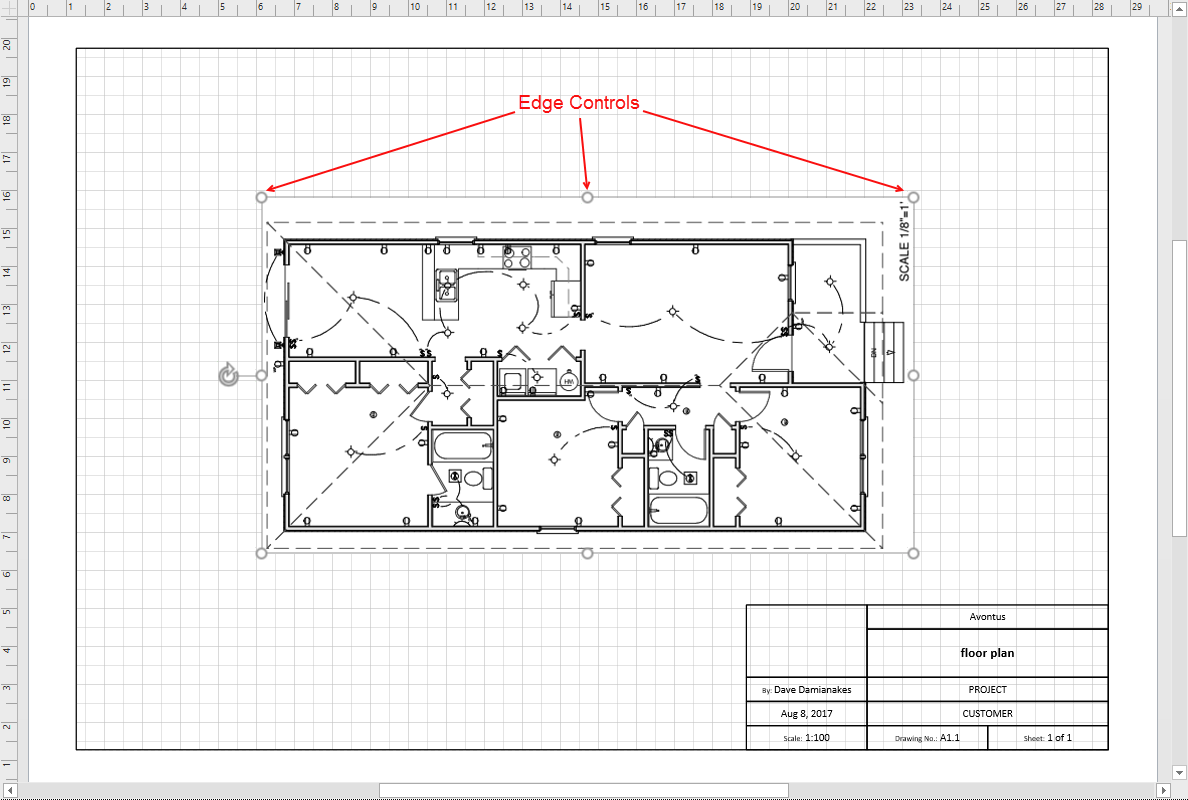
You can draw Bays, Walls, and other objects over the imported plan, like the example below.