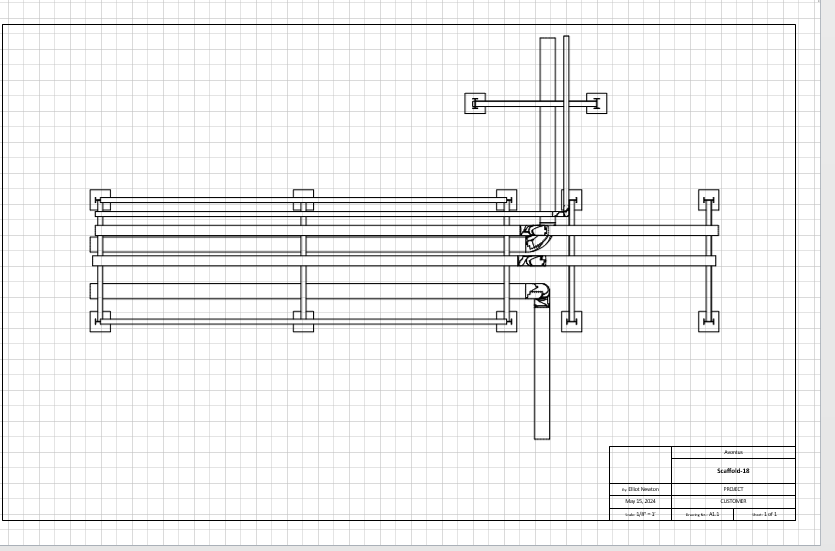
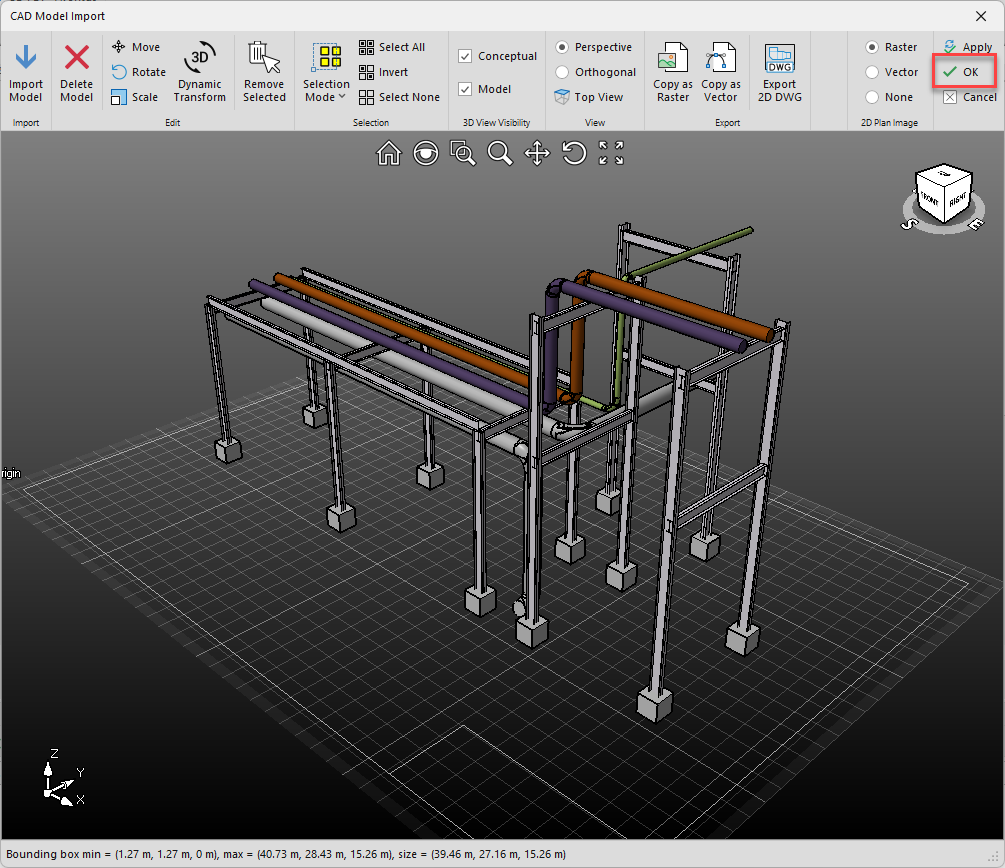
You can insert CAD Raster or Vector images into the Designer drawing page from the CAD 3D model screen.
To do this;
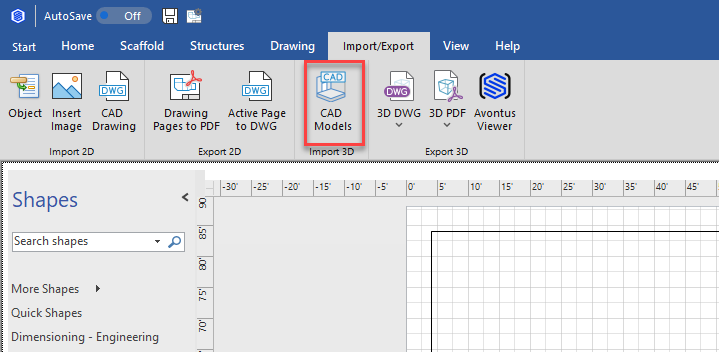
1. In the Import/Export tab, select CAD Models
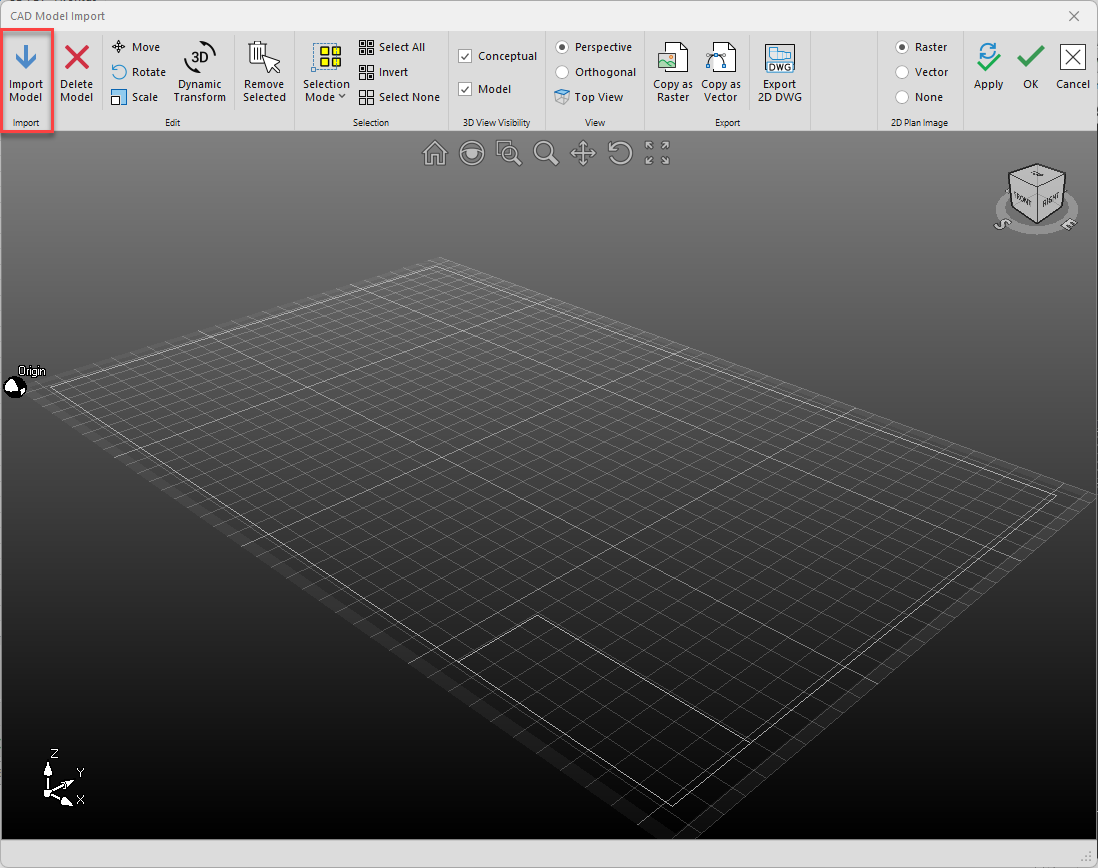
2. Select Import Model and import the required file.
3. When the CAD drawing is imported, select either Raster or Vector
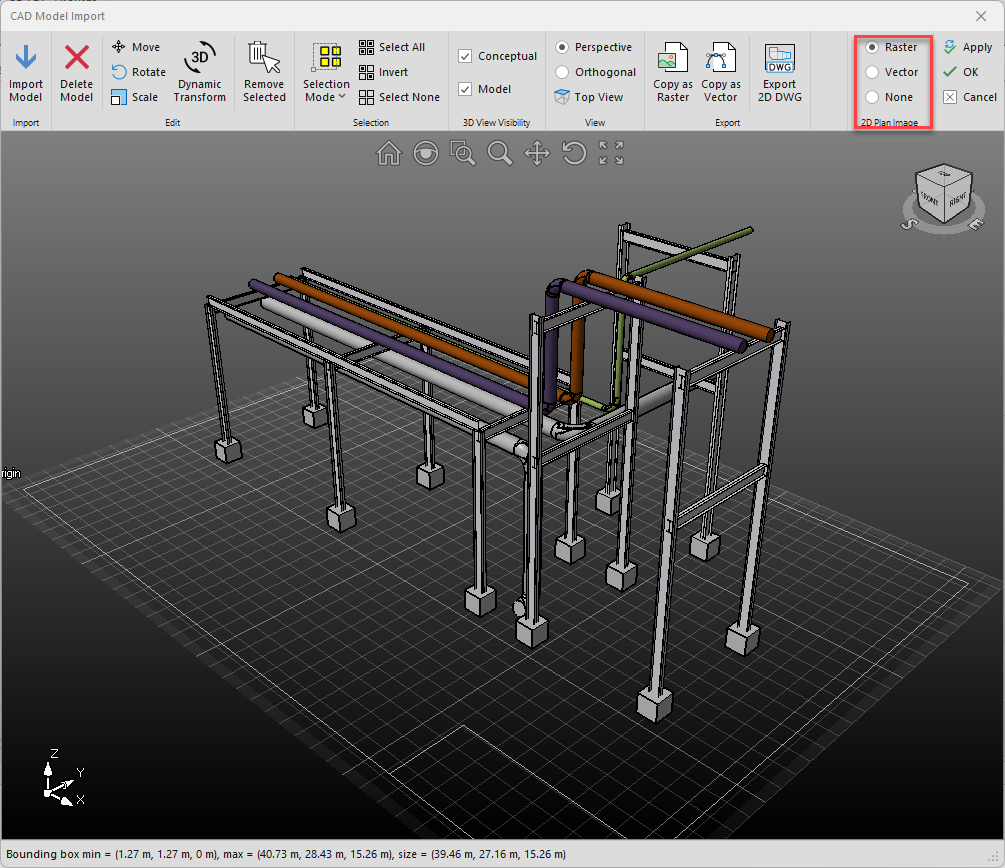
4. Click OK
A Vector or Raster image will be added.
Vector
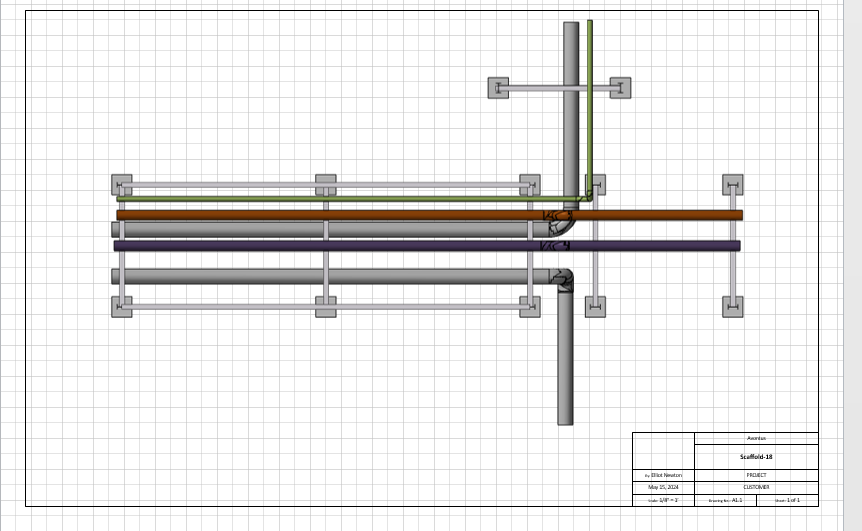
Raster