In Numbering Options, you can manage how Activities, Inspections, Requests, Scaffolds, Timesheets, and Handovers are named and numbered.
You can access the Numbering Options screen in the Global Settings screen.
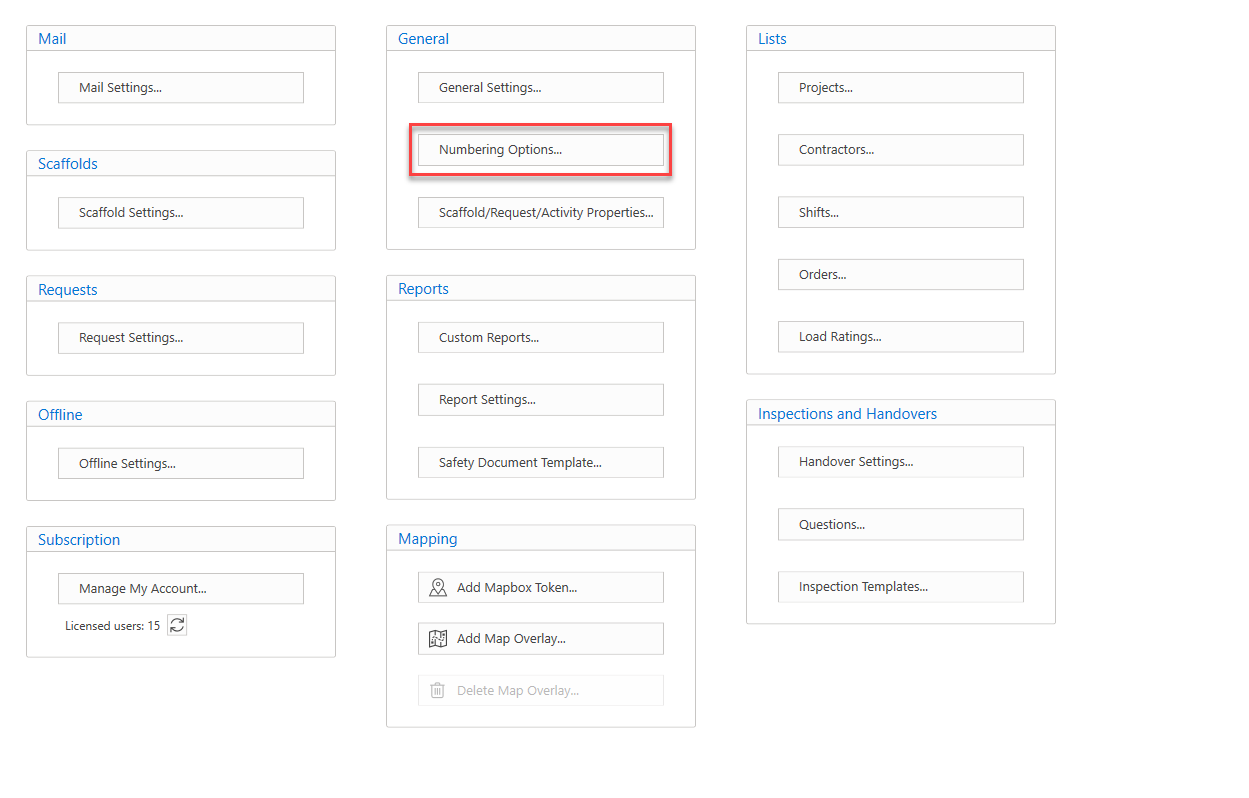
In Numbering Options, you can manage how Activities, Inspections, Requests, Scaffolds, Timesheets, and Handovers are named and numbered.
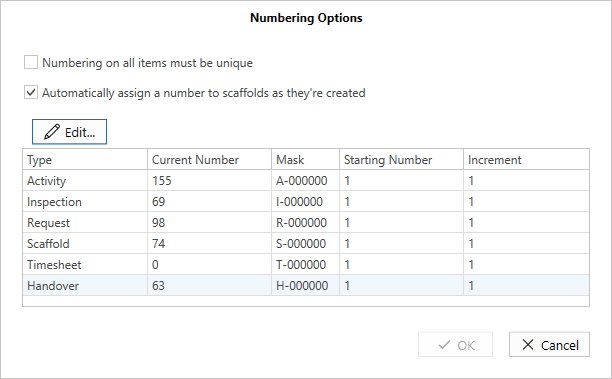
Numbering on all items must be unique - When checked, the numbers in SITE must be unique when an item is saved.
Automatically assign a number to scaffolds as they're created - When this is checked, ScaffoldIQ will use the scaffold numbering options to assign a number. When it is unchecked the scaffold number will be blank and the user will have to enter the ID of the Scaffold.
Numbering Options Grid
In the Numbers Grid, you can modify the starting number and increment the structure or task type will increase. Select a Type and click Edit to modify the content within the table.
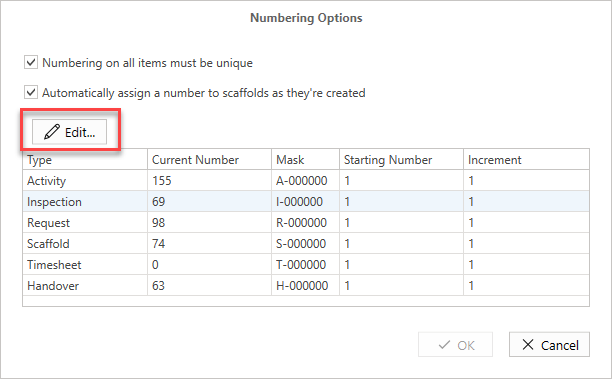
| Type | The type of structure (Request, Scaffold) or Activity or task (Activity, Inspection, Handover, Timesheet) |
| Current No. | This is the currently used number and is editable. When changed, the next number will be the current number plus the increment. |
| Mask | This controls how the number is created and allows a prefix to be set. You can use this field to modify how many 0s are prefixed before the item number e.g 001 or 000001. Note: You can only use one letter as part of the prefix and it must come before the "-" |
| Starting No. | On a new installation, this is the first number used. |
| Increment | Controls the incrementing of the next number. |