When work has been completed on the scaffold, the scaffold will need to be dismantled. There are two ways to dismantle a scaffold. You can create a Dismantle Request or a Scheduled Dismantle.
In this example, we will request to dismantle a scaffold. When you select to create a request, you will need to approve the request before you can begin dismantling the scaffold.
Dismantling a Scaffold From the Map Screen
On the Map screen, select the Scaffold to dismantle
Select Standing
Select Dismantle
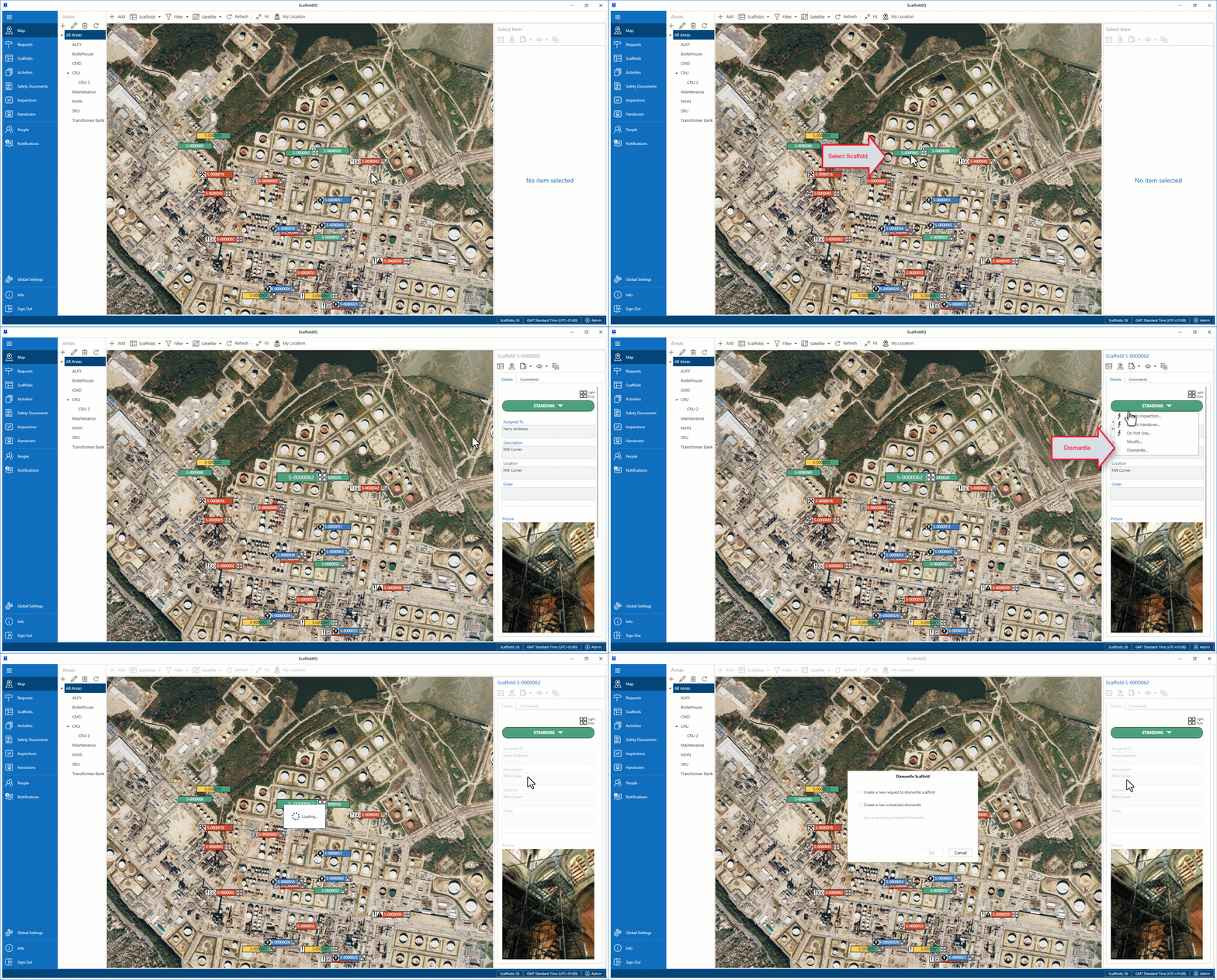
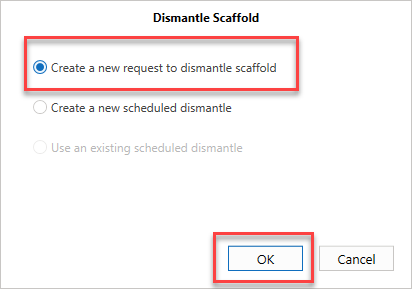
Select to create a new request to dismantle scaffold and click OK.
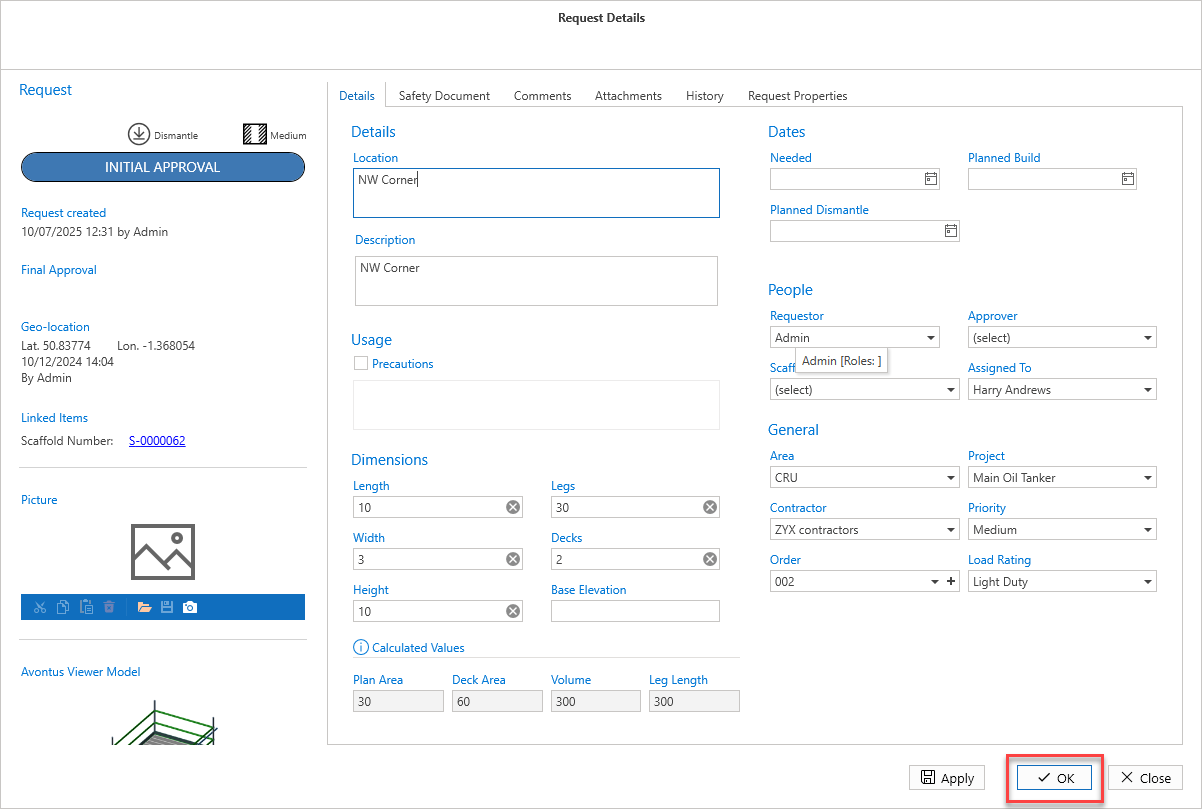
Enter information for the Request and click OK
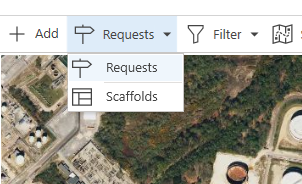
On the Map screen, change back to the Scaffold view if needed
Select the Scaffold to be dismantled and select Standing
Select Dismantle
Select the existing scheduled dismantle and select OK
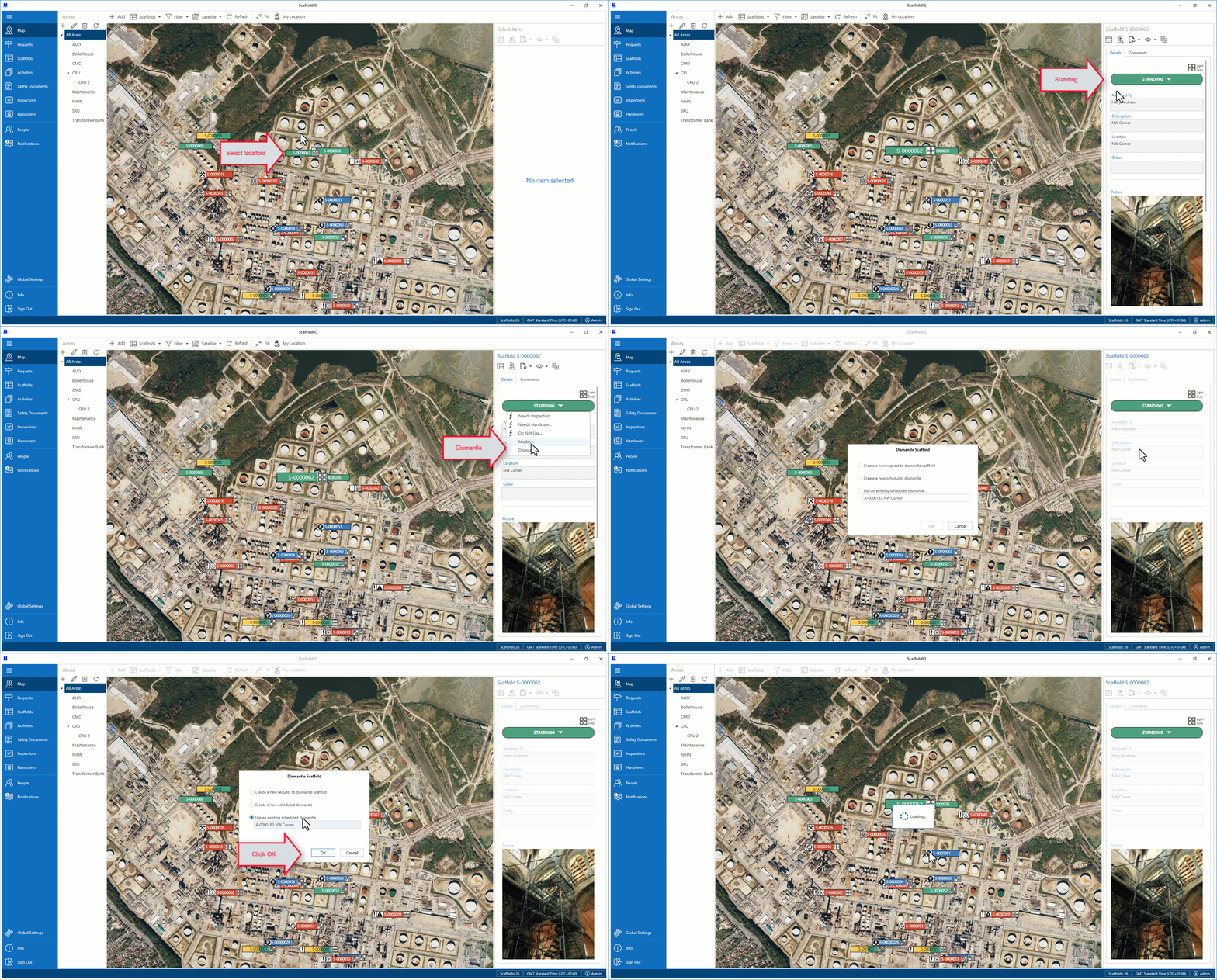
Select OK
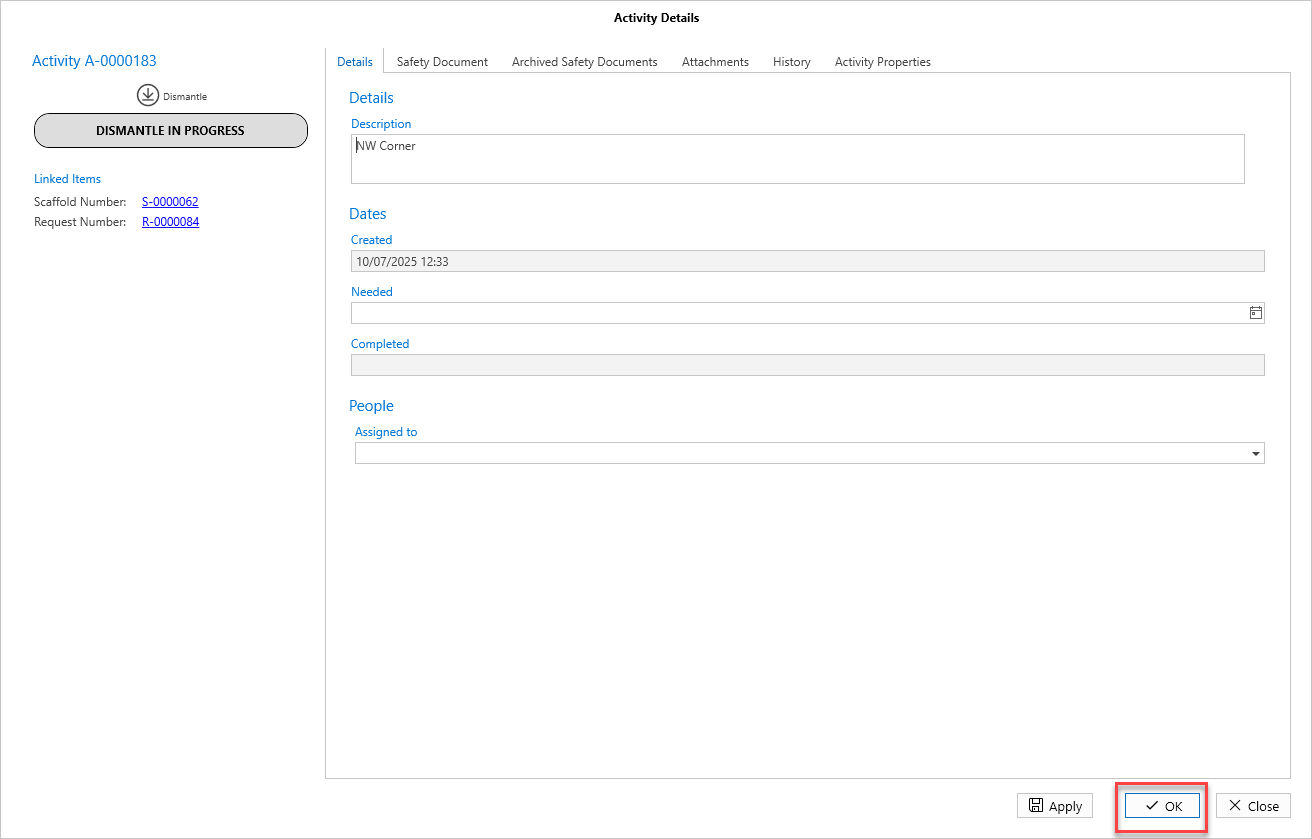
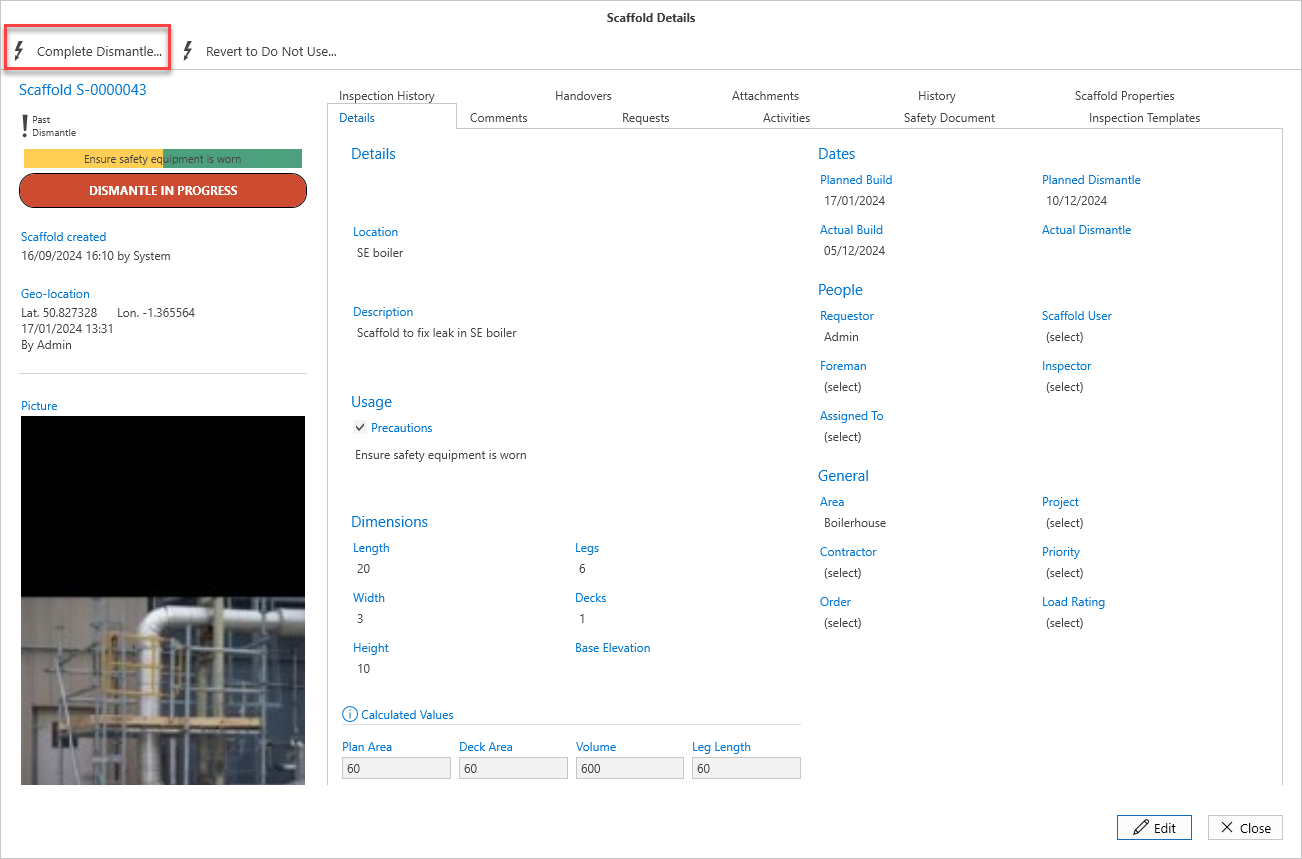
The status will change to Dismantle in ProgressSelect Dismantle In Progress
Select Complete Dismantle
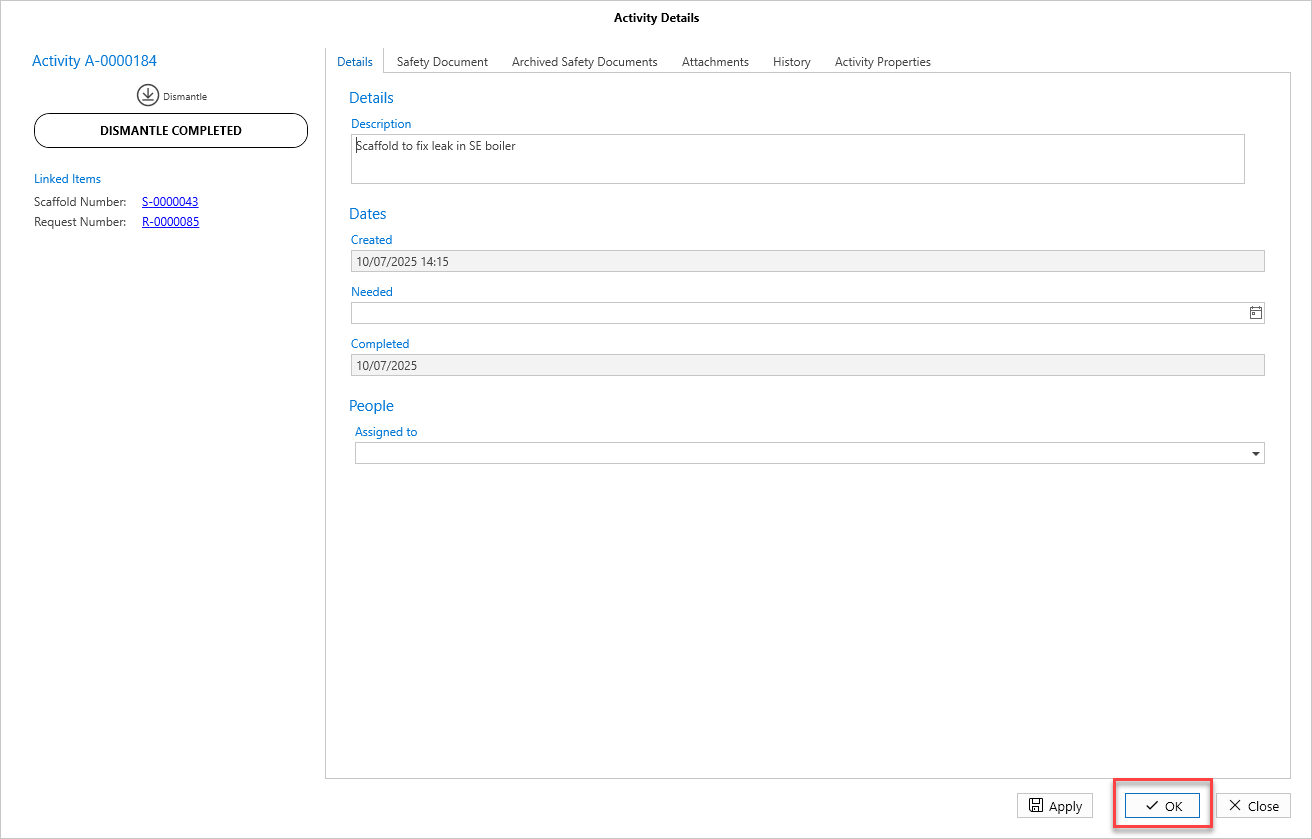
Click OK
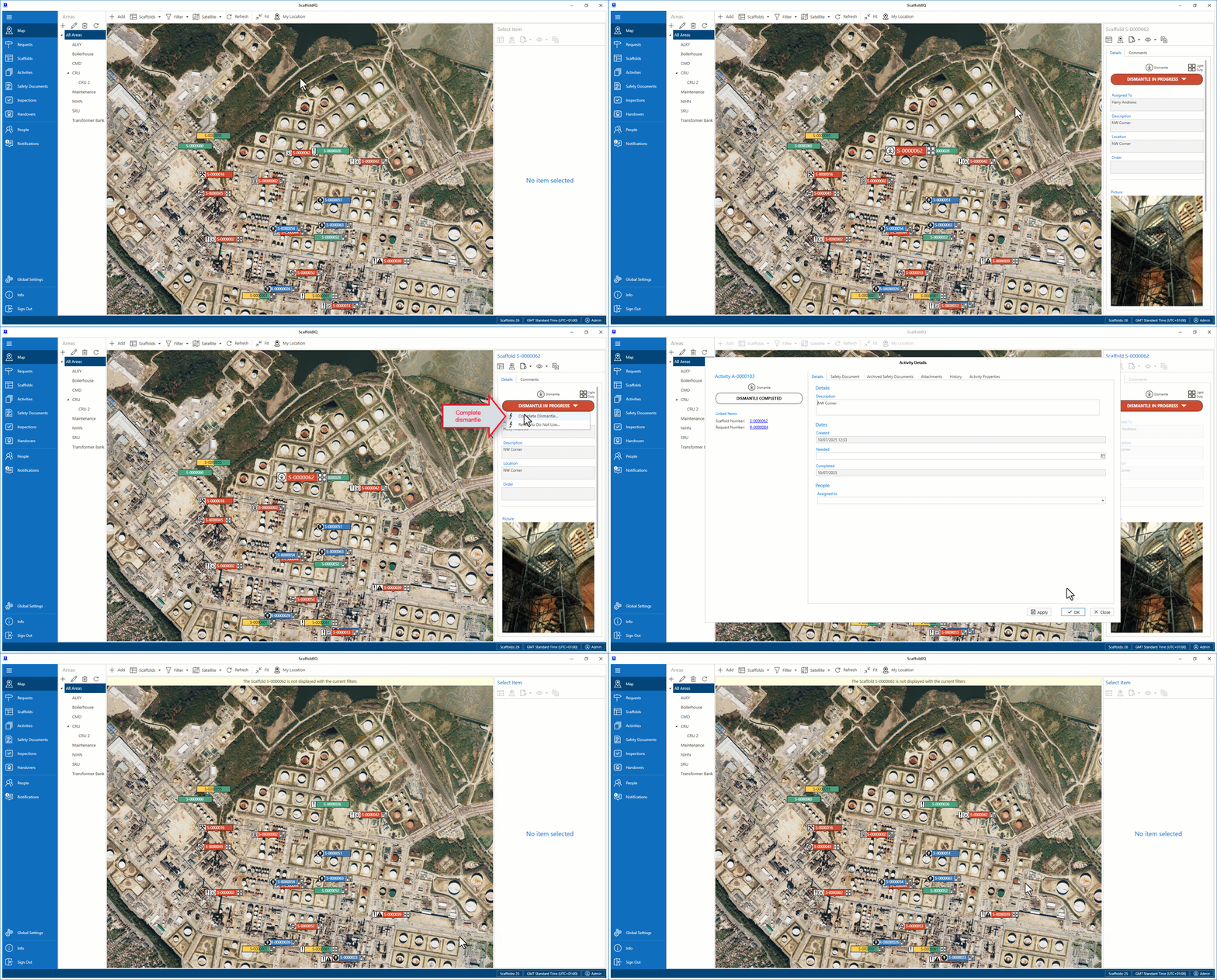
The Scaffold will be dismantled.
Dismantling a Scaffold from the Scaffold Screen
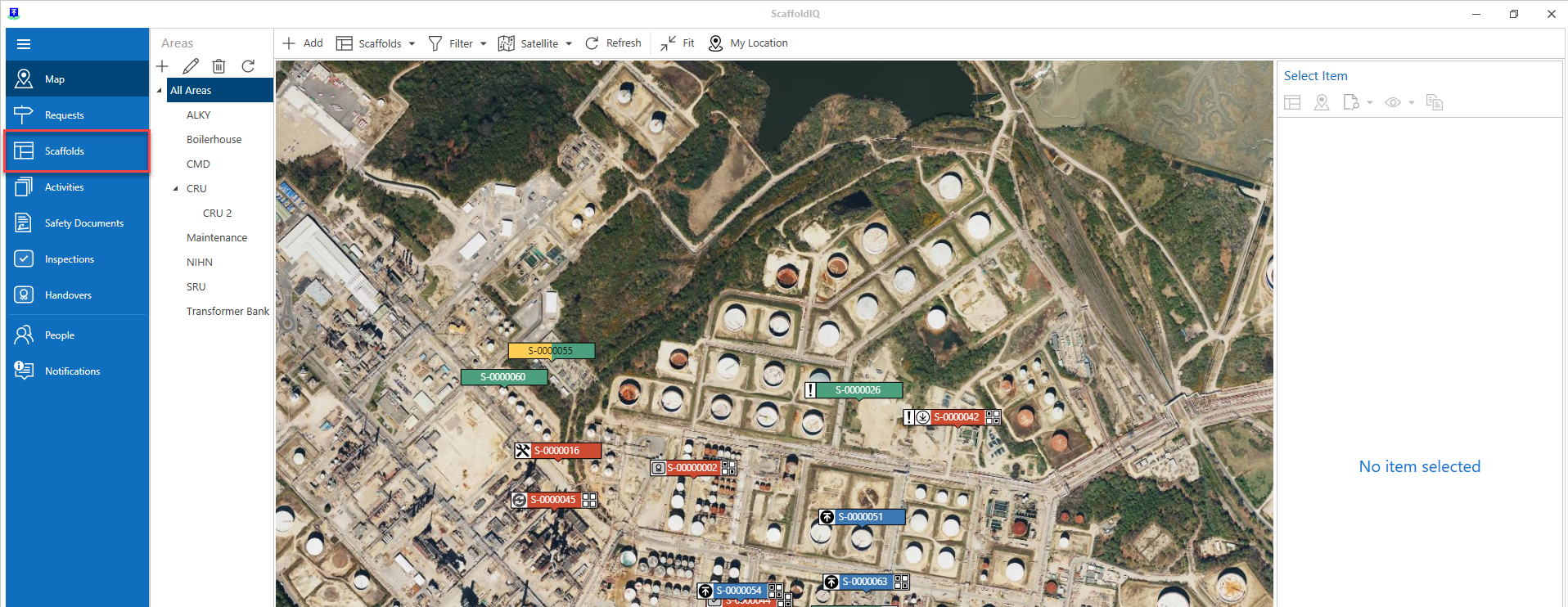
From the Map screen, select Scaffolds
Note: You can also select the scaffold pin on the Map screen and click Scaffold Details in the panel to the right.
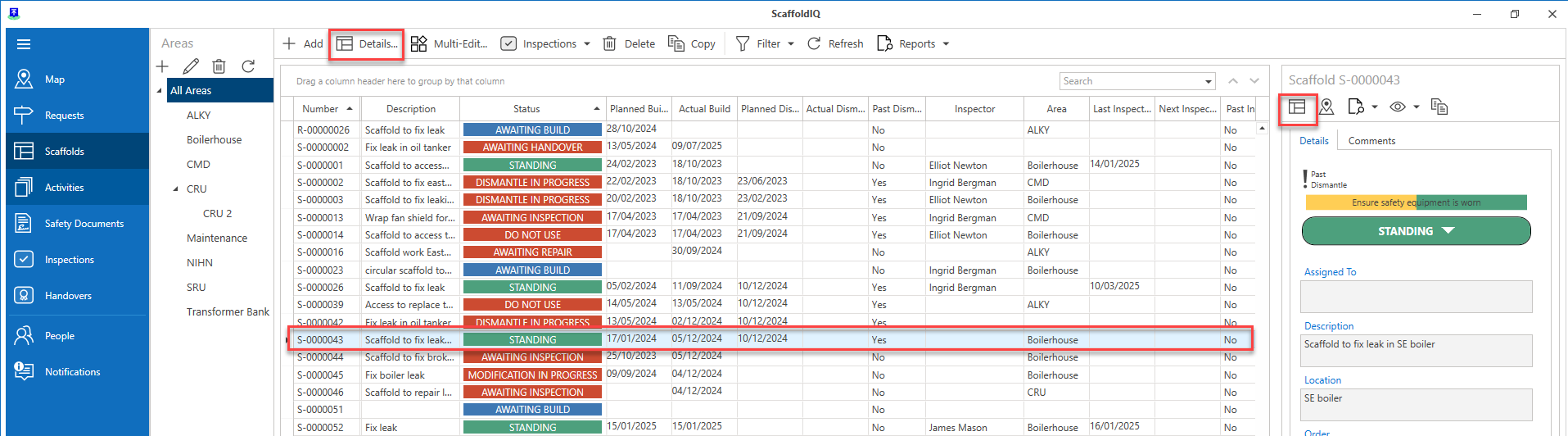
In the Scaffold screen, double-click the scaffold to be dismantled (or click Standing).
Note: You can also access the details via the Map screen.
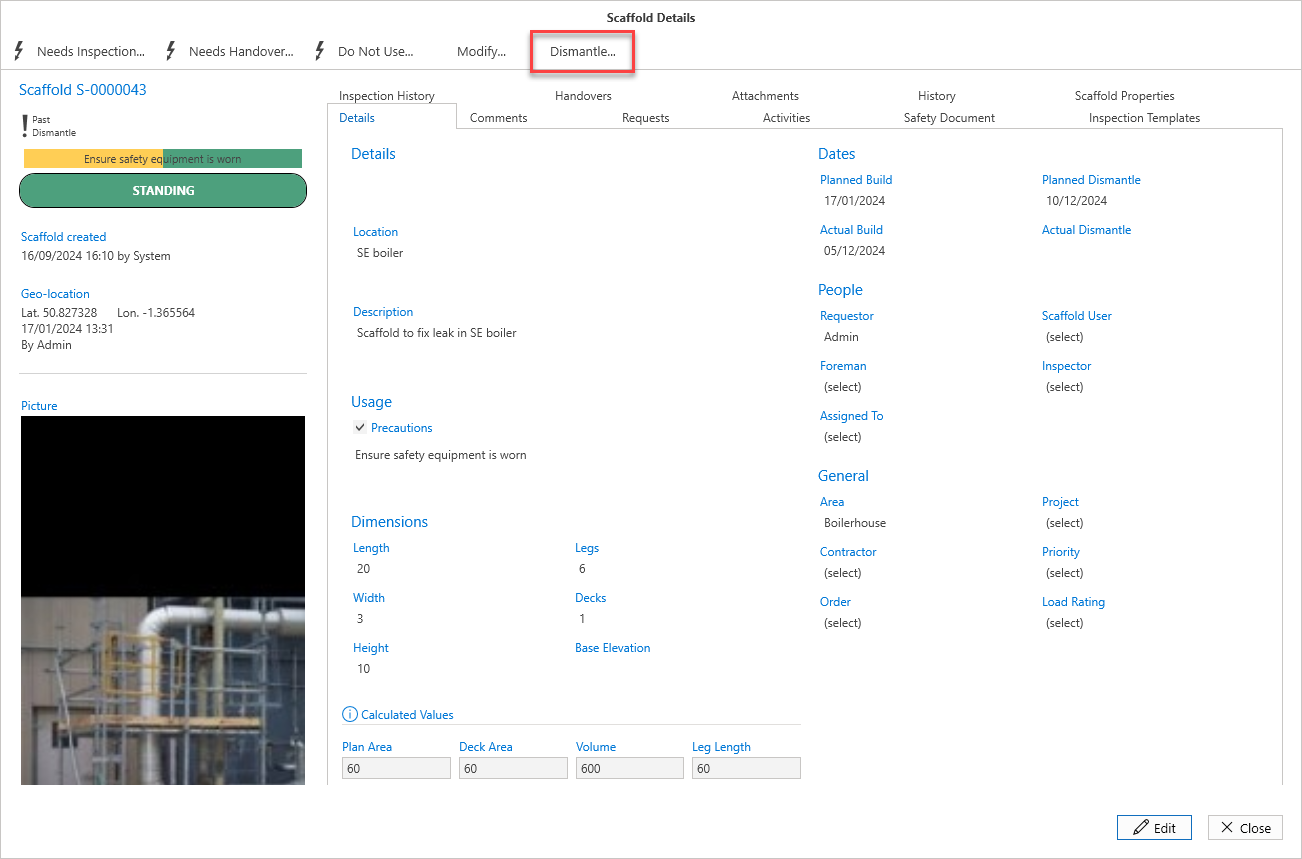
In the Scaffold Details screen, select Dismantle.
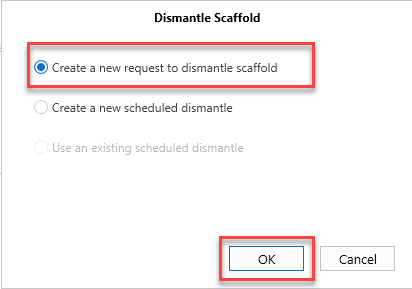
Select one of the three options. In this example, we will create a new request.
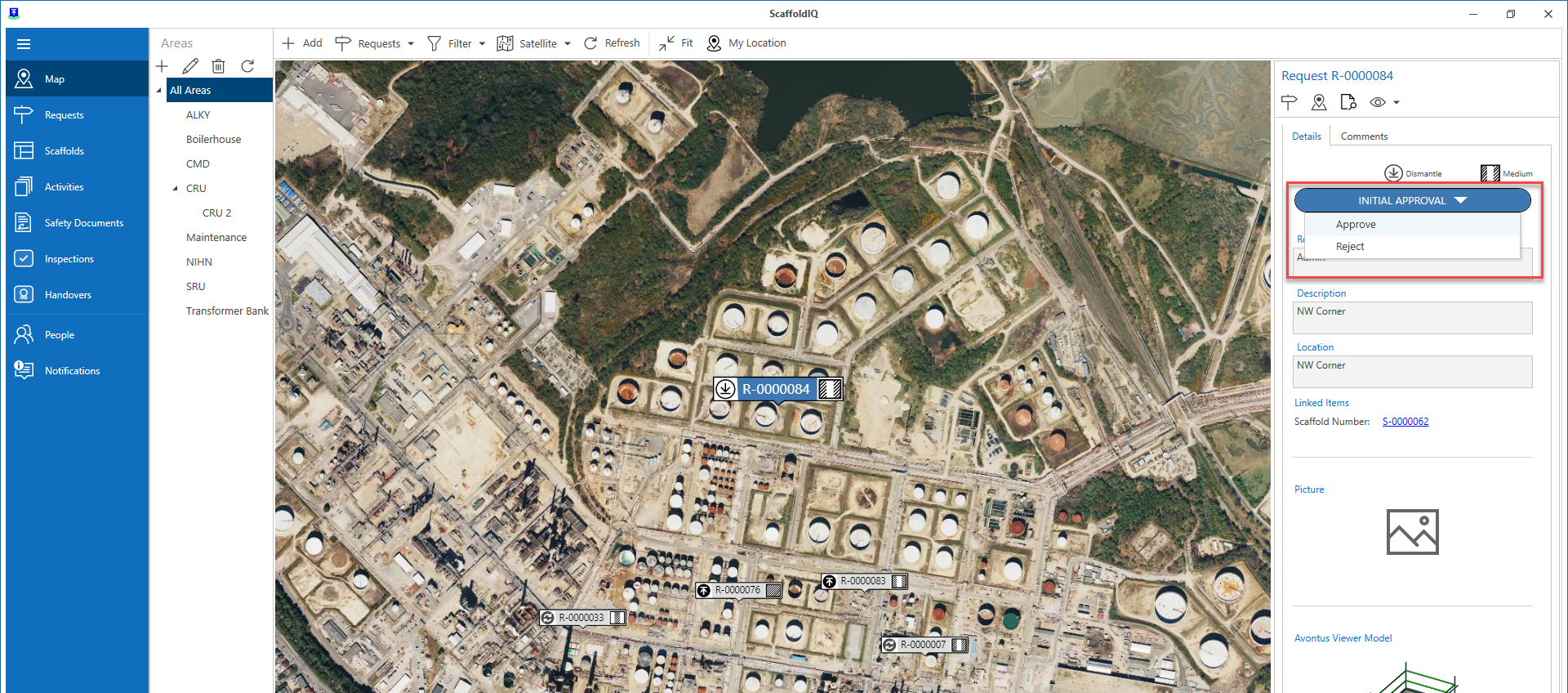
This will open the Request Details screen where we can provide information on the dismantle request.Approve the Request.
For more information on approving requests, please visit the Approving a Request guide.
Note: When the request is approved, an activity will be automatically created.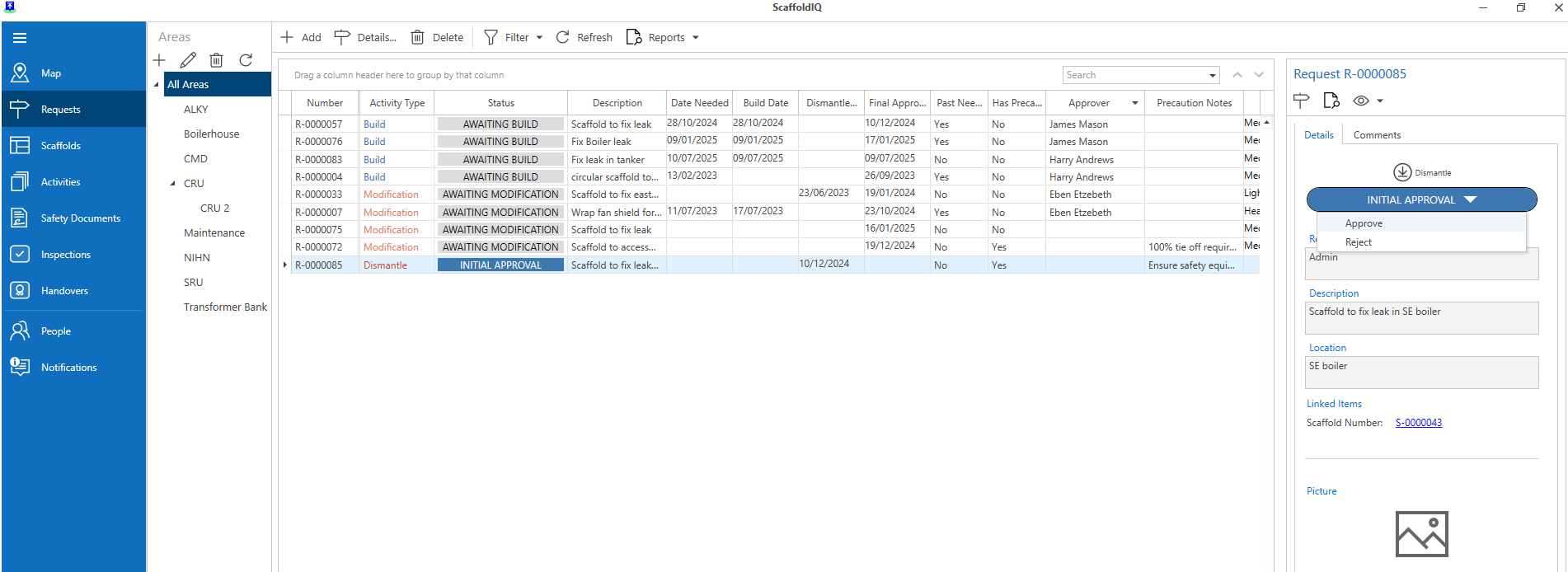
When the request is approved, go to the Scaffolds screen and open the scaffold to be dismantled.
In the Scaffold Details screen, select Dismantle.
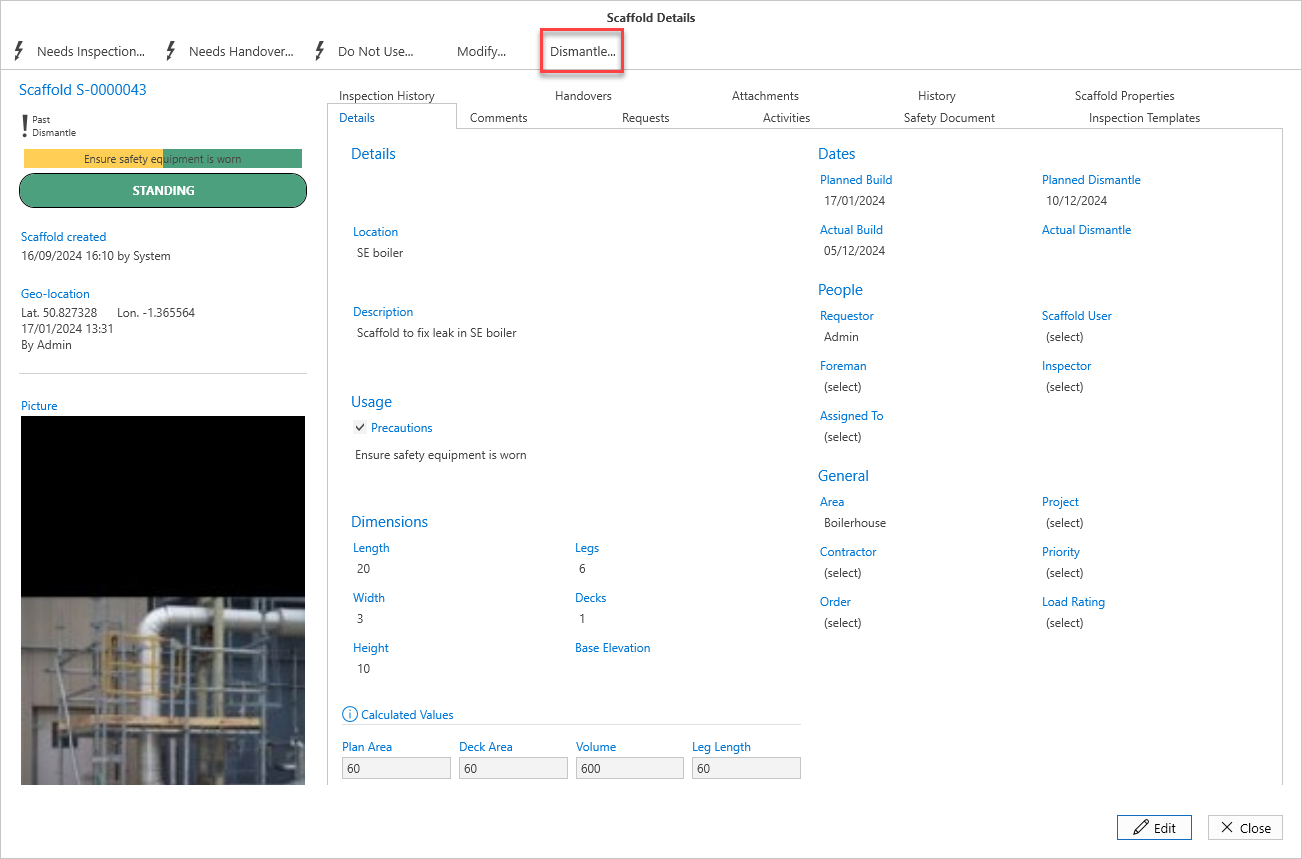
Select Use an Existing Scheduled Dismantle and click OK
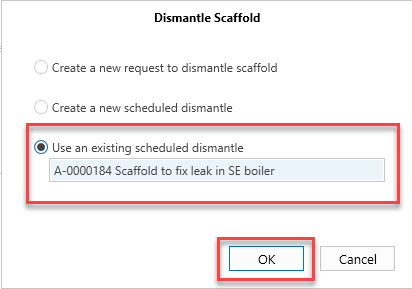
Note: The description set earlier should match the activity's name.Select OK.
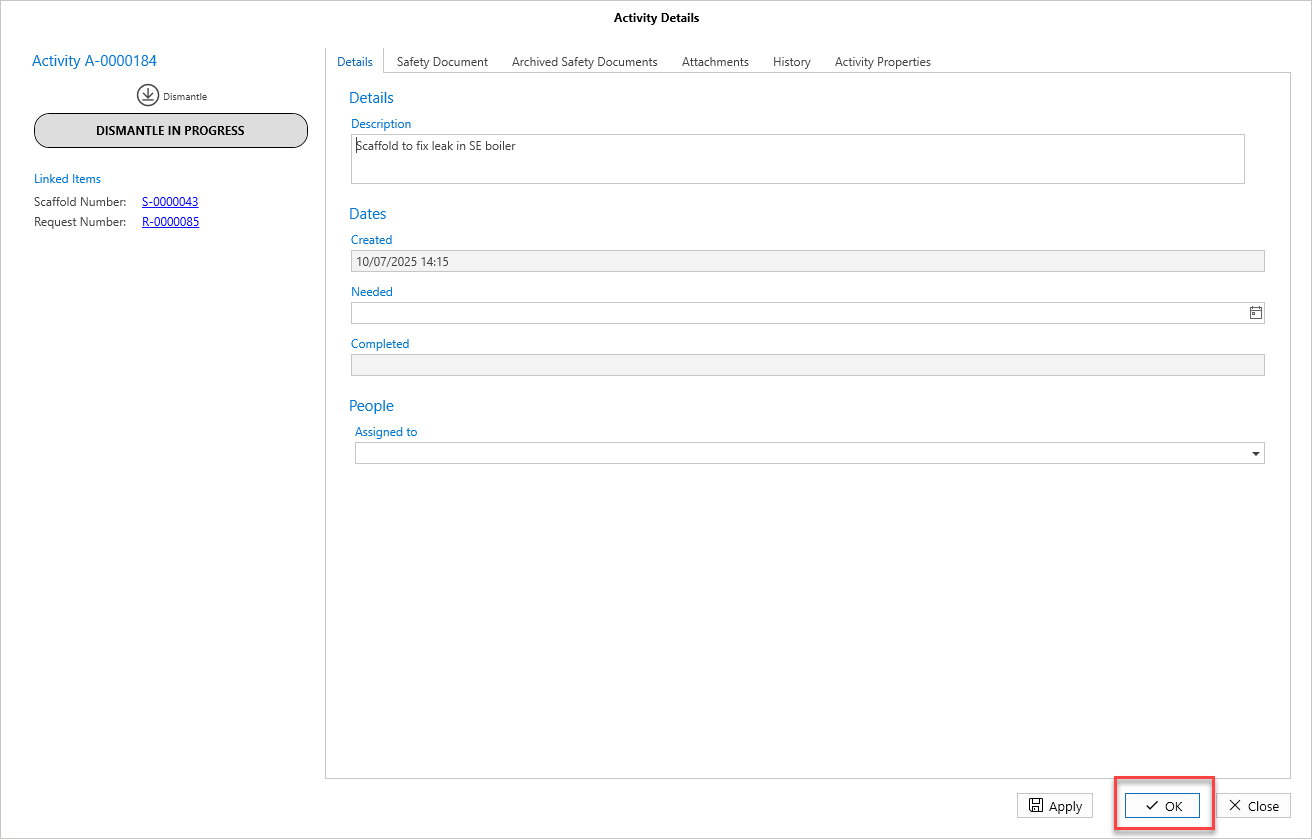
The status will change from Dismantle in Progress to Dismantle Completed
10. Select Complete Dismantle
Click OK
The scaffold will be dismantled.
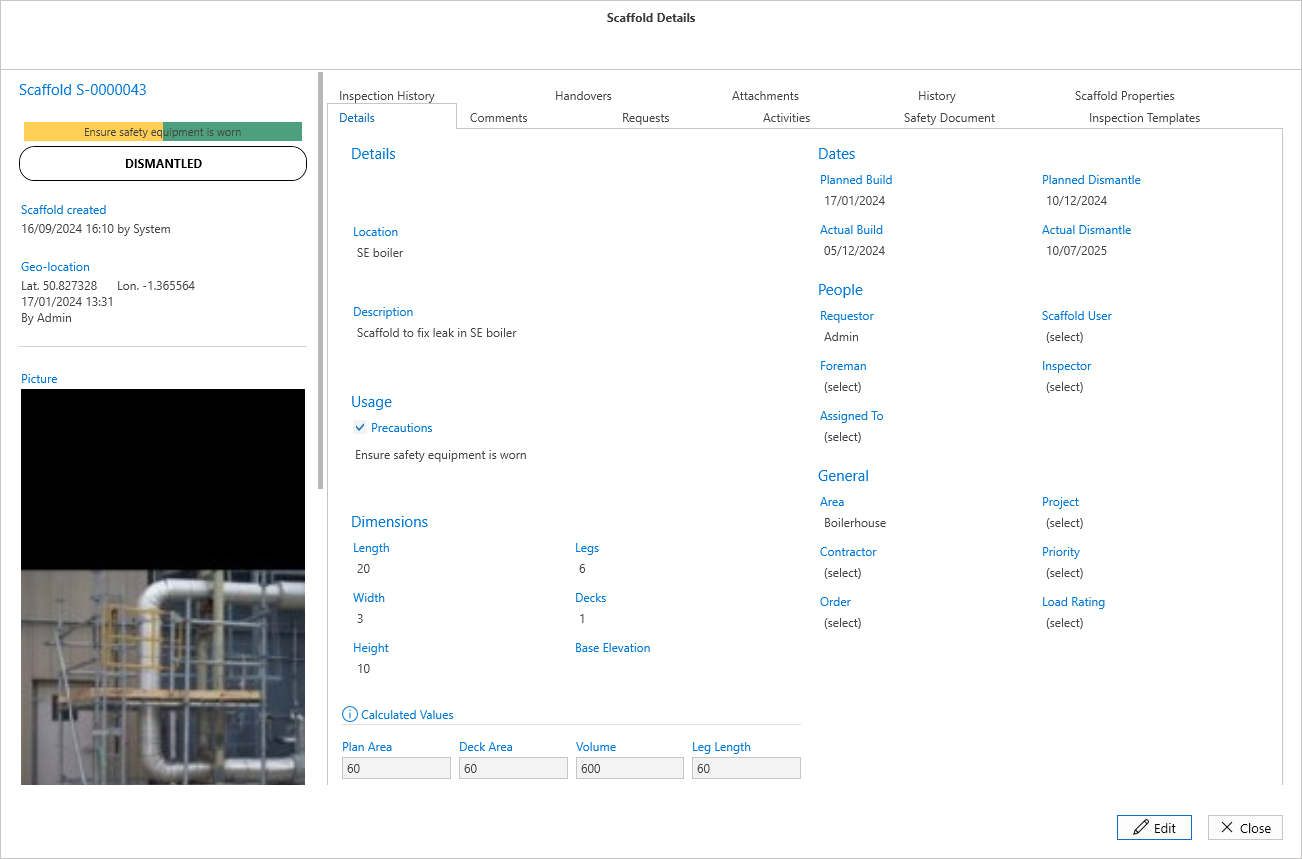
The scaffold can now be deleted and removed from the ScaffoldIQ application.